
Start11v2 Icon Tinitng

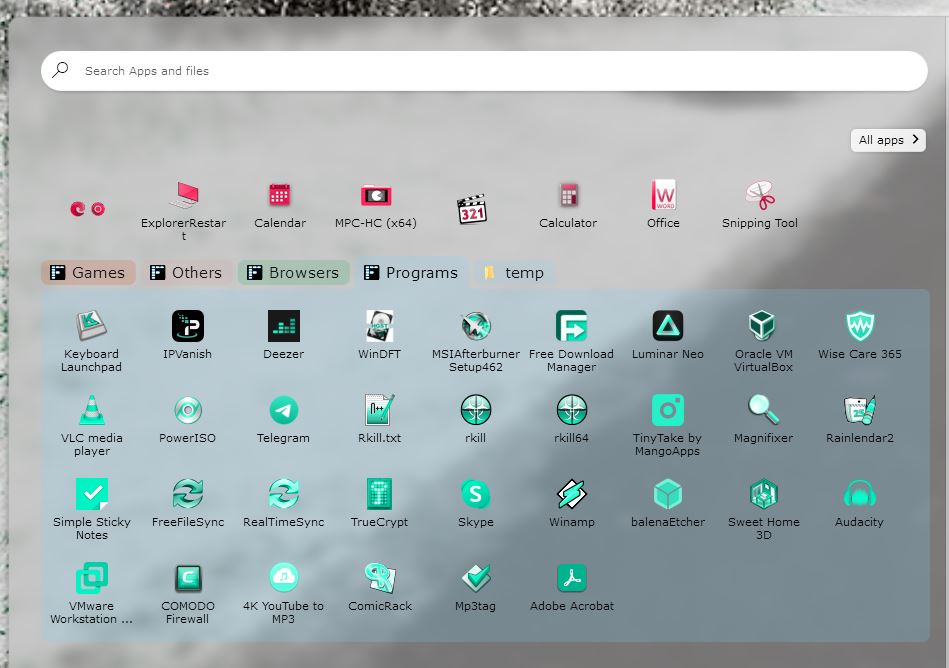
Is there a way to set a colour of all icons pinned to the start11 menu to be set to a icon tinting of all the same colour, or do you have to change each one individually?

1,300 views 4 replies
Reply #1 Top

or even set a colour for each group of icons, so when a new icon gets added to that group its set its tint to suit

Reply #2 Top

You can use Icon tinting on an entire group at the same time. Just right click on a empty area in the group and then Appearance>Icon tinting>select color.

Unfortunately, once you set the Icon tint for the group, if you then add a new shortcut to the group, it will not take on the chosen tint color.

Reply #3 Top

Hello,

I believe you can set the icons tinting on all icons within each group by right click on the icons groupy empty area-> appearance-> Icon Tinting-> Select color. Something like my screenshot below.

Thanks
Basj,
Stardock Community Assistant.