Why Start11 custom image only on the left

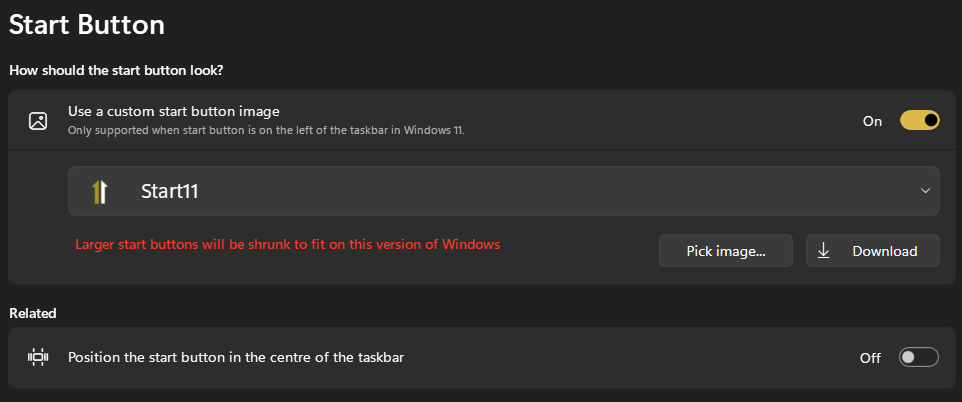
Why does the taskbar have to be left justified with a custom image? I like centered but want to use the images that Start11 uses.
Stardock will be closed for the week starting on Monday, June 29th and we will be returning on Monday, July 6th. We will be monitoring support tickets and forums during this time but expect delays in responses during this time.

Why does the taskbar have to be left justified with a custom image? I like centered but want to use the images that Start11 uses.
Hello,
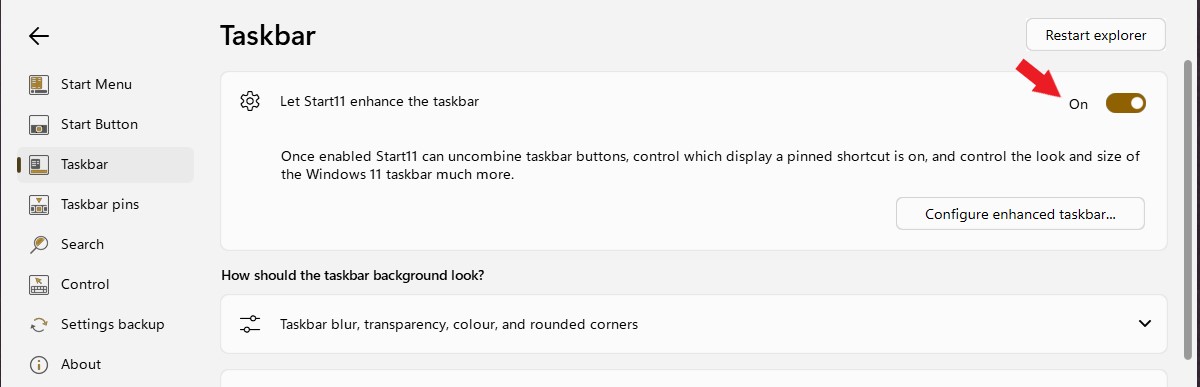
I believe you will need to have "Start11 enhance taskbar" turn on to have it in the middle.

Thanks
Basj,
Stardock Community Assistant.
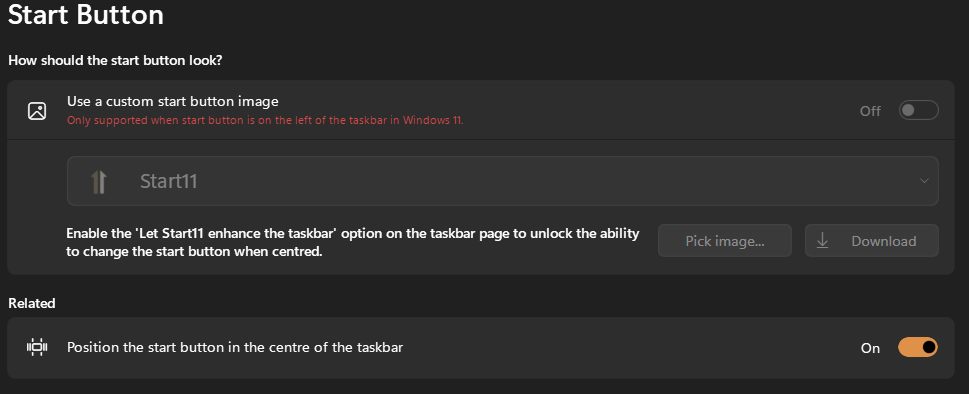
Right below that, if I choose to have the start button centered, then the custom image is disabled:
TThat's what I'm asking about... so it has to be this way no other options? Like is it a limitation on how Windows 11 does it's task bar? Or...?
You on Windows 11, yes? And, on Start11 v1 or v2?
Thank you,
Basj,
Stardock Community Assistant
v2
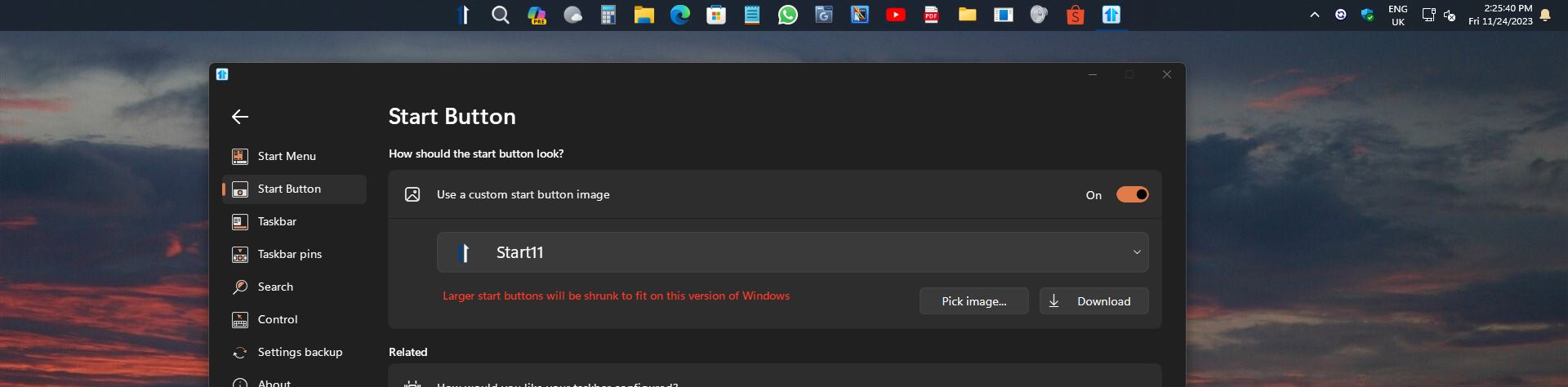
The only way to have a custom start button centered on the taskbar is to turn on the Enhanced taskbar in Start11.
Please check if your Enhance taskbar is enable.

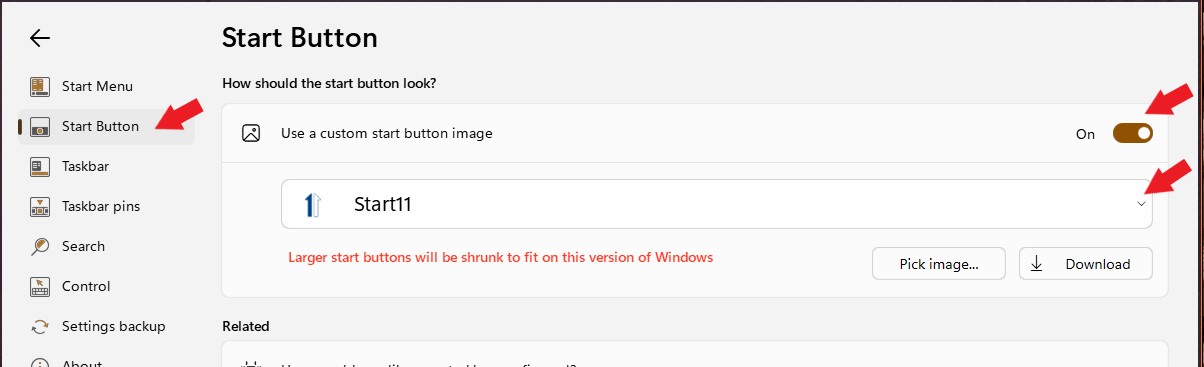
Once that is turned on. Go to Start button tab. Turn on Custom start button and choose your start button.

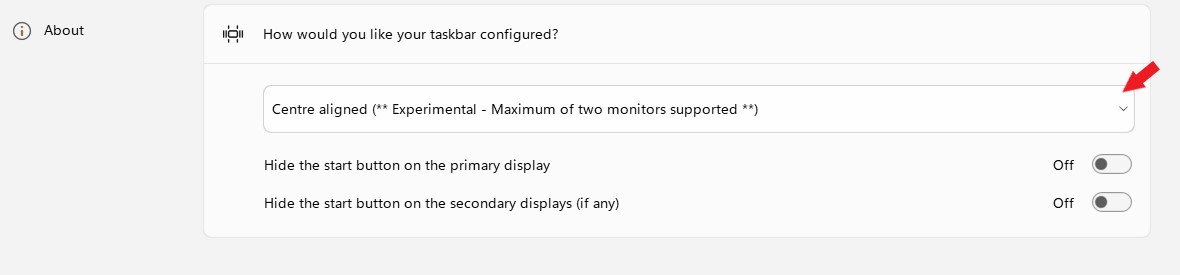
Set Start button center aligned.

Try that, if it don't work. Please post a video and upload it somewhere and post its link here.
Thank you,
Basj,
Stardock Community Assistant
That did the trick! Thank you very much!
Great, glad it work.
Thank you,
Basj,
Stardock Community Assistant
Welcome Guest! Please take the time to register with us.