
Not changing Start Menu and had to Revert to Previous version

Hi

Installed Start11 vs 2 on Windows 11 Pro latest (no updates reported) and Start 11 vs when opened and activated will not change any settings to the Start Menu. I use a typical Windows 7 type of menu and could not effect and change regardless of what I chose. Had to reinstall Start 11 previous version which works flawlessly. Not sure what going on and if you needs logs etc please advise in detail accordingly, thanks.

Like what Start 11 vs2 could do but shame could not see results. Backing up prefs is a great idea.

All the best,

Tim
688 views 3 replies
Reply #1 Top

Hello,
Sorry to hear you are having issues. Just to clarify. You installed Start11 v2 on top of Start11 v1, and Start11 v2 ask to enter activation code, and you enter your activation code which you just get when you purchased Start11 v2, yes? And it says it is activated, yes? Did you reboot after all that? If you did, and try Start11 v2 new style such as  Windows Pro style or Windows Launcher style, the new style do not show up? Just the Old Start11 v1 Windows 7 style show up?

Thanks
Basj,
Stardock Community Assistant.

Reply #2 Top

Hi

Thanks for your reply.

I made some changes in Start11 vs 1 and restarted and then reinstalled vs 2 and all went well this time. Not sure why this worked but before did not?

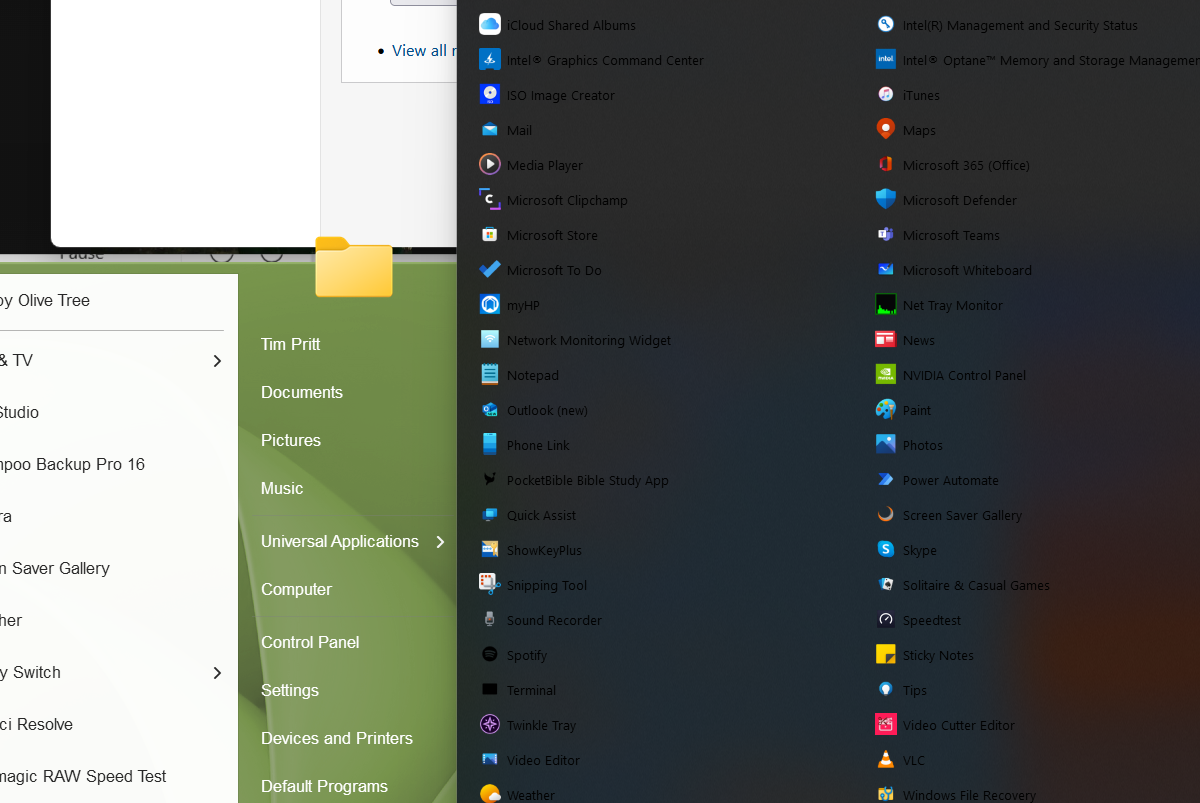
However, I have made some changes and on one point cannot get rid of dark menus and wondered if you can help and show which part of Start11 I need to change, thanks.

Picture below

Tim


Reply #3 Top

Hello,

This is a known issue and should be resolved with the latest Start11 v2 released. Please check your account page. https://store.stardock.com/myaccount/products. Download and install the latest available version.  2.01 [Beta]

Thank you.
Basj,
Stardock Community Assistant.