Fences 4

This picture below shows the problem.  Prior to installation of Fences 4 I could adjust the bottom of the fence to hide the name of the icon but now portion of the lettering is showing.  I am unable to move the bottom of the fence up higher to hide the title name.

This is a snapshot of Fences 3 -

I am using Windows 10.  Does someone know what the problem could be?  I have tried adjusting all different settings but nothing seems to work.

Thanks.


14,972 views 11 replies
Reply #1 Top

Hello,
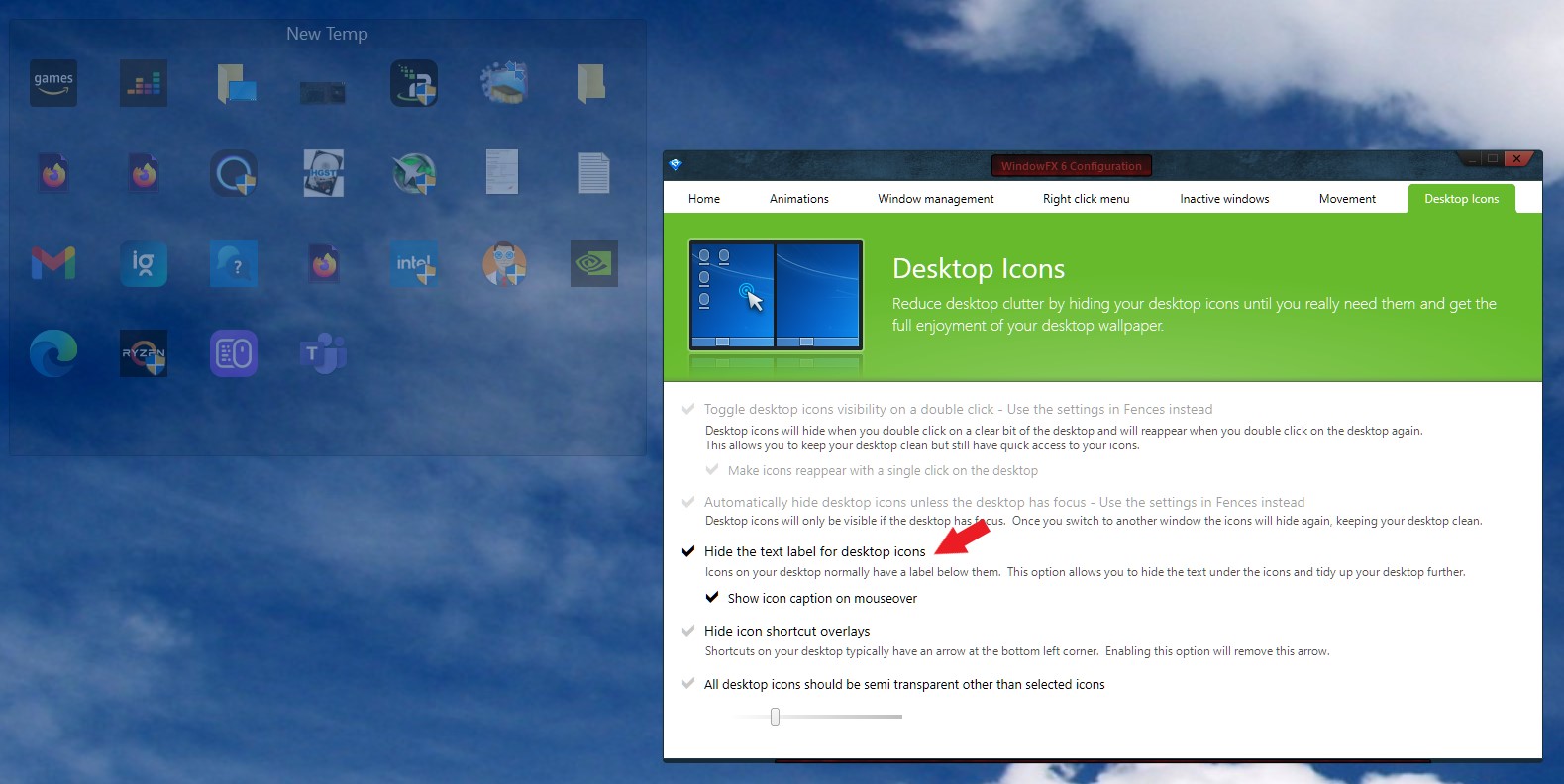
Sorry to hear you are having issues. I can reproduce your issue in Fences 4. It most probably because there is new features introduced into Fences 4. But, do know that Stardock's WindowFX have the "Hide desktop icons label" in it if you wish to have this function all the time.

Add note: Testing on my other system. I can not do what you did on Fences 3, not sure how you manage to adjust the Fences bottom edge to cover those text.


Thanks
Basj,
Stardock Community Assistant.

Reply #2 Top

Thank you for your reply.  I do not have Stardock WindowsFX.

I cannot remember how I managed to hide the title of the icons on Fences 3 but it worked, the height of the fence could be reduced. 

Is there a way to adjust the height of the default fence to the size/height that I would like.  The default height is too big. 

Thanks

Reply #3 Top

I don't think that could be done. However, to be sure, I have forwarded your problem/question to Stardock Support Team for their assistance. Please keep an eye on this thread for any updates. We appreciate your feedback and patience.

Basj,
Stardock Community Assistant

Reply #4 Top

Quoting Hoya99, reply 2

Thank you for your reply.  I do not have Stardock WindowsFX.

I cannot remember how I managed to hide the title of the icons on Fences 3 but it worked, the height of the fence could be reduced. 

Is there a way to adjust the height of the default fence to the size/height that I would like.  The default height is too big. 

Thanks
End of Hoya99's quote

You can try using Ctrl + Middle mouse scroll wheel to adjust the size of the icons in a Fence. Example:

https://cdn.stardock.us/support/uploads/2023-10-03_09-02-50.mp4

Sean Drohan
Stardock Product Lifecycle Manager

Reply #5 Top

Thank you Sean.  That's a nice feature.   In my case it only makes the icons bigger and smaller but the title still shows.  I would like to be able to do this for the height of the fence then I would be able to hide the title completely.  

Is there a way to experiment with the sizing for a single fence only instead of the entire screen?

Thanks

Reply #6 Top

Quoting Hoya99, reply 5

Thank you Sean.  That's a nice feature.   In my case it only makes the icons bigger and smaller but the title still shows.  I would like to be able to do this for the height of the fence then I would be able to hide the title completely.  

Is there a way to experiment with the sizing for a single fence only instead of the entire screen?

Thanks
End of Hoya99's quote

Folder portal Fences would be per Fence as shown here
https://cdn.stardock.us/support/uploads/2023-10-04_10-07-10.mp4

Unlike in that video, on my Primary PC, all my Fences are Fences Folder Portals. To me, they allow for greater flexibility and view states - for example, I can see details and such:

https://cdn.stardock.us/support/uploads/2023-10-04_10-09-13.mp4

To achieve this, to make all Fences folder portals, its a matter of putting all your desktop icons in folders somewhere off the desktop, My Documents for example, and then creating Folder portals for them.  Example

https://cdn.stardock.us/support/uploads/2023-10-04_10-12-21.mp4

Whats handy about what I did in that video, mapping them to my OneDrive account, is that those files are available to all my PCs. Thus, I can create the same folder portal on any of my PCs and have the same files on each. 

Hope that helps

Sean Drohan
Stardock Product Lifecycle Manager

 

Reply #7 Top

Thanks Sean, some useful information.  Below is a snapshot of some things I tried.  The fence height/width still needs to be able to be adjusted to accomodate hiding the title. 

I've tried horizontally and vertically.  When I make the icons bigger in the horizontal position then the icons loose their image and when I try it vertically the same thing happen.  I did manage to find a program that removed the shortcut arrow. 

Thanks

Reply #9 Top

Thanks Sean.    I do not feel comfortable changing those settings.  I managed to adjust the height of the fence on Fences 3 but nothing seems to work for Fences 4.  When I use small icons the spacing between the icons are fine.  I do not want to have big icons as the classis size is fine for me.  I just the need the fence to move closer to the icon.

I really think it is default setting of Fences 4 which does not allow me to adjust the height/width of the fence to accommodate smaller icons to hide the title of the icons.

Thanks

Reply #10 Top

Hello Sean

Is Stardock going to do something about adjusting the height/width of the default fence to allow the title to be covered?

Thanks

Reply #11 Top

Quoting Hoya99, reply 10

Hello Sean

Is Stardock going to do something about adjusting the height/width of the default fence to allow the title to be covered?

Thanks
End of Hoya99's quote

Are you referring to your initial post or something else, Hoya?

If so, while your concerns have been noted, no change is imminent. 

Sean Drohan
Stardock Product Lifecycle Manager