FIXING = Making your Icons appear
I found this to be the best solution that works every time
 Stardock Forums
I've ready so many articles on the web about how to fix missing icons, but I found this was the only one that worked. If your icons are not showing, try this:
1. Open File Explorer  from your Taskbar and then minimise it.
(I recommend you do this first, because otherwise it can be quite time consuming to find this in the long list).
2. Hold Ctrl + Shift and tap the Esc key (This is the shortcut for opening Task Manager).
3. Because you have already opened Windows (File) Explorer, it will appear in the top list,
making it so much easier to find:
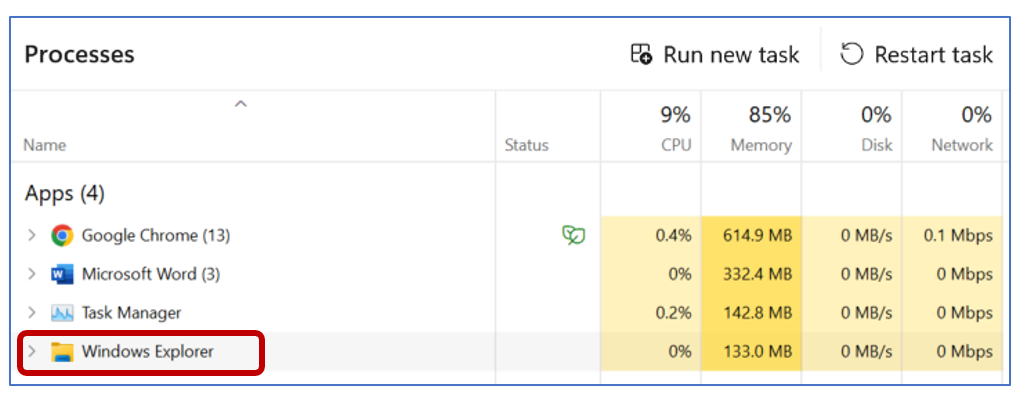
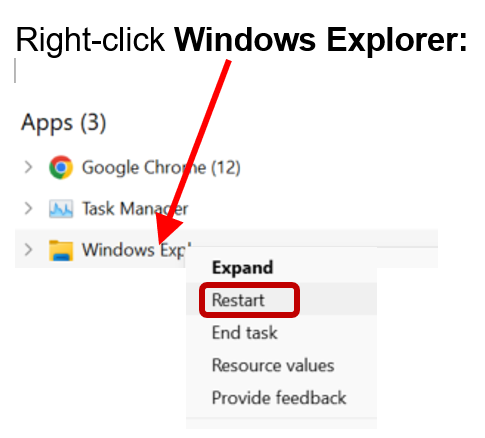
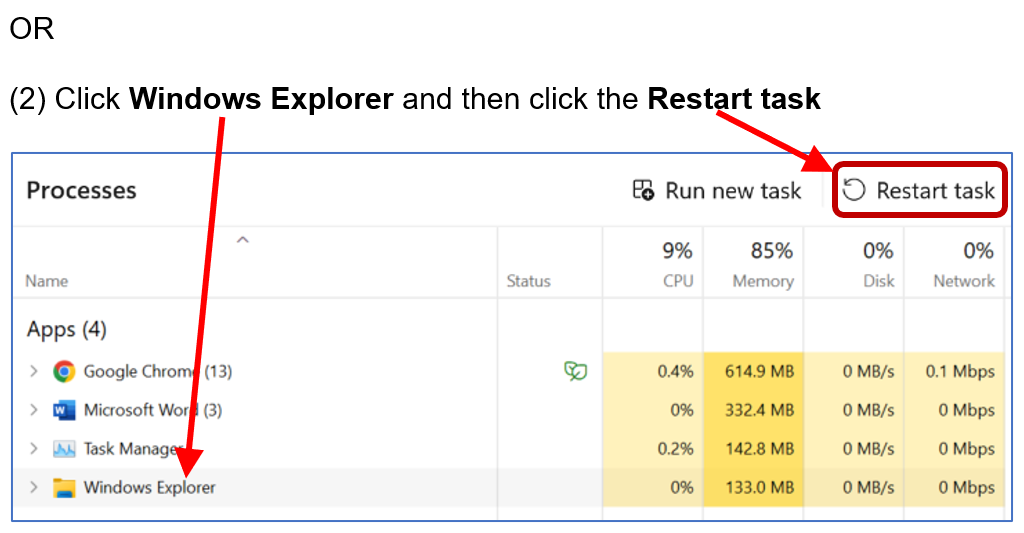
NOTE: There are 2 simple ways to restart Windows Explorer:
(1) Right-click on Windows Explorer to reveal the dropdown menu
Click Restart and wait.
Examples of Icons in Fences, converted to ico images from Stardock IconDeveloper:


Plus, you can also have url shortcuts: