How to install Fences on a 2nd computer

If this information is already available, please post the location.  If not, how is this done?

2,597 views 5 replies
Reply #1 Top

Hello,
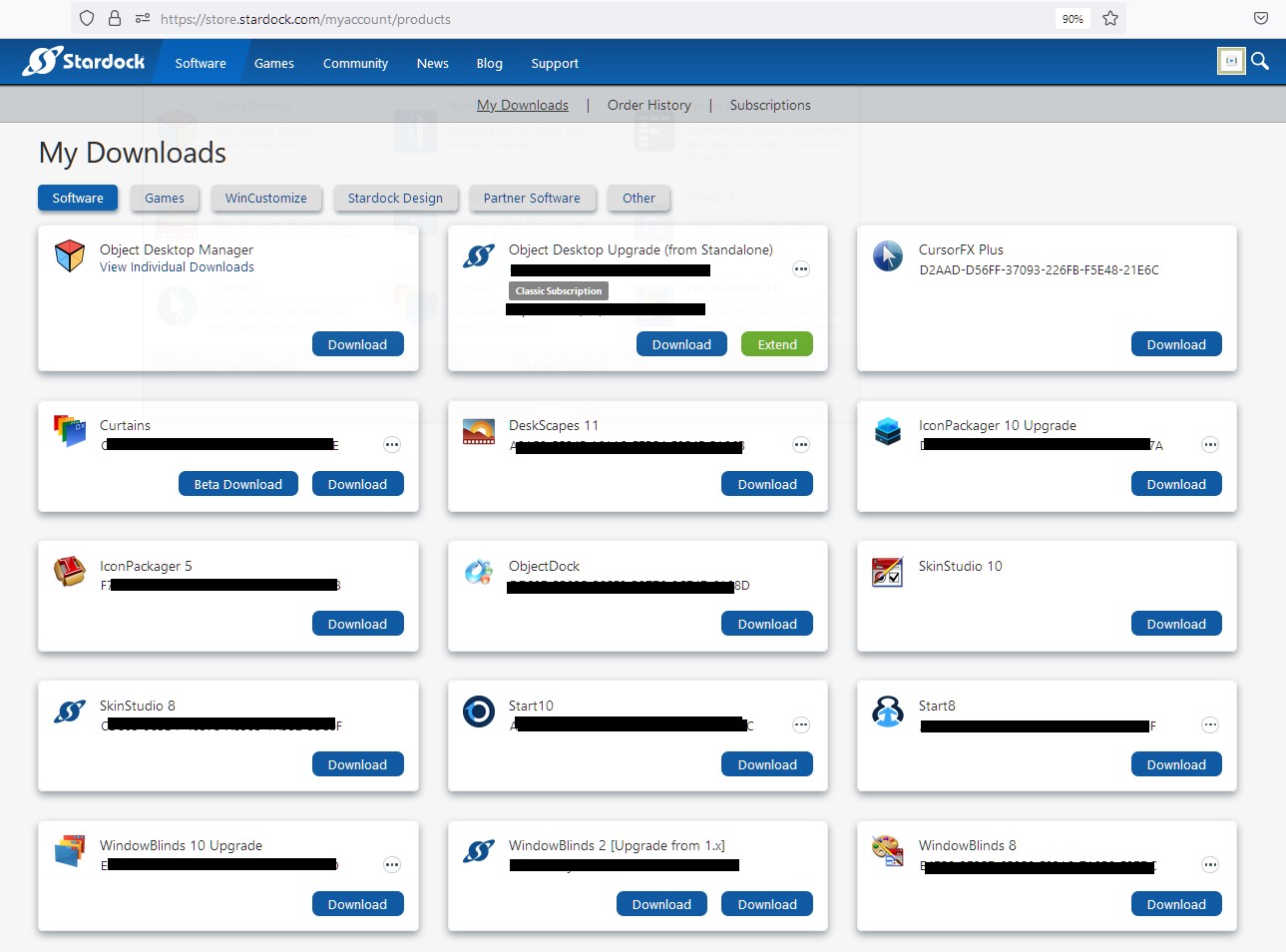
Sorry to hear you are having issues. To install Fences on second computer, you just need to download the installer from your account page : https://store.stardock.com/myaccount/products. Install it. Reboot. And Activate it. Do let us know if you still need assistance.

Thank you.
Basj,
Stardock Community Assistant.

Reply #2 Top

Thank you for the suggestion Basj.  The link does not show an option to download an installer.  Can you provide more information on how to do that?

Reply #3 Top

Please post what you see on that page. You should see something similar like screenshot below, if your account is correctly linked. And Fences should be listed in one of the boxes with its own download button if you bought standalone.

Thank you,

Basj,
Stardock Community Assistant

Reply #4 Top

Thanks for the additional help and picture, I'm all set.

When I used https://store.stardock.com/myaccount/products this time, it showed "Fences 3..." and the install worked fine.  The first time it showed a matrix of options but none include "installer". Not sure what the problem was.

Reply #5 Top

Great, glad you get to it.

Thank you,

Basj,
Stardock Community Assistant