
Problem

Unfortunately I have to inform that despite the latest versions of Start11 I have the following problem. Ihave Win10 Pro with regular license.

I set through the menu the possibility to have the position of Start in the center of the application bar but the position remains on the left. I tried all the ways but without success. I ask help ... thanks
3,635 views 14 replies
Reply #1 Top

Hello,
Sorry to hear you are having issues. Need more information on your system.

  1. Windows 10 full version number. Use Winver.exe
  2. Start11 version number.
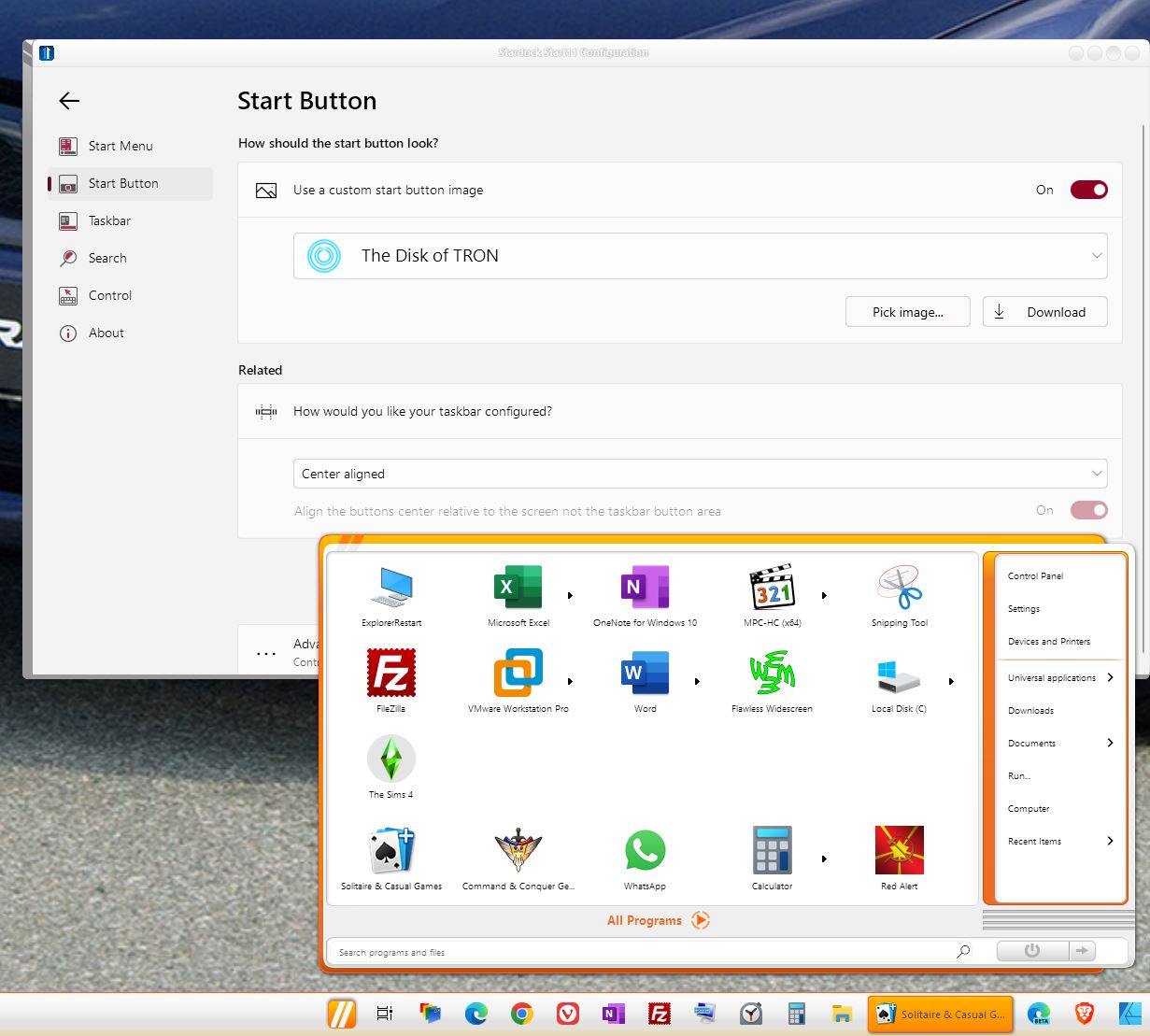
  3. Start11 setting on your Start button tab. Something like screenshot below.
  4. Do you have any other application that change your taskbar and start panel running in the background?

Thanks
Basj,
Stardock Community Assistant.

Reply #2 Top

Thanks for tour answer

I have the latest win10 version

I have tue latest Start11 version

Start setting is setting in the center of application bar

No orher application that change the taskbar

this problem is ok when run start11 application 

the problem is at win 10 start when i run start 11 al is ok

Reply #3 Top

Need full version number. Please refer to this guide: https://support.stardock.com/space/SHC/1387003915/Contacting+Stardock+About+Start+Product+Issues.

Also,

What do you mean by this? Please elaborate

Quoting Fabry_iw1coy, reply 2

this problem is ok when run start11 application

the problem is at win 10 start when i run start 11 al is ok
End of Fabry_iw1coy's quote

Thank you,

Basj,
Stardock Community Assistant

Reply #4 Top

Quoting Fabry_iw1coy, reply 2

this problem is ok when run start11 application 

the problem is at win 10 start when i run start 11 al is ok
End of Fabry_iw1coy's quote

You problem is only when you do not have Start11?


Paul Scroggins
Associate Technical Support Analyst

Reply #5 Top

that is the question . In the settings of Start11 latest version I put the position of the start button and applications in the center. When you start win10 all applications and the start icon remain on the left. then I load the Start11 application and all the icons go to the center. 

Reply #6 Top

Okay, so if you run Start11, Start button is in the center, which is, what you want, yes? My question is Do Start11 auto load when you restart your computer?

Thank you,

Basj,
Stardock Community Assistant

Reply #7 Top

No ...when I restart my PC the Start button and other icons application remain in the left side of the taskbar.

If I want to have the Start Button and the icons application in the center of the taskbar I must run Start11 Program.

Reply #8 Top

Quoting Fabry_iw1coy, reply 7

If I want to have the Start Button and the icons application in the center of the taskbar I must run Start11 Program.
End of Fabry_iw1coy's quote
Of course you have to have Start 11 running to center the start button. That's what Start 11 do and the setting is not something saved for Windows 10 to do by itself.

Reply #11 Top

It seems like you somehow set Start11 to not autorun as it should


Paul Scroggins
Associate Technical Support Analyst

Reply #12 Top

You say this ... I know the program very well ... I think that at least whoever built this program could have put the option to save the settings !!!!

Reply #13 Top

Quoting Fabry_iw1coy, reply 12

You say this ... I know the program very well ... I think that at least whoever built this program could have put the option to save the settings !!!!
End of Fabry_iw1coy's quote

There isn't a reason to do so, closing the UI saves the changes that you made, but this is not related to the issue that you are stating is happening


Paul Scroggins
Associate Technical Support Analyst


Reply #14 Top

 well…this is my opinion regarding my problem on Start11. If nobody is able to solve it… I can close the post here. Thank you for your cooperation.