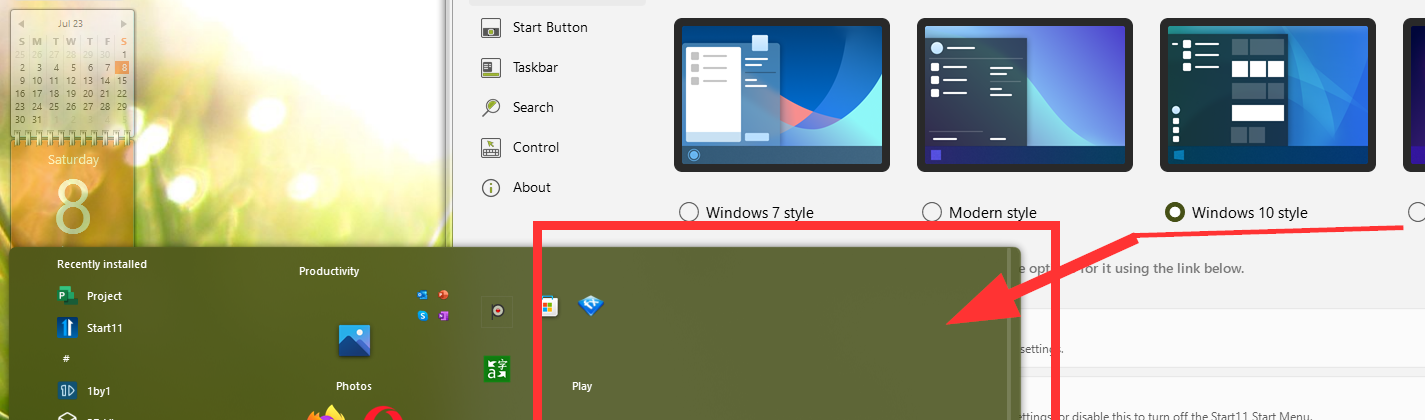
Start11 (v1.46) Windows 10 view empty space adjust
from  Stardock Forums
Stardock Forums
Hi all. Enjoying the Start11 so far and works great for me. One quick question though, is there a setting that could help me adjust the spacing in the tile area of Windows10 stylized menu from two columns to one? I'm not using too many application tiles in it, and they fit into one column and there is huge blank area left on the right - see the screenshot. Any suggestions on how I can reduce this space with Start11 settings? Thanks in advance