Start Menu 11 - Buttons on fingertip

Start 11

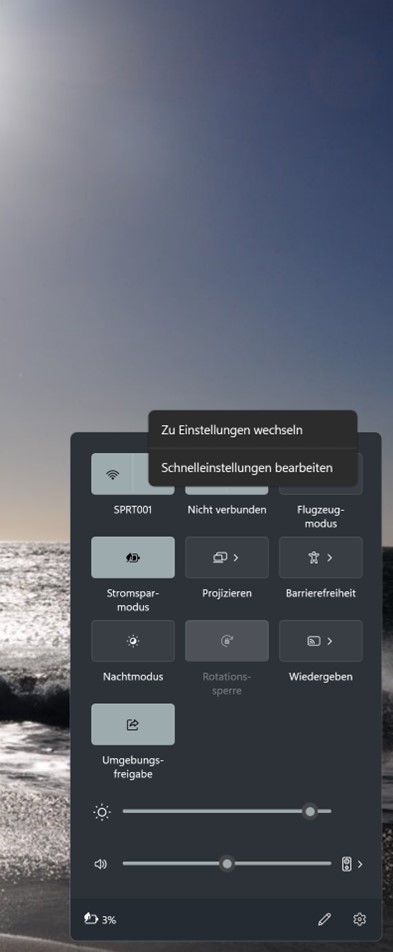
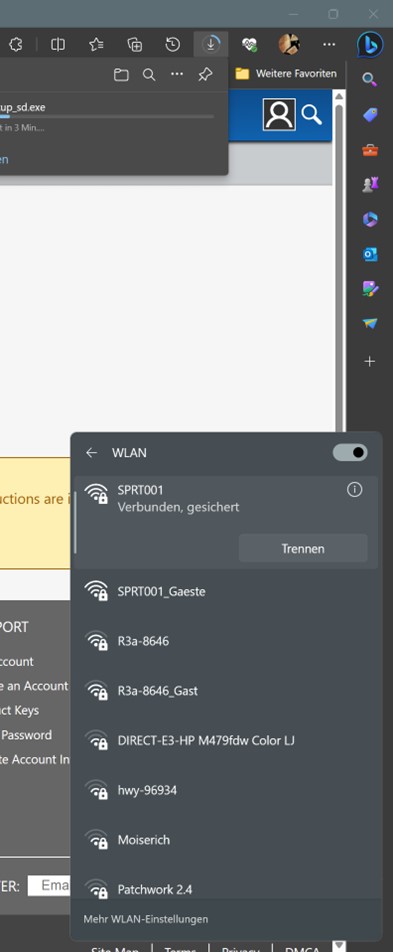
Since vers. 1.46 some buttons not working with fingertipps. In vers. 1.45 it worked correctly. Like taskbar selecting W-LAN. With a mouseclick it workes ok. Specially on surface as a tablet these funtions are essentials. The base: Win 11, 22H2, build 22621.1848, German x64, I don't prefere a de- and reinstallation; loosing the whole configuration on the menues.

Thank you for any suggestion.
1,216 views 5 replies
Reply #1 Top

Hello,
Sorry to hear you are having issues. Need to do the uninstall and reinstall steps. Important to reboot immediately after uninstall finished. And redownload the installation again. Reinstall it and reboot again. Retest and report back. I believe you configuration will be saved unless you use the "remove setting" on uninstall. Also, if you wish you can back up your setting using this guide: https://forums.stardock.com/505872/start11-support-faq#backUpSettings

Thanks
Basj,
Stardock Community Assistant.

Reply #2 Top

Good afternoon Basj,

I followed your suggestion. I uninstalled start 11, the button worked with a fingertipp, i could chhose the wlan. As soon i installed start11 again it is not working again. After every step i started the Surface again. The mentioned fault ist on a Microsoft Surface Book I and the same on a surface pro 9. Any other solutions?

Win 11 without Start11

Without Start 11 i can choose WLan with my fingerprint and mouse

Win 11 with Start 11

With Start 11 i canot chose W-Lan with my fingertipp, onlny with mouse it works

Reply #3 Top

Hello,
I have forwarded your problem/question to Stardock Support Team for their assistance. Please keep an eye on this thread for any updates. We appreciate your feedback and patience.

Basj,
Stardock Community Assistant

Reply #4 Top

We have had one other report of this and are investigating it.

Hopefully we can get this sorted soon.