
Question about KVM Pro

I have a laptop that I carry between 3 different locations which all have desktop computers, one location has two desktops. My question is if I purchase the KVM Pro version, can I install it on all 5 machines and it work with my laptop at whatever location I am at?

Example- I have a desktop and laptop at home

                 I take the laptop to my office which has two desktops with two monitors each

                 I take the laptop to my church office which has one desktop with two monitors.


Can I control each of these computers from my laptop, or my laptop from each of these desktops as long as I am on the same local network as the computer I want to interface with? I dont need,nor do I particularly want the screens of the other machines to show up on my laptop screen in most cases. However, there will be times when I do need the remote screen to show up on my laptop.  I don't mind paying for the Pro version if it will do what I need.
 

3,984 views 8 replies
Reply #1 Top

Hello,
I have forwarded your problem/question to Stardock Support Team for their assistance. Please keep an eye on this thread for any updates. We appreciate your feedback and patience.

Basj,
Stardock Community Assistant

Reply #2 Top

As long as the Primary PC (the only PC that that needs activations - Secondaries do not), stays the same, yes.

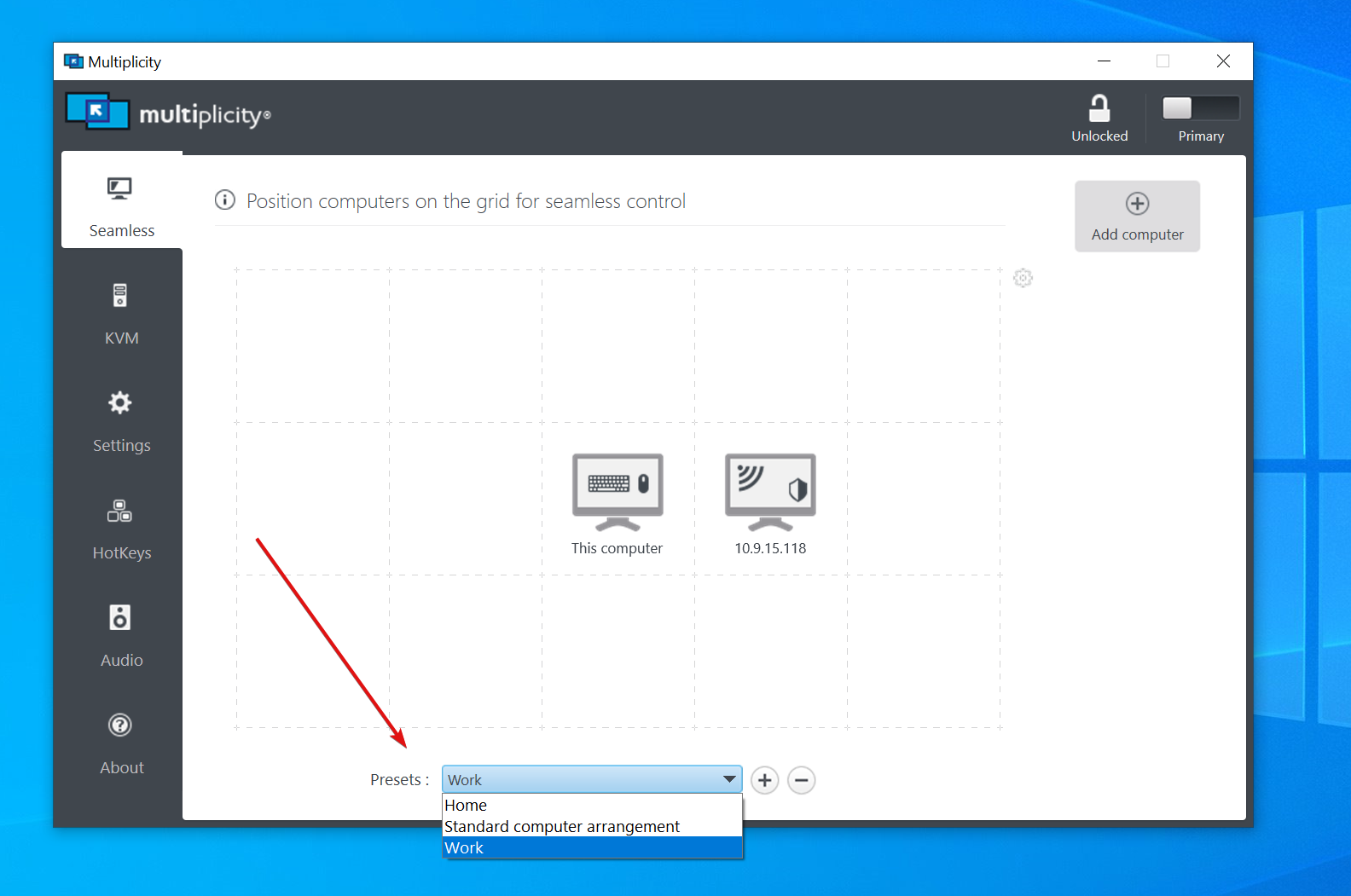
In such a situation, you would also employ 'Presets' for each environment:

You can learn more about them here:

https://support.stardock.com/space/SHC/1381597224/Seemless+Connection+Settings#Presets

Sean Drohan
Stardock Product Lifecycle Manager

Reply #3 Top

So, if my laptop is my primary, I can use it at all three locations. Do I have to use the mouse and keyboard from the laptop, or can I use the mouse and keyboard from the desktops at each location? 

Reply #4 Top

Quoting ki5elv, reply 3

So, if my laptop is my primary, I can use it at all three locations. Do I have to use the mouse and keyboard from the laptop, or can I use the mouse and keyboard from the desktops at each location? 
End of ki5elv's quote

The Primary is the only PC that can control anything so you would need to use its peripherals, yes.

If in those other environments, you want another PC to control \ be the Primary, you would need to demote the laptop \ Primary to a Secondary (thus deactivating it) and promote a Secondary to a Primary (it would prompt for activation at that point).  You would need to do it in that order as well.

Sean Drohan
Stardock Product Lifecycle Manager

Reply #5 Top

Given that the mid grade product is on sale for $26, if I bought 4 copies of that, put one copy on my laptop, and one on the desktop at each location, could I use either keyboard/mouse combination at each location? 

Reply #6 Top

Quoting ki5elv, reply 5

Given that the mid grade product is on sale for $26, if I bought 4 copies of that, put one copy on my laptop, and one on the desktop at each location, could I use either keyboard/mouse combination at each location? 
End of ki5elv's quote

'Yes' wants to come out of my mouth from what you wrote, I just need to be sure you understand that Secondary PCs cannot control Primary PCs. 

Also, any activated Primary PC can control any unactivated Secondary PC. 

Sean Drohan
Stardock Product Lifecycle Manager

Reply #7 Top

Sean,

   With buying 4 copies, can I make a computer both a primary and secondary at the same time?  I.e., control desktop 1 (office) from desktop 2 (radio room),  then go control desktop 2(radio room) from desktop 1 (office) when I’m in front of it. 

you say any activated computer can control any inactivated computer, but can an activated computer control another activated computer 

Reply #8 Top

Quoting ki5elv, reply 7

   With buying 4 copies, can I make a computer both a primary and secondary at the same time?
End of ki5elv's quote

Quoting ki5elv, reply 7

you say any activated computer can control any inactivated computer, but can an activated computer control another activated computer 
End of ki5elv's quote

No.

Sean Drohan
Stardock Product Lifecycle Manager