How to uninstall Fences on Win10

Tried Fences uninstall button and got "Invalid start mode archive Filename"

Installed Fences yesterday.  I have multiple monitors.  When moving a Fence from 1 monitor to another, a previously moved fence disappeared.  Icons and all!  I want to get the fence back, but I have no idea how.  So I want to uninstall it and see if that brings my icons back.  If somebody knows how to bring the missing fence back, I'm all ears.  If somebody know how to uninstall the program, I'm all ears.  

4,163 views 5 replies
Reply #1 Top

Hello,
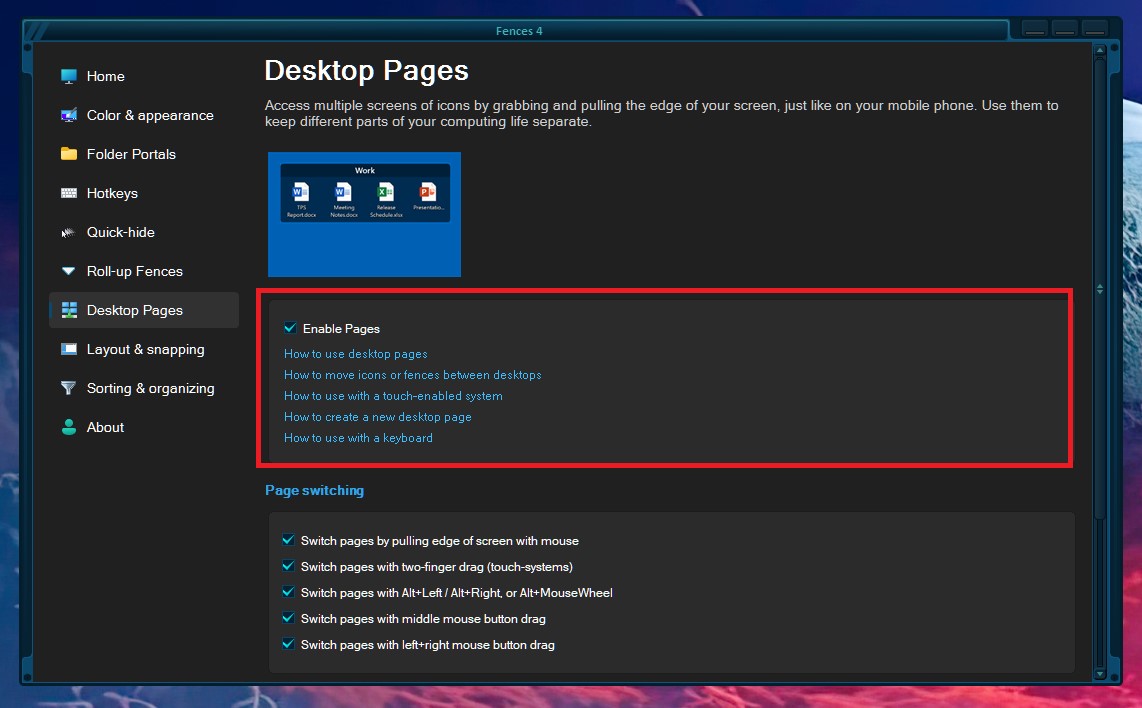
Sorry to hear you are having issues. It might be that those Fences just accidentally move to another Fences desktop pages. Try this guide to learn navigate those Fences desktop pages or you can disable it and see if it return to one desktop page.

Thanks
Basj,
Stardock Community Assistant.

Reply #2 Top

I found the missing icons.  They are off the edge of the right screen.  I can grab them with my mouse and drag them onto the visible part of the desktop.  However, when I do that, ALL the other Fences go off the left edge of their screens!  How do I bring these icons back without pushing the others off the screen? Please do no show me the Fences manual, it was useless.  

Reply #3 Top

Not sure what is happening on your system. Can you post a video showing what is happening on your system so we can understand it better and help you from there. You can upload a video at any video sharing site, make it public and share its link here.

Thank you,

Basj,
Stardock Community Assistant

Reply #4 Top

Post a video?  No, I can't post a video.  This is easy to understand.

1 - I created 6 Fences

2 - I moved some fences to a different monitor.

3 - 1 of the fences moved to the monitor on the right disappeared when I moved the others to the left monitor.

4 - I found the Fence that went missing on the right monitor

5 - It went off the right edge of the right monitor and is off the screen, to the right of the monitor, which means I cannot see it.

6 - I can grab it if I take my mouse and go off the right edge of the right monitor.

7 - I can pull the fence back onto the right monitor by pulling it to the left.

8 - When I do this, the current fences go to the left and disappear off the left edge of the lefthand monitor.

9 - I can pull these fences back onto the monitors by grabbing them with my mouse and dragging them to the right, onto the screens.  

10 - This, however, makes the fence that went off the right hand monitor go back off the right hand monitor again.  

11 - There is no way I know of to get the monitor that is off the right hand monitor to stay on the screen without the other fences disappearing off the left edge of the lefthand monitors.  I cannot have them all on the screens at the same time.

Question - How do I get the fence that is off the edge of the righthand monitor to stay on the screen when I pull it back without the other fences disappearing off the left edge of the left monitors?

Reply #5 Top

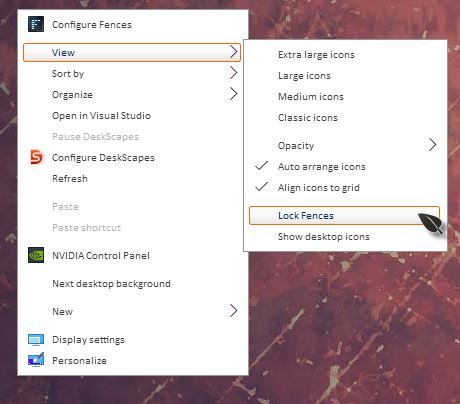
Quick question, when you trying to drag your Fences around did you unlock your Fences first?

Thank you,

Basj,
Stardock Community Assistant