Shortcuts

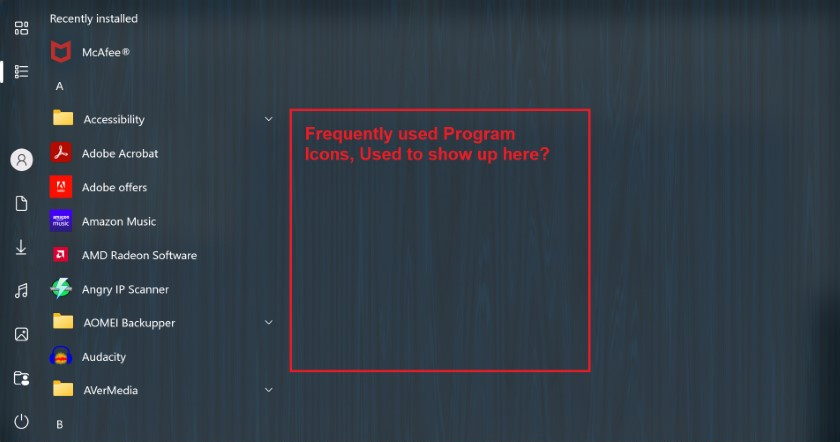
Shortcuts off to right side of program listings

I had this once and then it disappeared? I'm not sure what you call it, but when left clicking Start, I could then go over to the right and click on a program that I had saved there?

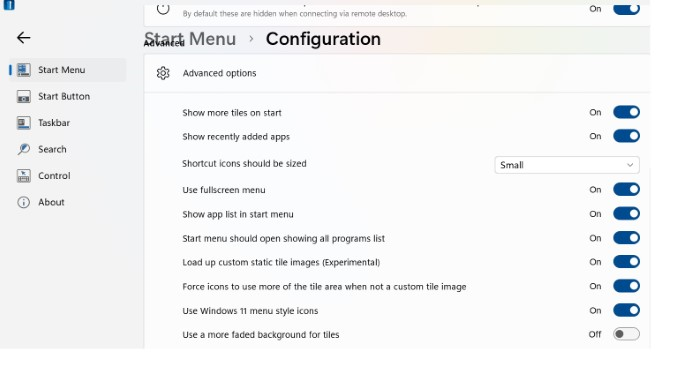
Probably simple for someone knowing what they call this, and then and turn something On that is Off??

My Start Menu is set for Windows 10
2,255 views 5 replies
Reply #1 Top

Hello,
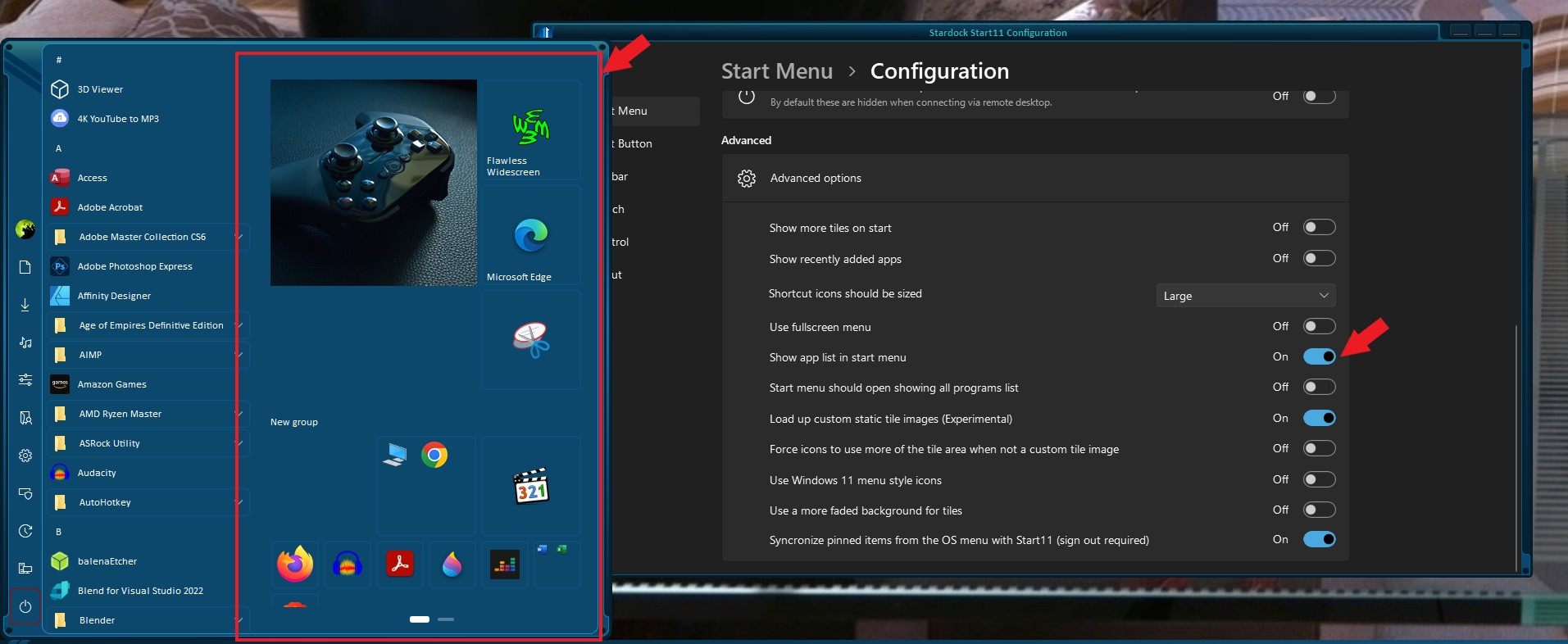
Sorry to hear you are having issues. But, you're referring to Start11, yes? And the one that missing is "all list" (red box), yes? Try turn on "Show App List in Start Menu" (second red arrow). If that is not it. Please post a screenshot and show us what you have issue with.

Thanks
Basj,
Stardock Community Assistant.

Reply #3 Top

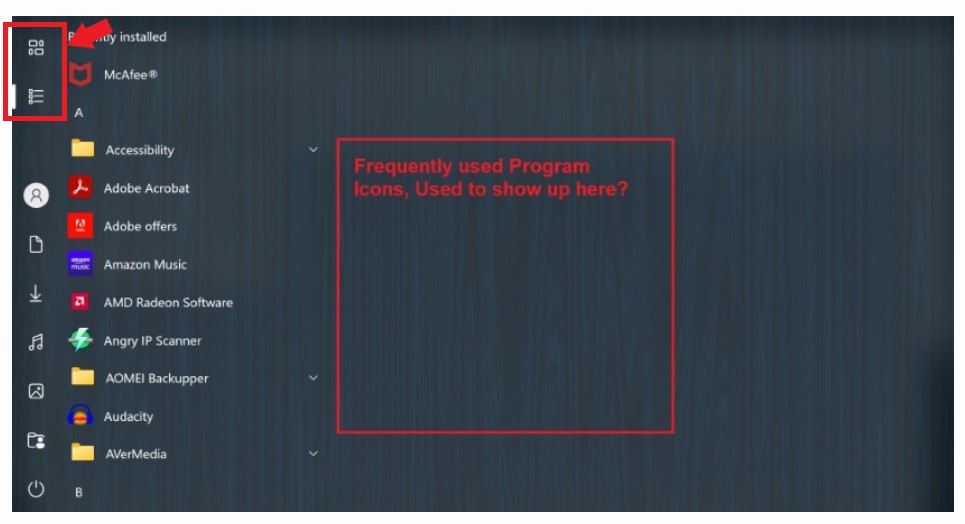
Please turn off "Full screen menu". If you want both column to show up. Or if you insist of full screen menu you will need to use that two buttons to swap between all application and app list.

Thank you,

Basj,
Stardock Community Assistant

Reply #5 Top

Great.

Thank you,

Basj,
Stardock Community Assistant