Reply #2 Top

Hi

This issue is intermittent and started happening about a week ago after a Windows 11 update, here is the version info:

Thanks

Andy

Reply #3 Top

Please try this. Uninstall Start11, reboot immediately (important), download and install Start11 V1.44 Beta from here: https://store.stardock.com/myaccount/products. Reboot again after the installation finished. Retest and report back here.

Thank you,

Basj,
Stardock Community Assistant

Reply #5 Top

Quoting andrewmatthews2, reply 4

Hi, before I do this can I check if I will loose all the settings in Start11?
End of andrewmatthews2's quote
You will not lose your settings, but be sure to have this option unchecked when uninstalling:

Reply #6 Top

Hi, just followed the advice to uninstall, reboot, install beta version and reboot again.

Unfortunately the issue is persisting.

What is odd about this issue is that it is intermittent and I am currently running two external monitors and one displays correctly and one is not, other times they all look OK and other times they are all incorrect.

Thanks

Andy

Reply #7 Top

Hello,
Sorry to hear you are having issues. If you download very recently you on release version of Start11 V1.44, yes?

And, when the issue appear, does the issue go away if you just restart Explorer.exe?

Thank you,

Basj,
Stardock Community Assistant

Reply #9 Top

Hello,
I have forwarded your problem to Stardock Support Team for their assistance. Please keep an eye on this thread for any updates. We appreciate your feedback and patience.

Basj,
Stardock Community Assistant

Reply #10 Top

This issue has never been resolved and is now worse.  Previously it was intermittent and now it happens every time I boot up my laptop. 

Is there a fix for this?

Reply #11 Top

If you have not try yet, please try Start11v2.06 Beta: https://forums.stardock.com/525921

Thank you,

Basj,
Stardock Community Assistant

Reply #13 Top

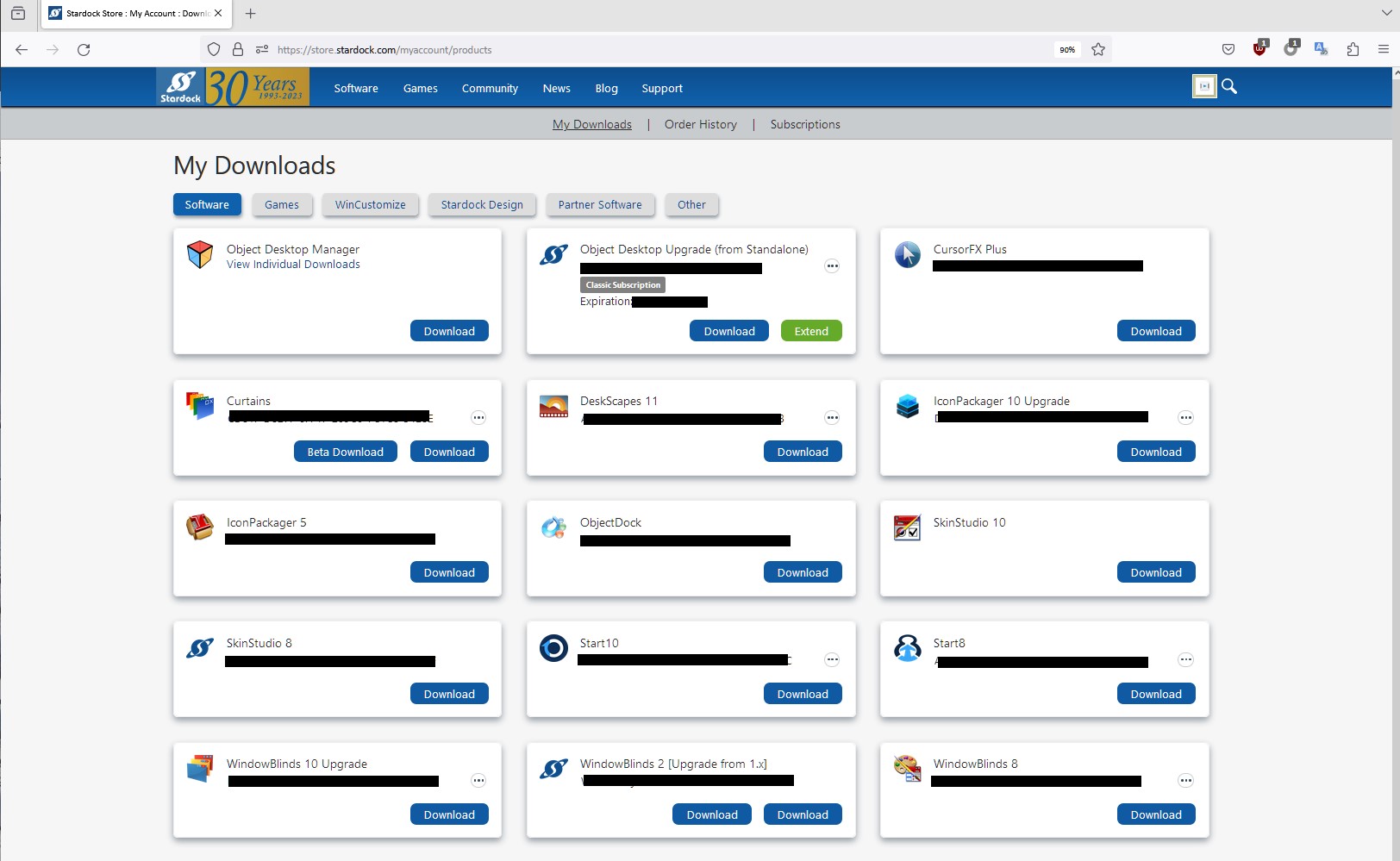
It mentioned in there where to get the beta download in the first post. Try here:  https://store.stardock.com/myaccount/products

It should look something like this. If you already purchase Start11v2, it should be in there under Start11v2. If you only have Start11v1, than it will have the latest version for Start11v1.50

If you still fail to find it on that link. Please post a screenshot on what you see on that page. Please blank out those license key numbers.


Thank you,

Basj,
Stardock Community Assistant

Reply #15 Top

Great, glad to hear that.

Thank you,

Basj,
Stardock Community Assistant