

Another problem with Start 11 - similar to ashmedsolve below.
from  Stardock Forums
Stardock Forums
Recently Windows 11 updated - but Start 11 did as well, so I am not sure where the fault lies.
I have 2 4K screens. I have seen the phenomenon that the center part of the task bar is missing - sometimes I see it at boot and then it fixes itself. Once it wouldn't after booting and Start 11 didn't work at all, got a white screen when I hit the windows key on the keyboard to bring up the Start 11 start screen. Had to reboot the computer again.
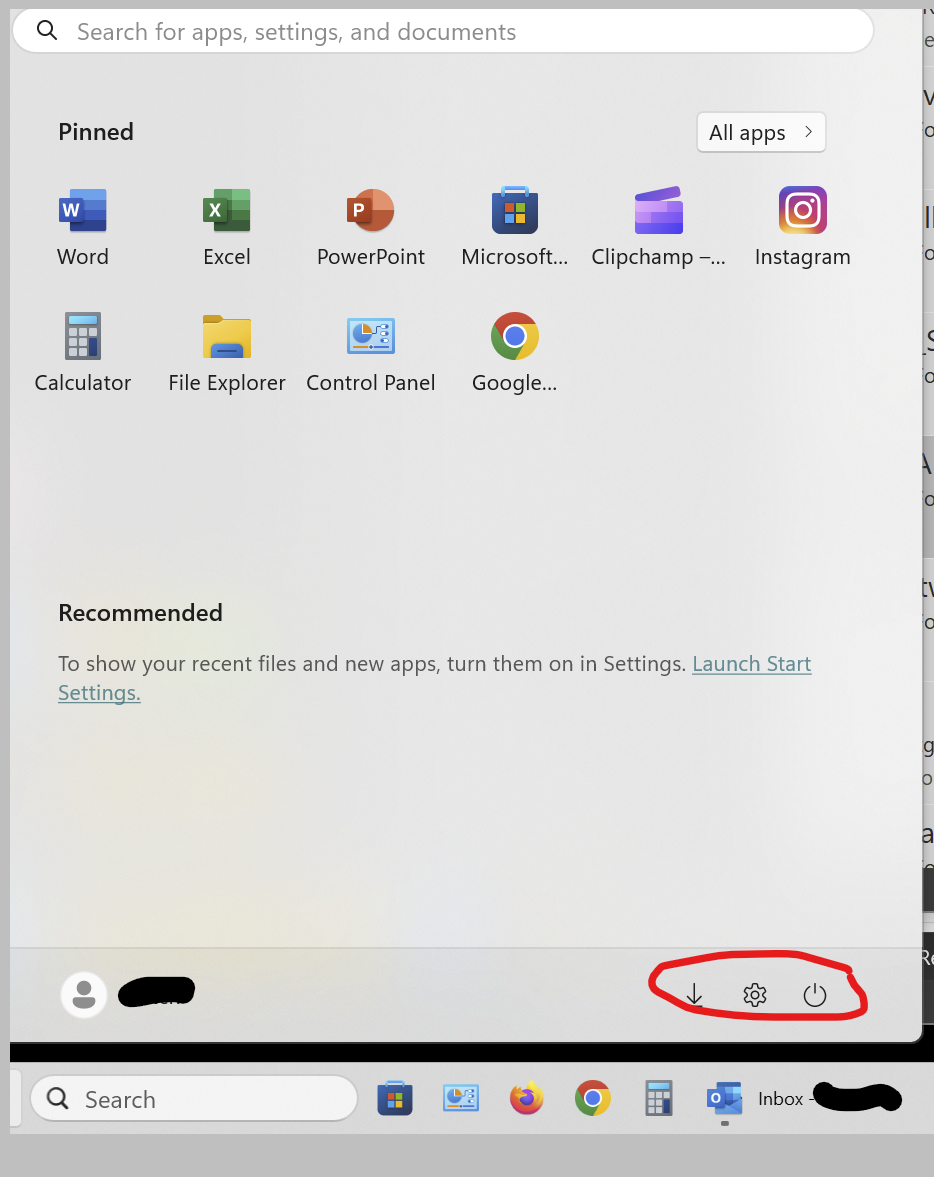
Also, even when the task bar is working, as I have it set to show the Windows start menu when I mouse click on the Windows start button, the window shows up but everything on it is disabled - power control, settings, etc.
I am on version 1.41 and it says it is up to date.
