Fences Blur Effect Not Working on Multi Monitor Setup

Does anyone else have this issue?

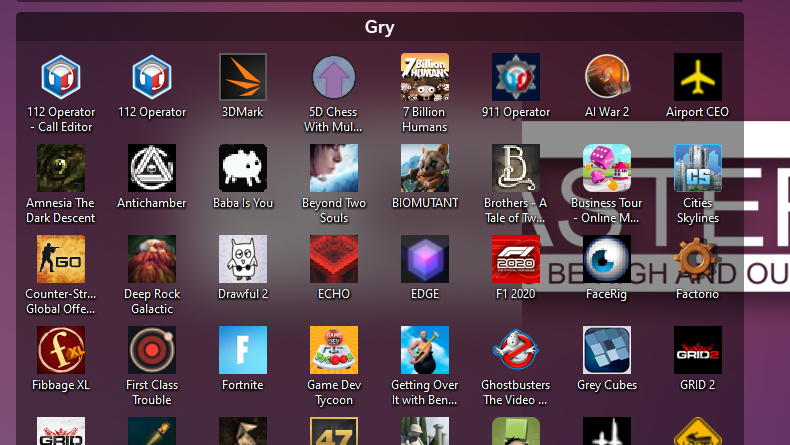
I am running a three monitor setup and I've noticed that only a section of my main display will output the 'blur' effect for the fences. I think the exact term in the software is 'Translucent Fence Backgrounds'.

Fences Blur issue

Below is another image of my monitor configuration:

Backgrounds

If there is something I am missing, I am hoping someone can point this out to me, and if not, I really hope that the development team can identify this as a bug. I have seen a couple of other blog posts with this same issue an no resolution seems to be given.

I really want to like this software, but it kind of irks me that I paid $20 dollars for software that doesn't work as advertised. In the year 2023, multi monitor setups are not uncommon, and for the demographic of individuals that would pay for this software, I would say it is more often the rule than the exception.

Also, please mind, that I have attempted to uninstall the software, I have validated the files on steam and reinstalled, and restarted my pc, to no avail.

Thanks!
32,909 views 8 replies
Reply #1 Top

Hello,
Sorry to hear you are having issues. Need more details from your system. Details on you Windows 11 full version numbers. And Fences version number. Refer here: https://support.stardock.com/space/SHC/1387954197/Contacting+Stardock+About+Fences+Issues

Thanks
Basj,
Stardock Community Assistant.

Reply #4 Top

Good afternoon,

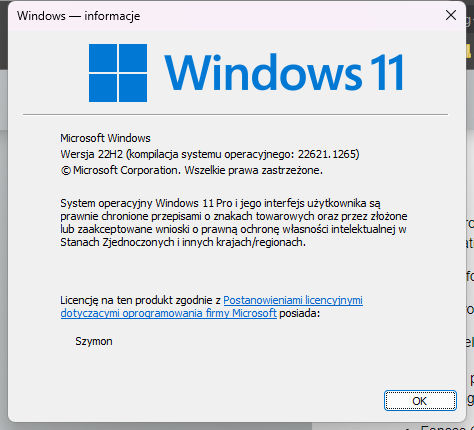
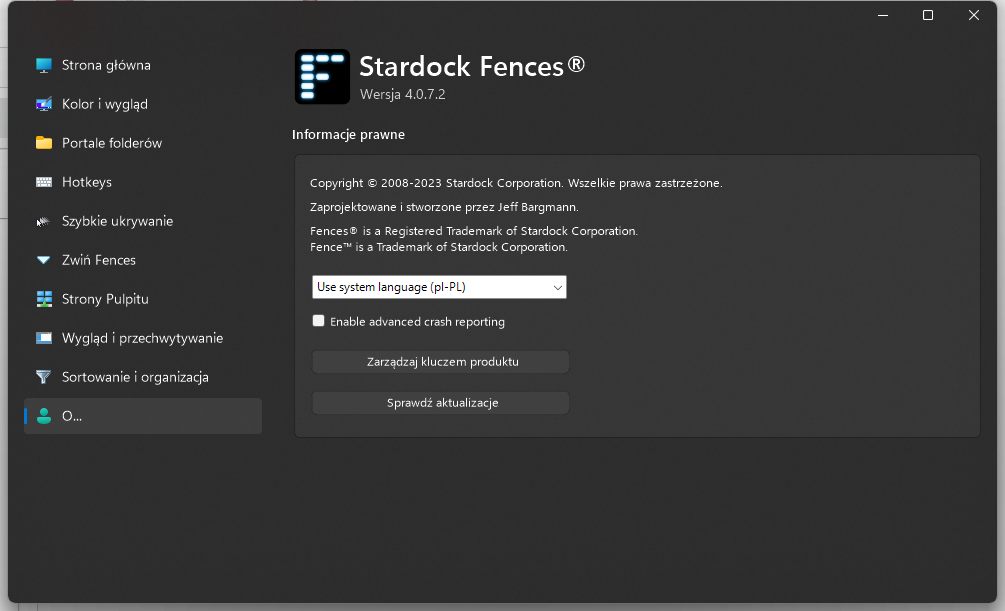
Below is the version of windows and fences I am currently running:

Windows 11 Pro Version 10.0.22621 Build 22621

Fences Version 4.0.7.3


Also, I'd be happy to install the beta, but I am using the steam version of fences. Is there a 'beta code' that I can enter into steam to opt into the beta?

Thanks


Reply #5 Top

As a quick update,

I ended up getting a refund for the steam version of the application and purchased the version of the software off the Stardock website after realizing the steam version is several versions out of date.

After installing the latest version from this website, the issue seems to be remediated.

It is a little frustrating that the steam version is not kept up to date like the base product, but for now my issue has been remediated.

Reply #6 Top

The Steam version is less than a week out of date, 1 version. All updates are released on Stardock first, then to Steam soon after

Paul Scroggins
Associate Technical Support Analyst

Reply #7 Top

Quoting TPScroggins, reply 6

The Steam version is less than a week out of date, 1 version. All updates are released on Stardock first, then to Steam soon after

Paul Scroggins
Associate Technical Support Analyst
End of TPScroggins's quote

Not that it matters too much now, but the version that I was on, Fences Version 4.0.7.3, was that a week out of date? The version numbers seemed to not line up with the release cycle that was posted in your guy's blog. I only bring this up in case others are having the same issue due to an out of date steam client. I had attempted to check for updates multiple times and that was the 'up to date' version, according to steam.

Thanks

Reply #8 Top

Quoting AustiniPanini1135, reply 7

Not that it matters too much now, but the version that I was on, Fences Version 4.0.7.3, was that a week out of date? The version numbers seemed to not line up with the release cycle that was posted in your guy's blog. I only bring this up in case others are having the same issue due to an out of date steam client. I had attempted to check for updates multiple times and that was the 'up to date' version, according to steam.
End of AustiniPanini1135's quote

Yes, the released version went from 4.0.7.3 to 4.10.06 on 3/9/2023, with several betas in between. Beta versions will likely never be an option on Steam

Paul Scroggins
Associate Technical Support Analyst