

Clicking on Folder Portal documents issue
 Stardock Forums
maybe same Issue on below
https://forums.stardock.com/517161/page/1/#3879980
https://forums.stardock.com/514587/page/1/#3863891
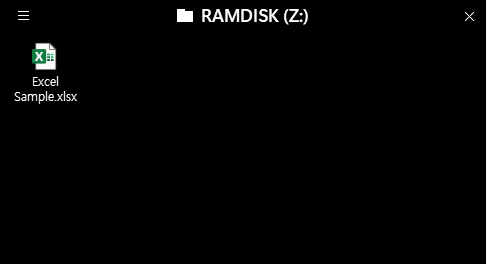
when I click a document on folder portal (capture #1),
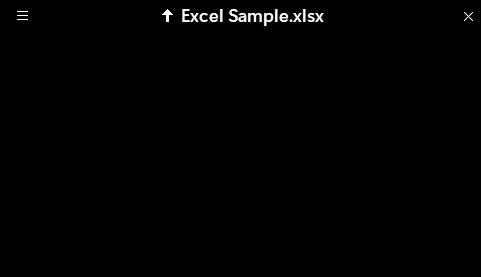
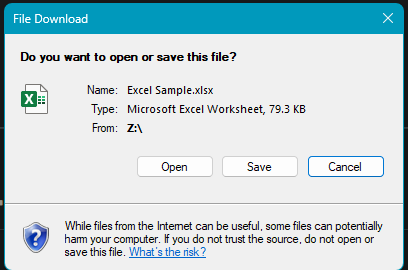
document file works as a sub folder(capture #2) and show popup 'file download'(capture #3)
If I press open or cancel button, fences folder portal's location is on the document file, (capture #2)
and show this popup again. (capture #3)
so I have to press Up arrow button on folder portal (capture #2)
On ver 4.07, when I click documents, explorer.exe crashes immediately, I think
but ver 4.10, explorer.exe crashes after popup 'file download' is closed, or sometime it dosen't crash
This is the log below
------------------------------------------------------------------------------
Version: 4.1.0.2
OSVersion: 10.0.25300.0
Timestamp: 2023-02-20 오후 8:23:12
Context: General
Message: Lang changed from: ko-KR to: en-US
Platform: X86AMD64/X64
------------------------------------------------------------------------------
- Fences Version: 4.1.0.2
- 2023-03-03 오후 7:59:00
002E9839X - FencesUI Start - /fixpermissions
002E98C5X - FencesUI End - /fixpermissions
002E9A0DX - FencesUI End - /startingup /verifyintegrety
0031571AX - FencesUI Start - /pulse
00315739X - FencesUI End - /pulse
0036E1EDX - FencesUI Start - <no arguments>
0036E2A8X - UI-Language: en-US
003CD964X - FencesUI Start - /startingup /verifyintegrety
003CD964X - UI-Language: en-US
- Fences Version: 4.1.0.2
- 2023-03-03 오후 8:14:35
003CDA8DX - FencesUI Start - /fixpermissions
003CDAFAX - FencesUI End - /fixpermissions
003CDC62X - FencesUI End - /startingup /verifyintegrety
003F9CD9X - FencesUI Start - /pulse
003F9CE9X - FencesUI End - /pulse
0044887EX - FencesUI Start - /startingup /verifyintegrety
0044887EX - UI-Language: en-US
- Fences Version: 4.1.0.2
- 2023-03-03 오후 8:22:58
00448997X - FencesUI Start - /fixpermissions
00448A14X - FencesUI End - /fixpermissions
00448B6CX - FencesUI End - /startingup /verifyintegrety
0044CA5AX - FencesUI Start - /startingup /verifyintegrety
0044CA69X - UI-Language: en-US
- Fences Version: 4.1.0.2
- 2023-03-03 오후 8:23:15
0044CB92X - FencesUI Start - /fixpermissions
0044CC0FX - FencesUI End - /fixpermissions
0044CD96X - FencesUI End - /startingup /verifyintegrety
00478E1DX - FencesUI Start - /pulse
00478E3CX - FencesUI End - /pulse
0052BC1DX - FencesUI Start - /startingup /verifyintegrety
0052BC1DX - UI-Language: en-US
- Fences Version: 4.1.0.2
- 2023-03-03 오후 8:38:29
0052BD55X - FencesUI Start - /fixpermissions
0052BDD2X - FencesUI End - /fixpermissions
0052BF49X - FencesUI End - /startingup /verifyintegrety