
My Quick access toolbar disapeared when windows updated

help

windows 11 updated now the Quick access toolbar on my Taskbar is hidden by the Start11

everything was working fine til the update
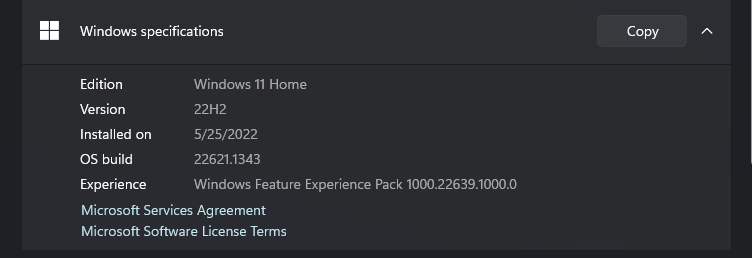
there is my build info

Please help I love this program, and would hate to have to uninstall it!

1,708 views 6 replies
Reply #1 Top

You appear to be using a prerelease version of Windows 11 which is causing the issue.  Disabling the enhanced taskbar options in Start11 may help or there is a registry key you can set which tells Start11 that the version you are using has a new style taskbar.

We have an updated version of Start11 hopefully ready to go out next week with full support for that new version of Windows.

Reply #2 Top

You can mitigate some of the issues by creating a registry key here "HKEY_CURRENT_USER\SOFTWARE\Stardock\Start8\Start8.ini\Start8" called CompatBug1 of type String and giving it a value of 1

Reply #4 Top

my only remaining issue is that the up arrow on the quick access toolbar is hidden with all the other icons i have in the up arrow box how can i fix this?