Fences stopped working, will not re-enable

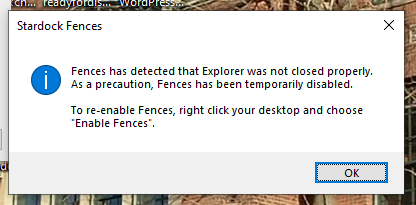
I have used fences version 3.1.3.3 for about five years, if I'm not mistaken.  It has stopped working.  I'm given an error message saying that explorer was not closed properly, and I need to right click and choose"Enable Fences".  I do so, and get the same error message again, and again, with no result.  I have restarted explorer.  I have cleaned out cache, etc.  No luck.
Help!
8,125 views 11 replies
Reply #2 Top

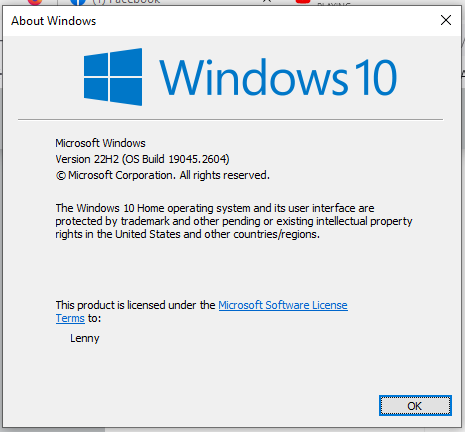
This is my computer:


I try to enable fences, and get this message:

This began without having updated anything of which I am aware, and has happened for about a week.

Reply #3 Top

And to be clear, I do as requested and right click the desktop and choose enable fences.  I then get the same error message again and again and again.  I've restarted explore and it does not change anything.

Reply #4 Top

I believe it is best to move on to Fences 4 for it is more compatible with Current OS version. Windows 10 or Windows 11. However, please try purge and reinstall steps as mention here : [Link]. Just make sure to redownload the latest Fences 3 from your account page. Reboot after the purge. Reinstall and reboot again after the installation. Retest and report back here.

Thank you,
Basj,
Stardock Community Assistant.

Reply #5 Top

Do I have to pay for this upgrade?  Why?  I didn't do or change anything.  It just stopped working.

Reply #6 Top

AND, it is still working just fine on my desktop Win 10 machine.  I paid for it.  It should work.

Reply #7 Top

I did not said Fences 3 will 100% fail on Windows 10. I just recommend the Fences 4 since it is now actively develop for current latest Windows 10 and Windows 11. Hence best compatibility. But, if you wish to continue on Fences 3, I have suggested to do the purge and reinstall. Have you tried those?

Thank you,

Basj,
Stardock Community Assistant

Reply #8 Top

Apologies.  I don't think you said that.  No I have not done the purge.  Could you please help me with step by step?  I'm not sure how to do it.

Reply #9 Top

Forgive me.  I missed where you already give instructions.  I'm sorry to be thick!  Ignore previous message from a tired old man!

Reply #10 Top

Not a problem, please report back when you done with the purge and reinstall steps.

Thank you,

Basj,
Stardock Community Assistant

Reply #11 Top

Well, I started a trial of Fences 4 and will, no doubt, pay for that at the end of the trial period.  It really is sad that you could not help me fix the problem with Fences 3.  There was no reason that I should have had to pay for this again, but there it is.