Start11 no longer showing seconds in taskbar

Yesterday my Start11 stopped showing seconds in the taskbar. I used to be able to display seconds after bring up Start11 and restarting Explorer. I have restarted Explorer many times with no result. I have told Start 11 not to show seconds, restarted it, then told it to show seconds and res\started it. Still no seconds in the clock. The seconds are very important to me!! I am using Start11 v1.39.1. Any help would be appreciated.
2,324 views 7 replies
Reply #1 Top

Hello,
Sorry to hear you are having issues. Please provide information that require as mention here: https://support.stardock.com/space/SHC/1387003915/Contacting+Stardock+About+Start+Product+Issues

Thanks
Basj,
Stardock Community Assistant.

Reply #3 Top

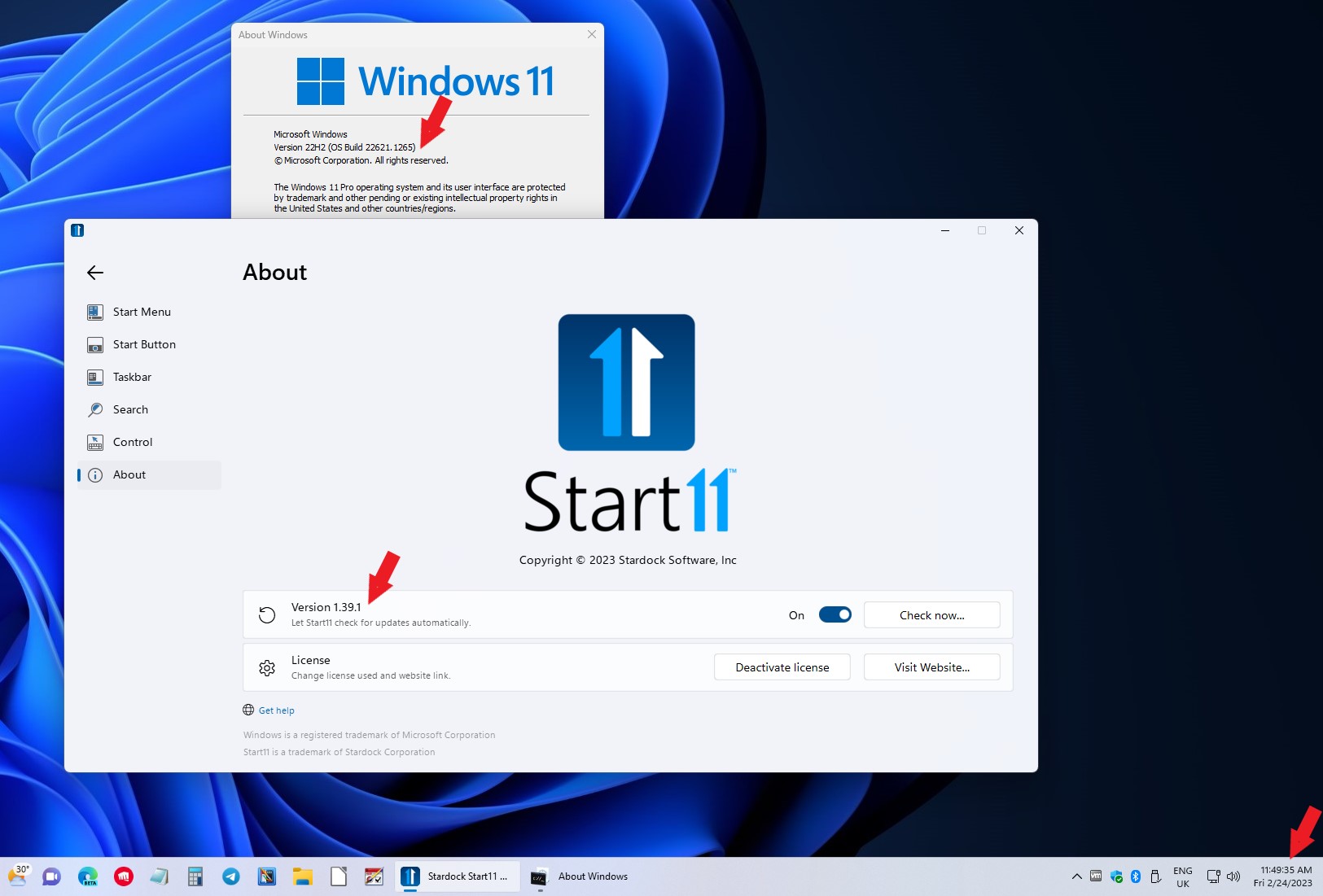
Well it show up on my system. Refer screenshot below. It might need a minute to load after boot or after you change the Start11 setting from off to on. It should appear on the next minute change. Check it, and if it still not appear, report back.

Thank you,

Basj,
Stardock Community Assistant

Reply #4 Top

That is exactly the way that it used to work. I would usually have to go to 'Configure Start11' and restart Explorer, then at the start of the net minute, the seconds would show up. It has not been doing that for the last three days.

Reply #5 Top

Hello,
I have forwarded your problem/question to Stardock Support Team for their assistance. Please keep an eye on this thread for any updates. We appreciate your feedback and patience.

Basj,
Stardock Community Assistant

Reply #6 Top

I uninstalled Start11 and reinstalled the original version that I downloaded last summer (v1.25) and it now works. I then upgraded it to the latest version and it stopped working. I will be using the old version until I hear back from you.

Reply #7 Top

Hello,

Sorry to hear you are having trouble.

This is my test showing it working after the minute rolls over:

https://cdn.stardock.us/support/uploads/2023-02-24_09-59-28.mp4

Sean Drohan
Stardock Product Lifecycle Manager