Fences resize on startup

Hi all,


I have a few fences and once in a while on computer startup the fences' width is smaller by 1px or so causing the icons to rearange.

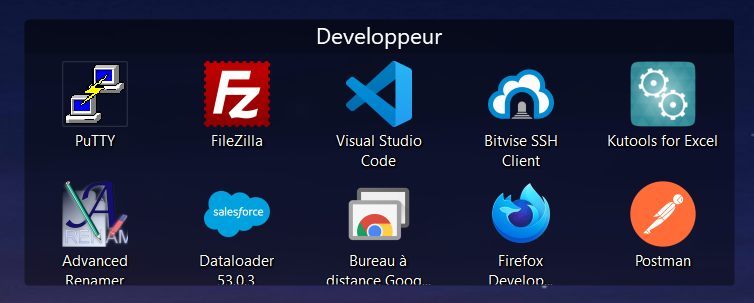
This is the original size of the the fence

Original size


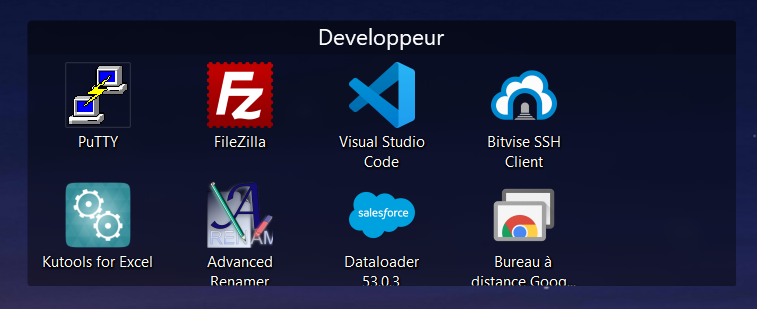
And this is the resized fence.


Resized fence


Is this a known issue? How can I fix this behavior?


Edit: I use Fences 4.0.7.2

Thanks

37,213 views 15 replies
Reply #1 Top

Hello,
Sorry to hear you are having issues. Need to know some information on your system.

  1. You on Windows 10 or 11 system? Also need its full version number. Use Winver.exe to get it.
  2. Screen resolution and Scaling factors. 100%, 150%, 200%?

Thanks
Basj,
Stardock Community Assistant.

Reply #2 Top

I'm using windows 11 Home, Version 22H2, OS build 22621.1105.

Screen resolution is 3440 x 1440 and scale 100%


Thanks.

Reply #3 Top

Does the restore saved layout snapshot bring back the correct Fences size?

Thank you,

Basj,
Stardock Community Assistant

Reply #5 Top

Do you know what steps you can take to make the Fences get resize? Playing a game at different resolution for example?

Thank you,

Basj,
Stardock Community Assistant

Reply #6 Top

I didn't encounter any issues with games (though I didn't really hava a lot of time to play games in the last 20 months...).

The fances do get resize sometimes after graphic card drivers update but not the same as they do on startup.

Reply #7 Top

You on Nvidia or AMD graphics card? And this issue happen every time Graphics card driver update?

Thank you,

Basj,
Stardock Community Assistant

Reply #8 Top

Nvidia. It doesn't happen every time. Yesterday I had the issue I posted but in the previous update the fences did not resize.

Reply #9 Top

Hello,
I have forwarded your problem/question to Stardock Support Team for their assistance. Please keep an eye on this thread for any updates. We appreciate your feedback and patience.

Basj,
Stardock Community Assistant

Reply #10 Top

Hello, 

Same problem here:

Fence Before shutting down my PC 

Fence After startup

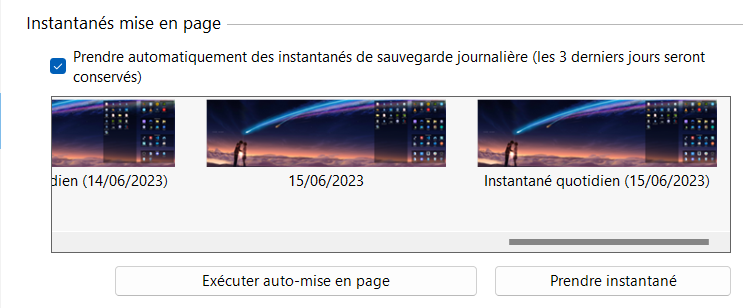
Daily Snapshot:


Following your last message basj, is there any news since 2/10/2023?

Thank you a lot

Reply #11 Top

The issue don't appear on my system. Does the issue appear if you widen those fences few more pixels to the right so that if the fences adjust itself by what ever reason, the icons don't relocated itself down?

Thank you,

Basj,
Stardock Community Assistant

Reply #12 Top

I think that it happens only if I turn on my screen after windows loaded.

Reply #13 Top

Quoting omshai, reply 13

I think that it happens only if I turn on my screen after windows loaded.
End of omshai's quote

Please elaborate this, what do mean turn on your screen after Windows loaded?

Thank you,

Basj,
Stardock Community Assistant

Reply #14 Top

If I turn on the computer and wait for a few minutes until I turn on the screen.

If I turn on both at the same time it doesn't happen.

Reply #15 Top

Not sure why you need to manually turn on or off your monitor. On my setup. My monitor turn on and off automatically. It turn itself on whenever it detect a signal send by my system telling it to turn on. And it will turn itself off when there is no more signal send to it from your system.

Thank you,

Basj,
Stardock Community Assistant