Feature Request: File Explorer

Make font size adjustable

There are a few ways to make the font size larger in Windows 11 including text size and scaling but this does not seem to change the font size for the Explorer side bar. With larger screens and older eyes this would be a big value add. Is it possible to add a setting to Start 11 to change the font size and/or font in File Explorer?
1,839 views 6 replies
Reply #1 Top

Hello,
Sorry to hear you are having issues. But,which area are you referring as "Explorer side bar"? Screenshots might help us understand it better.

Thank you,

Basj,
Stardock Community Assistant

Reply #2 Top

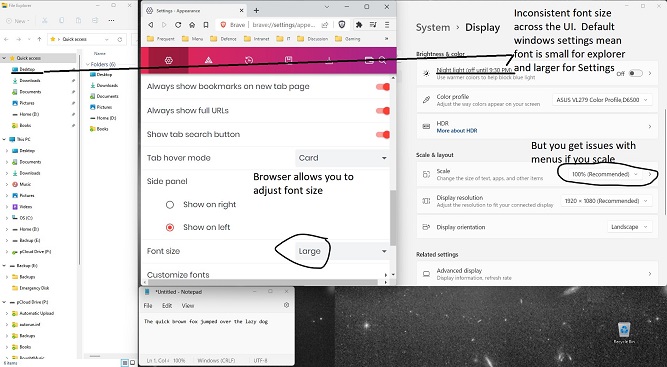
This screenshot shows the issue.  Applications like browsers can allow their font display size to be adjusted.  Windows only allows scaling which applies everywhere and still does not affect the size of the font in File Explorer.  The updated UI for Settings has a larger font than the one for File Explorer.  Where do I spend more of my time:  File Explorer!

shows inconsistent UI for font size in windows

Great chance for Stardock to address another market segment!  Larger fonts where you want them!

Reply #3 Top

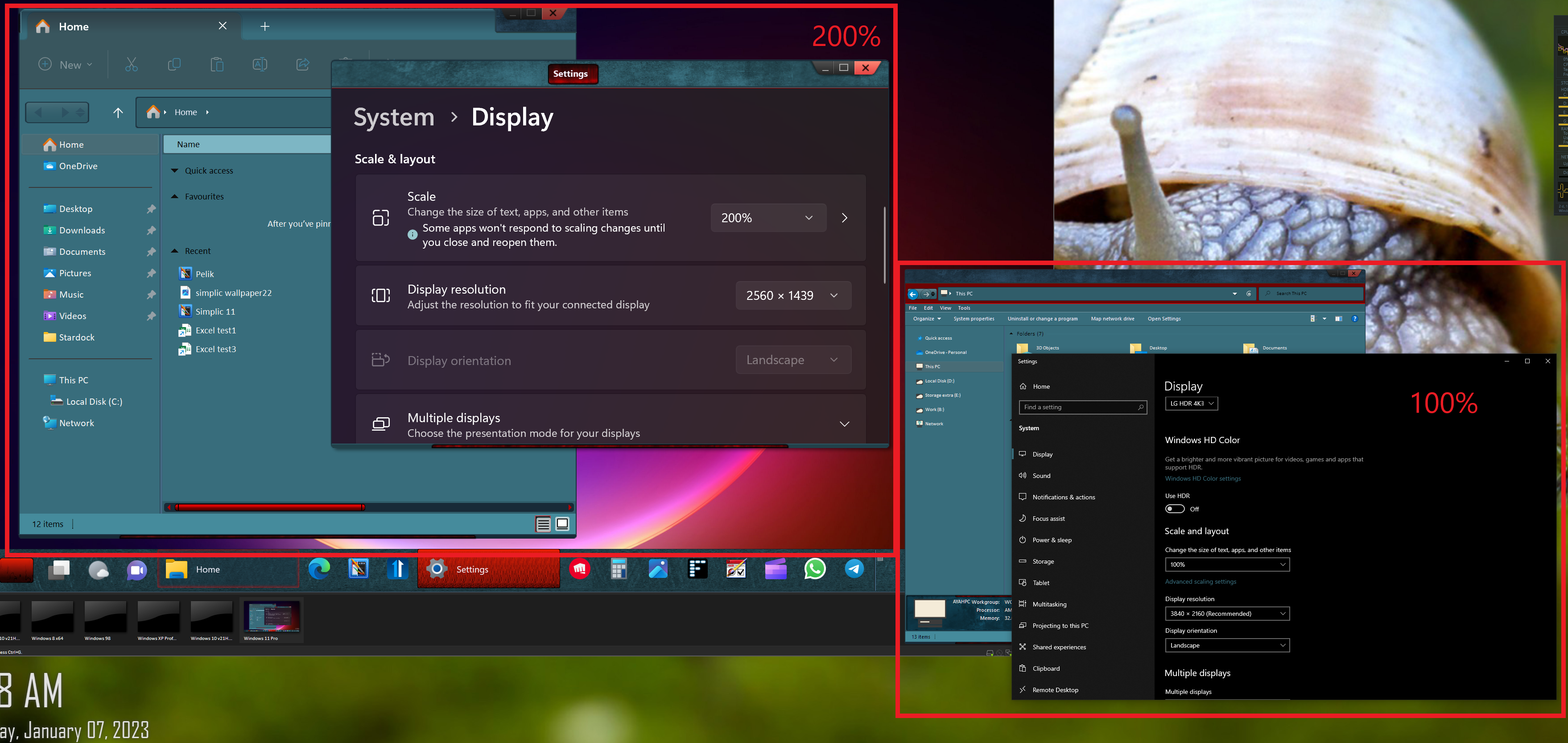
But, when I increase the scaling factors. I do see that file explorer font also increased in size. Don't it happened in your system? Below is screenshot showing how the Explorer font change from 100% to 200% scaling

Thank you,

Basj,
Stardock Community Assistant

Reply #4 Top

Hi Basj

Yes, scaling does increase the size of the font in windows explorer but it is a blunt hammer as it increases everything.  Once you scale up you have to resize icons down, resize default browser font down and then you start finding that some apps cannot handle the scaling.

Windows has always tried to allow you to personalize the GUI but in this situation where I only want to increase the size of the File Explorer font you have to increase everything.


Thanks


Reply #5 Top

That what make me confused.

Windows 11 including text size and scaling but this does not seem to change the font size for the Explorer side bar.
End of quote

Thank you,

Basj,
Stardock Community Assistant

Reply #6 Top

I was wrong, scaling does increase the size of the font in windows explorer but it is a blunt hammer as it increases everything. See my last post for more details

Thanks