

Start11 - Taskbar combined never - Outlook Tasks remain combined
from  Stardock Forums
Stardock Forums
Start11 v1.36
Running Windows 11 Pro x64 release version 22H2 build 22621.963
Have tried Windows 7 style, Windows 10 style, and Windows 11 style and on Taskbar I set the Taskbar buttons should be combined to NEVER. It seems to work on some applications, but it does not work with Outlook client. The Task Reminders of Outlook will not break apart and cannot open the Reminder on its own.
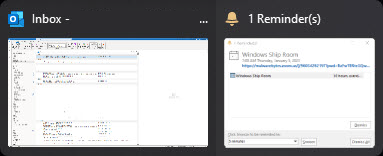
Does anyone know of a method to prevent this behavior or fix it?
Thanks

