IME Bar issue
from  Stardock Forums
Stardock Forums
When the IME bar is minimized to taskbar, the skin is not applied.
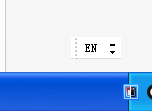

pc info:


 Stardock Forums
When the IME bar is minimized to taskbar, the skin is not applied.
pc info:
Hello,
Sorry to hear you are having issues. Need to know more on your system.
Thanks
Basj,
Stardock Community Assistant.
1. 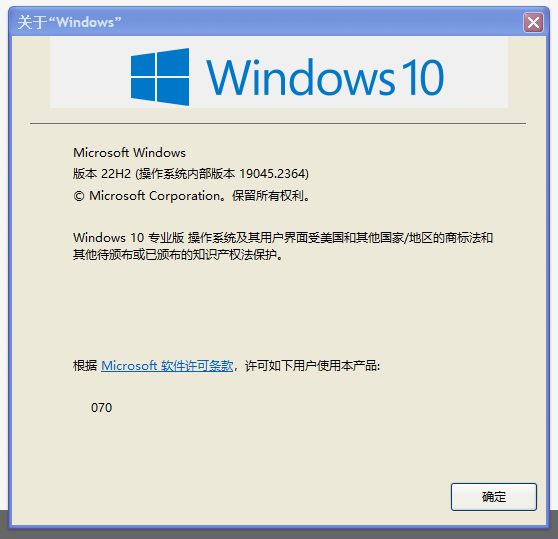
Version 22H2, (operating system inner version 19045.2364)
2. 
3. Monitor scaling applied: 100%

My IME bar look different than yours. Not sure why. And It have no issue as your when it close.
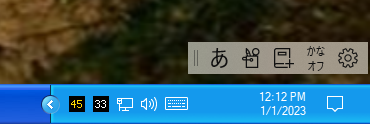
Closed

Thank you,
Basj,
Stardock Community Assistant
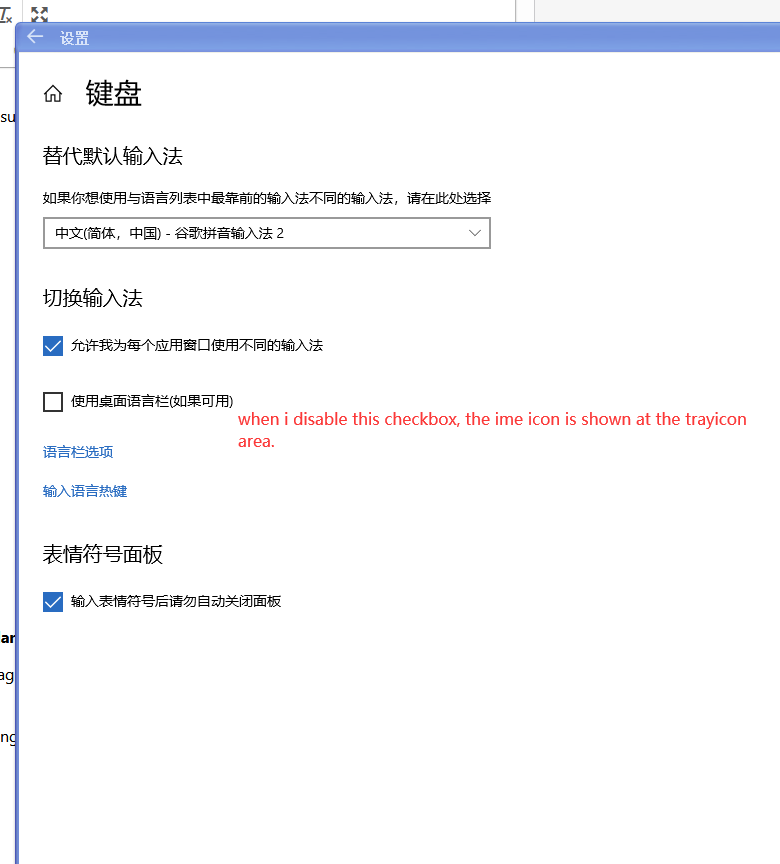
i think the difference between us is the setting :
"Use the desktop language bar when available";
Press Windows key + I and access the settings; Click Time and Language;
Click Language;
Click Keyboard;
When changing input methods, check the option "Use the desktop language bar when available";
Welcome Guest! Please take the time to register with us.
Select a reason for giving karma:
You're about to visit an external site:
Sign up here to get the latest news, updates, and special offers delivered directly to your inbox.