Object Desktop Download Error

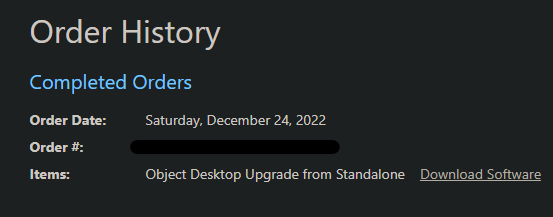
I recently purchased Object Desktop, but when I go under my orders to download the software I get the following error: 

An error occured when attempting to download Object Desktop.

Please contact [email protected].

I sent an email to support. Received a response stating no ticket was created and to check here first. Help would be appreciated. Although at this point, I'm beginning to wonder if I should request a refund. 

19,300 views 10 replies
Reply #1 Top

Hello,
Sorry to hear you are having issues. Please use this guide to get to your product and keys. https://forums.stardock.com/484254/getting-your-products-and-keys. You can download products directly from your account. Instruction on how to do things are available within that link. Do let us know if you still need assistance.

Thank you.
Basj,
Stardock Community Assistant.

Reply #2 Top

Hi.

Not sure if i should make a new topic but it seems i got the same problem.

I get the same message as the one above. When i use the product and key link, i get a mail with all my downloads like windowblinds etc. But when i try the object desktop (It says upgrade from standalone) download, i get the error message.

Thank You


Reply #3 Top

Quoting geirgirstang, reply 2

Hi.
Not sure if i should make a new topic but it seems i got the same problem.

I get the same message as the one above. When i use the product and key link, i get a mail with all my downloads like windowblinds etc. But when i try the object desktop (It says upgrade from standalone) download, i get the error message.

Thank You
End of geirgirstang's quote

Hello,
Sorry to hear you are having issues. Can you post a video grab or screenshots on your issue so we can understand what you're seeing.

Thanks
Basj,
Stardock Community Assistant.

Reply #4 Top

I have same issue, if I clicked on download software then same message appear.


Reply #5 Top

If you're logged in with the same e-mail address you made your purchase with, you can click on your user icon in the upper right on this page and from the drop down menu, click on Downloads. That will take you to a page with links to all of your purchases.

Reply #6 Top

I can't find the product in Downloads page, its only working from the email sent when purchase done, but not from the orders history.

Reply #7 Top

Quoting zindaqi, reply 6

I can't find the product in Downloads page, its only working from the email sent when purchase done, but not from the orders history.
End of zindaqi's quote

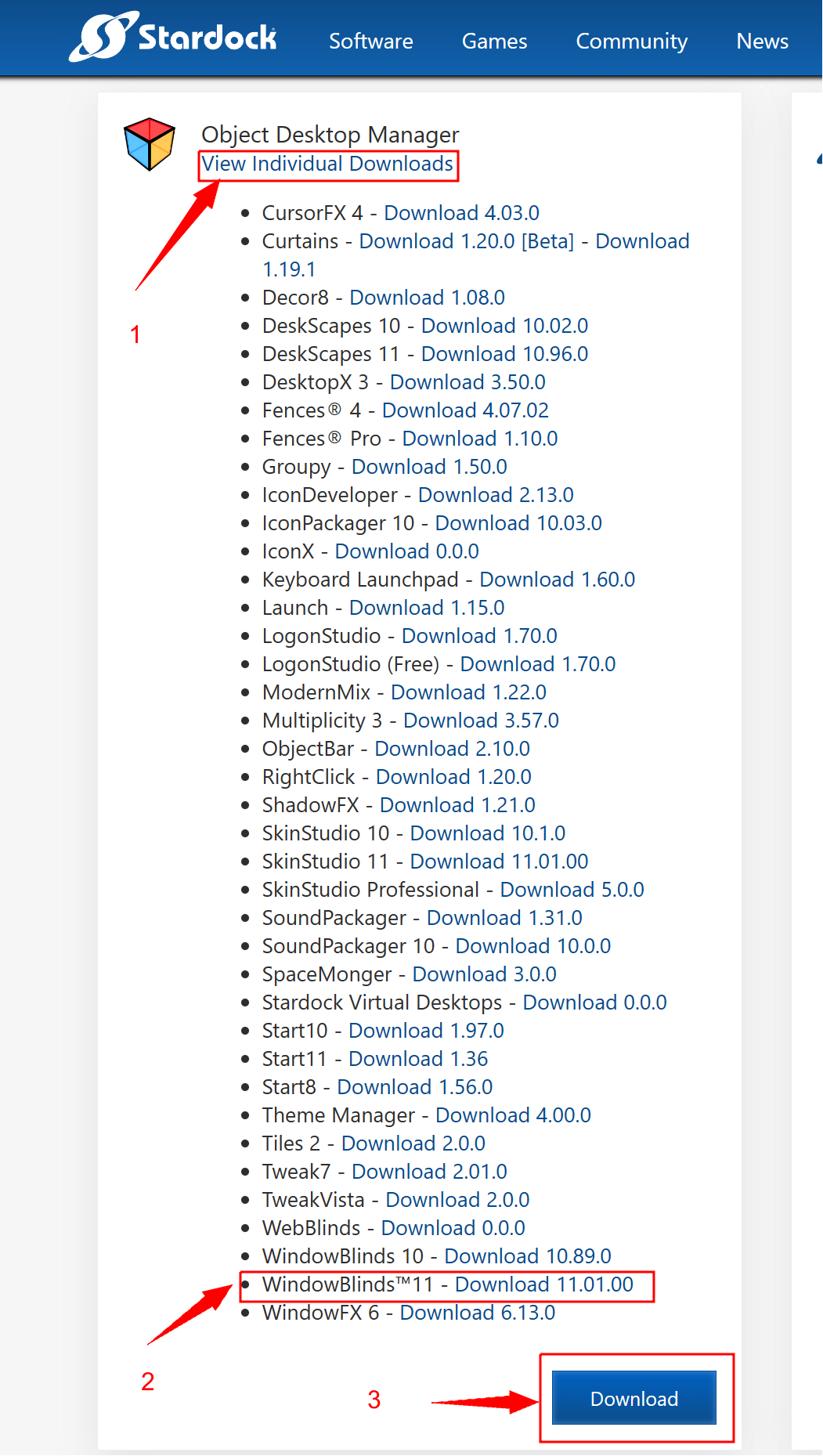
Click here:  https://store.stardock.com/myaccount/products

Then, download what you want...in the image, I chose WB 11 as an example. You might want to bookmark the link.  |-)  

Another question: Your prior Stardock software: Was it stand alone or, Object Dock with all the apps?

Reply #8 Top

I can't find it there, there is only two products I purchased before, but object desktop is not one of them.

Reply #9 Top

Hello,
Sorry to hear you are having issues. Please raise support ticket using the link below, use the product not receive option. Include all information details. Remember to record down the ticket number for future reference if needed. Do not raise multiple ticket, that will make your ticket back to the end of the line. Send once and wait. Ticket will be answer by the order they send in.

https://stardock.atlassian.net/servicedesk/customer/portal/4/group/13 

Thanks
Basj,
Stardock Community Assistant

Reply #10 Top

Quoting zindaqi, reply 8

I can't find it there, there is only two products I purchased before, but object desktop is not one of them.
End of zindaqi's quote

Did you check your eligibility to upgrade here:

https://www.stardock.com/products/odnt/upgrade

before buying the upgrade?