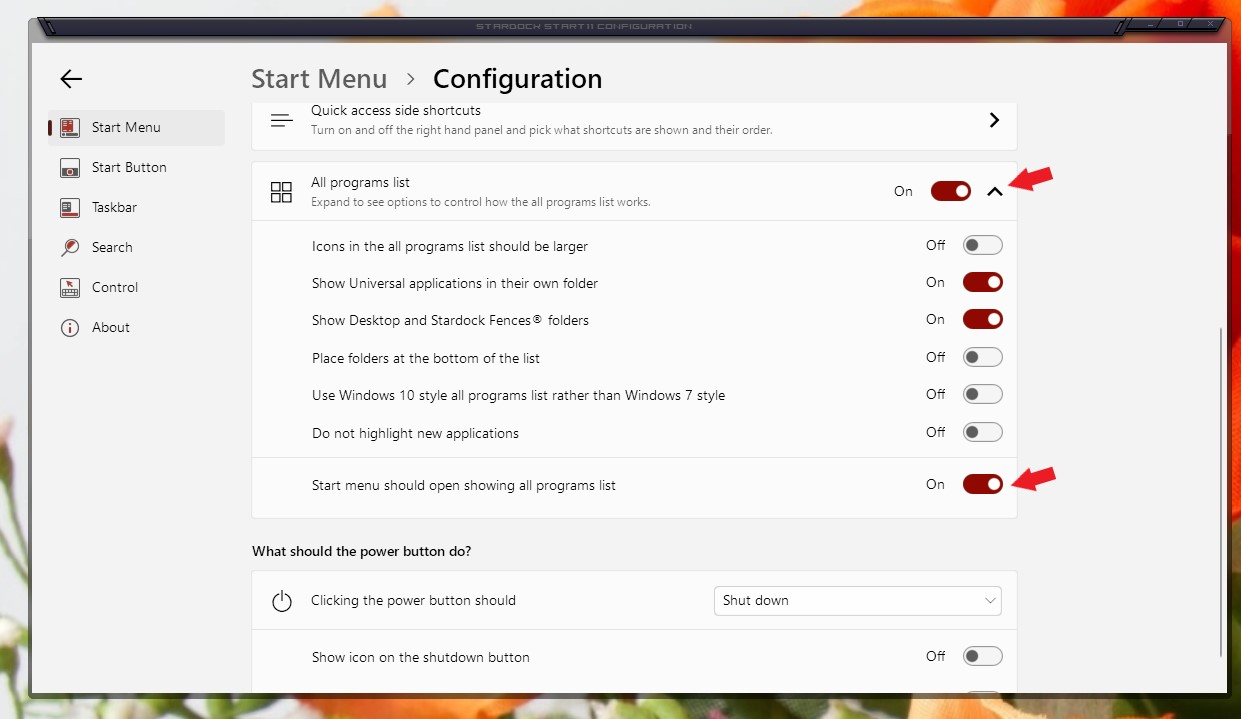
Which ever Style I choose in Start 11 I cannot get All progams to display
I am running Windows 11 64bit
Not being a geek I need exact instructions
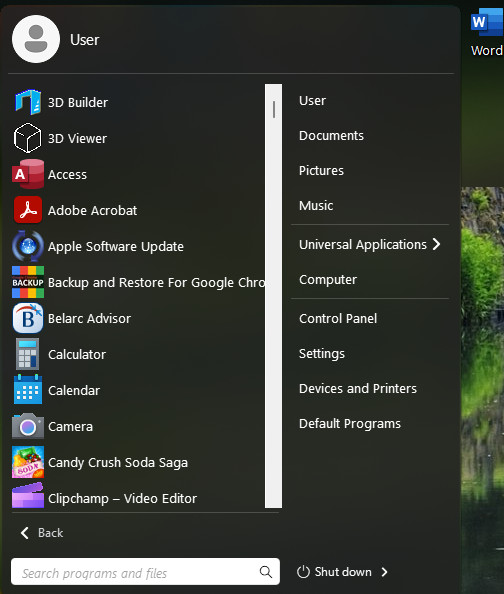
on how to do this
Stardock will be closed for the week starting on Monday, June 29th and we will be returning on Monday, July 6th. We will be monitoring support tickets and forums during this time but expect delays in responses during this time.
I am running Windows 11 64bit
Not being a geek I need exact instructions
on how to do this
Hello,
Sorry to hear you are having issues. Try this. Open Start11 configuration Windows. Under Windows 7 or Modern Style->Click on Configure menu->You should see something like the screenshot below. Turn on "Start menu should open showing all programs list".

Thanks
Basj,
Stardock Community Assistant.
Welcome Guest! Please take the time to register with us.