Start11
Hello, I am using Start11 1.36.
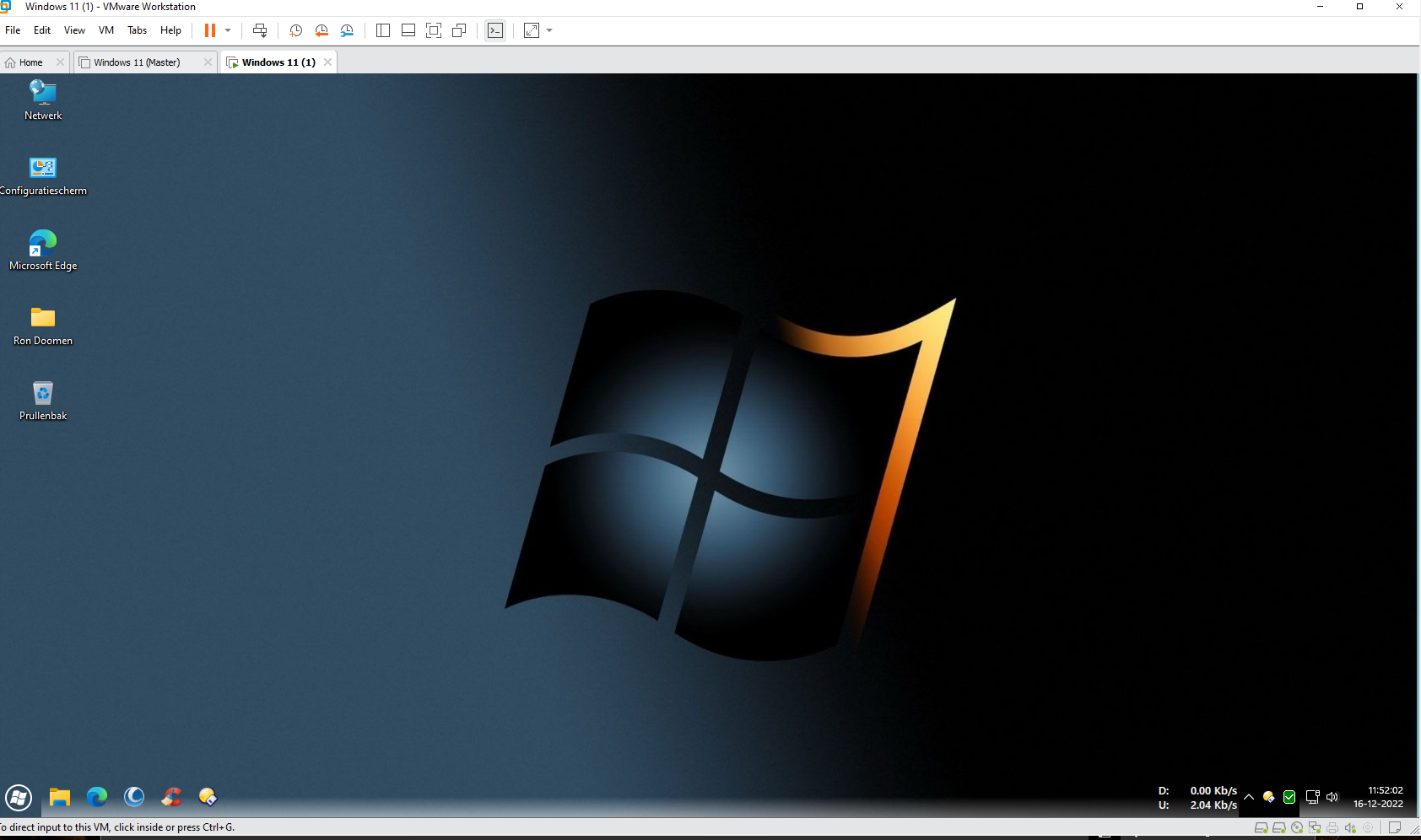
When I install it in VMWorkstation 17.0 the taskbar does not display proper colors, but with some kind of shadow.
Is this already known and is this still in order.
Thanks for the nice program.

Hello, I am using Start11 1.36.
When I install it in VMWorkstation 17.0 the taskbar does not display proper colors, but with some kind of shadow.
Is this already known and is this still in order.
Thanks for the nice program.
Can you provide a screenshot of what you see and also what build of Windows?
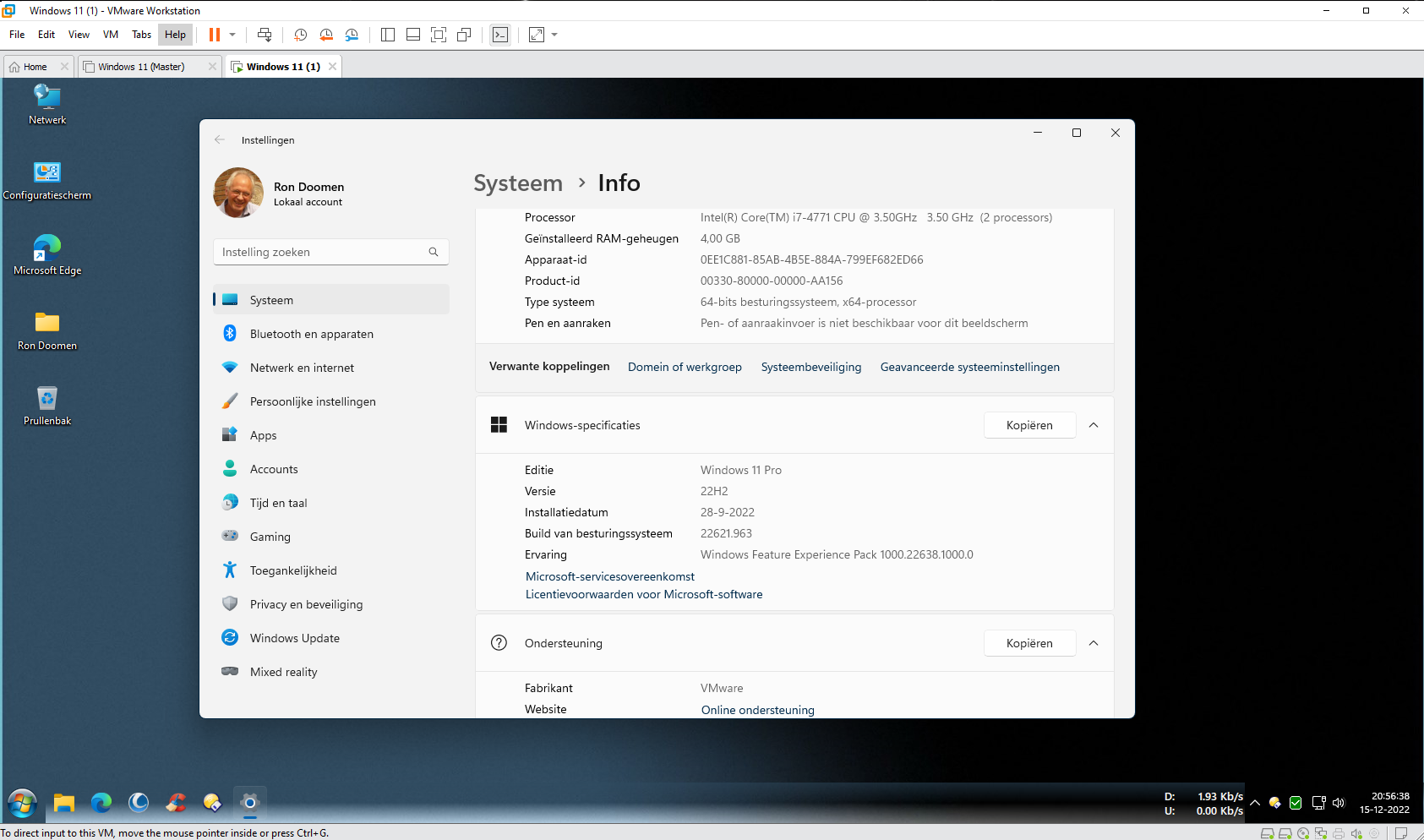
The build is 22H2 22621.963. Windows 11 pro.

Hello,
Sorry to hear you are having issues. You're running Windowblinds? Which version?
Thanks
Basj,
Stardock Community Assistant.
Hello, No, i am not running Windowblinds., just Start11.
Unless I miss some setting in Start11, I don't think it capable to make a taskbar to have that look. Did you installed any other taskbar enhancement product?
Thank you,
Basj,
Stardock Community Assistant
No, i dit not. Just start11.
Hello,
I have forward your problem/question to Stardock Support Team for their assistance. Please keep an eye on this thread for any updates. We appreciate your feedback and patience.
Basj,
Stardock Community Assistant

What OS version are you running on the VM? That does not appear to be Windows11? Which are you running Start11 on? The local machine or the VM?
Paul Scroggins
Associate Technical Support Analyst
I have windows 11 Pro version 22H2 Build 22621.963.
This runs on VMWorkstation 17.0 as a second OS.
On the local windows 11 pro everything goes fine.
I use Start11 version 1.36
The VM is also running a Windows version, (from your picture it is not Windows 11) what version is it running? Start11 running on the local machine so not really have any effect on what is happening on OS running on the VM
Paul Scroggins
Associate Technical Support Analyst
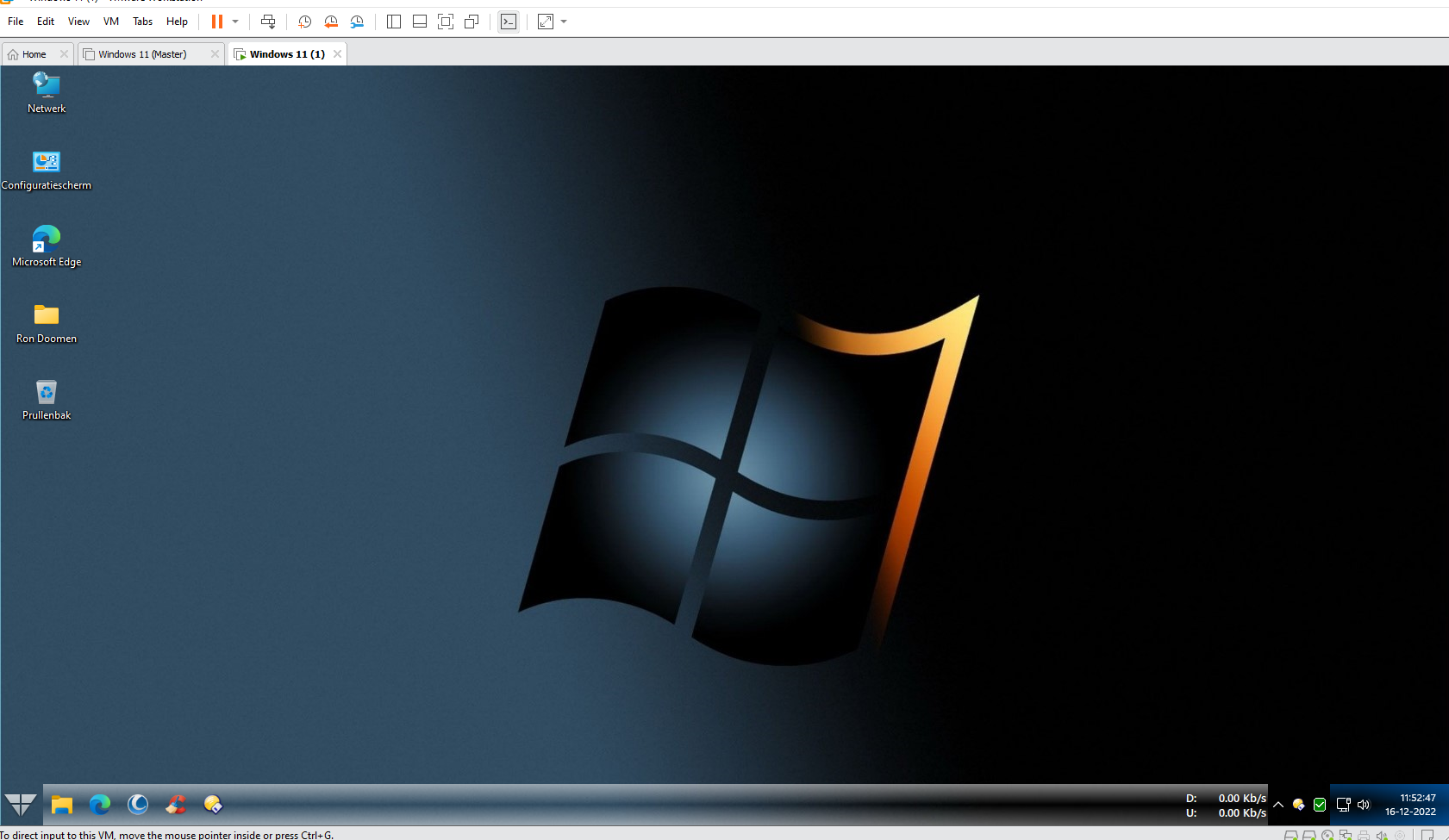
This is what's on VM. See photo.

I hope this is sufficiently clear.
Thanks,
Ron Doomen
Thanks,
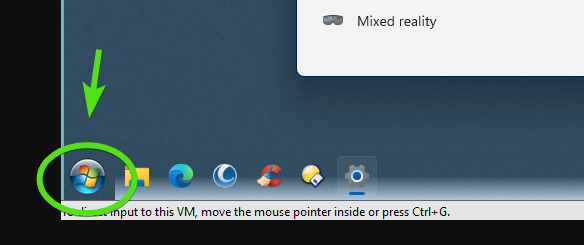
I want to double check this, is your start button a custom button you added into Start11 on the VM or are you also running another similar product?

Paul Scroggins
Associate Technical Support Analyst
No, Just a other startbutton.
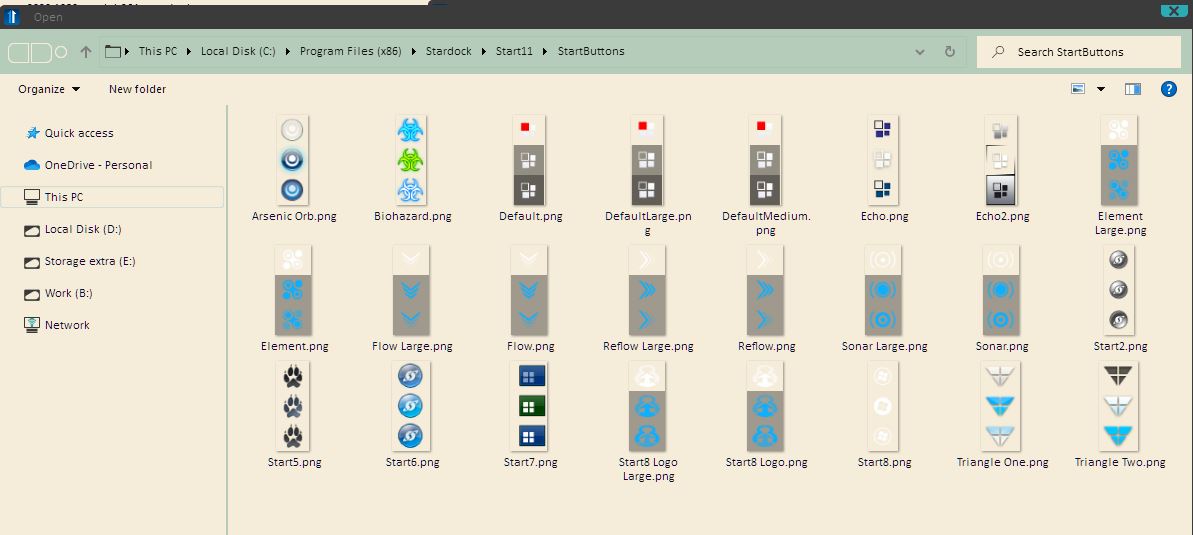
That Start button graphics do not come with Start11. Did you download that Startbutton from somewhere. Can I have a link to it.
I believe, these are the only Start Buttons graphics that come along with Start11.

Thank you,
Basj,
Stardock Community Assistant
Hello,
I tried one of the original starter buttons, but the result is the same.
See screenshot.


Have you checked the taskbar settings in Start11 to see if you have set a custom texture by mistake? Also try setting it to disable blur.
OK, none of the suggested things worked.
Thanks, though.
The other thing to do is remove that tool you have thats showing network usage on the taskbar.
Hello,
I realized that when I changed from version 16.2 to 17.0 in VMWare this problem with Start11 started to occur.
Before then, everything worked fine. So apparently there is a problem with VMWare 17.0 and Start11.
I can't fix that.
Maybe you can.
Hello,
I installed start11 1.47.2. This one works well.
I have now installed version 2.0 with the same code I purchased from you,
but it does not accept the code.
How can I solve this.
With thanks.
R. Doomen
[email protected]
Hello R. Doomen,
Are you trying to use the same code key for Start11 V1 on Start11 V2? That will not work. To use Start11 V2. You will need to purchase a V2 license. However, there are discount offered for Start11 V1 user. Please refer here: https://forums.stardock.com/523474/start11-v2-upgrade-faq.
Thank you,
Basj,
Stardock Community Assistant
Welcome Guest! Please take the time to register with us.