Deactivation Start 11

Bought an upgrade from Start10 to Start 11 yesterday. After trying Start 11 I found I prefer Start 10. Tried to deactivate Start 11 so as to save for future but can't. Support  help center directions don't work. If I do uninstall will that deactivate it on Stardock site so I might use it in the future on another machine.

5,880 views 7 replies
Reply #1 Top

Hello,
Sorry to hear you are having issues. Please try this guide to deactivate old activation: https://forums.stardock.com/486311/accounts-and-activation-support-faq#deactivateproduct. Try it, and do let us know if you still need assistance.

Thanks
Basj,
Stardock Community Assistant.

Reply #3 Top

What did you prefer about Start10 over Start11 as Start11 offers everything Start10 did and more?

Reply #4 Top

The windows 7 menu in Start 11 is taller than the one in Start10. I wish the one in Start 10 was shorter more like the one in the Start 10 modern theme height. The Start 11 menu covers a desktop shortcut I need and it also leaves too much blank space under programs and start menu. Again the height of Start 10 modern theme is ideal for me but I prefer windows 7 menu layout and appearence so Start 10 is my best choice.

Reply #5 Top

Hello,

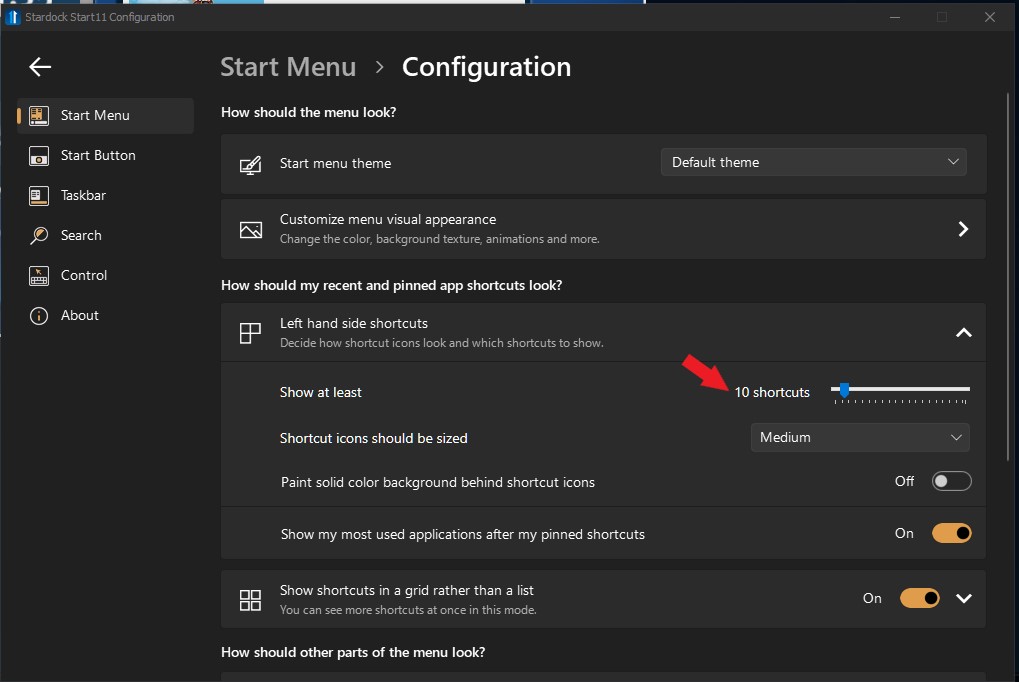
You can adjust Start11 Windows 7 menu style vertical height by adjust this.

Thank you,

Basj,
Stardock Community Assistant

Reply #6 Top

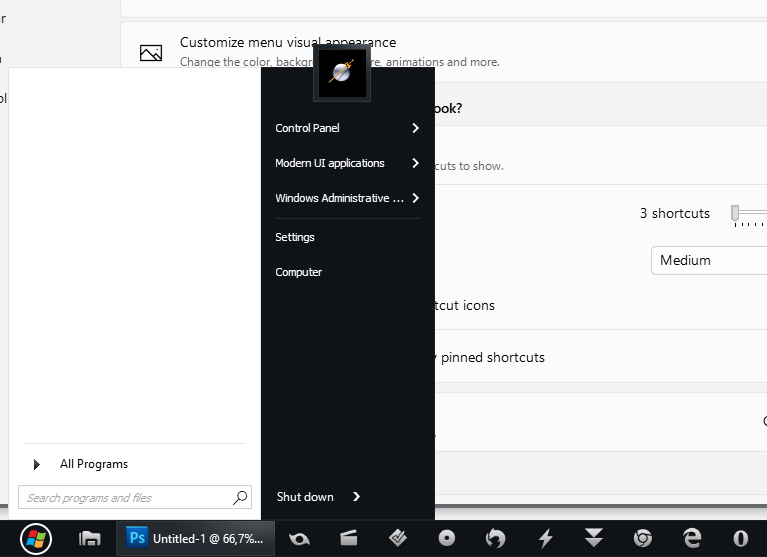
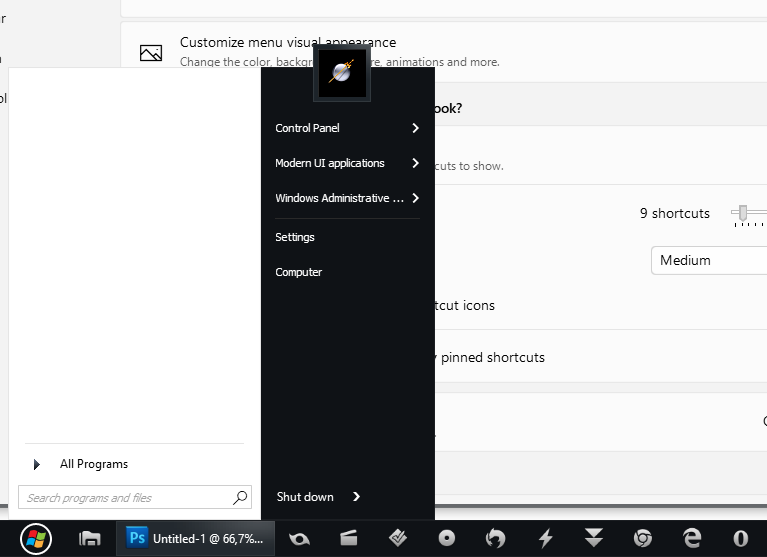
Problem is, the start menu does not get as compact as it used to. The numbers 3-12 and sometimes even higher depending on the wb used, does not make the start menu smaller as you can see here:

Reply #7 Top

I checked and point taken. I forward the issue/observation to Stardock Support Team for their assistance. Please keep an eye on this thread for any updates. We appreciate your feedback and patience.

Basj,
Stardock Community Assistant