

Bug: Start11 Taskbar freezes when Mp3tag is reading tag data

Sorry if this is the wrong place to post this, I'm new to this forum.

I use a software called Mp3tag to organize my music collection. When I open it, it usually takes a minute to read through all my music files and such. During this time. My Start11 taskbar will become fully unresponsive, whether it's the start menu, system tray or program icons. The only way I can even switch programs is by using Alt-Tab. Even after all my music has loaded the taskbar is still unresponsive for about 30 seconds, then all the inputs I attempted to put into any taskbar button gets spammed all at once changing my windows, opening the start menu, etc. I'm not sure whether this is an exclusive problem to Mp3tag as I don't use any other software that has a similar function.

I'm on Start11 version 1.31 but this has been a problem since I bought it this July.

Let me know if any additional information is needed to resolve this issue.


(Additional slightly relevant request: would be neat if Start11 implemented a green progress bar into taskbar icons when they are downloading/loading something just like in the regular Windows taskbar.)

3,639 views 13 replies
Reply #1 Top

Hello,
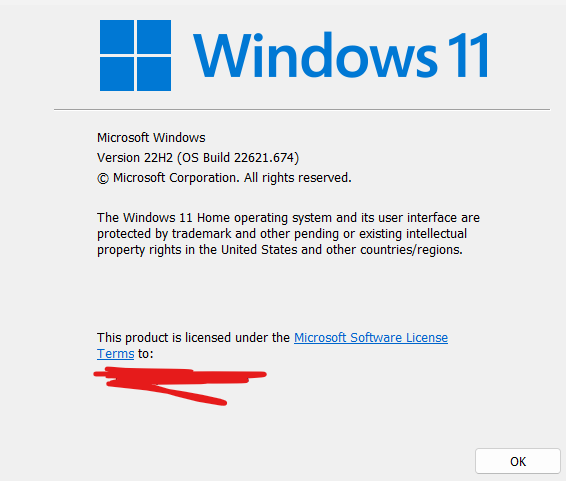
Sorry to hear you are having issues. I've installed Mp3tag and I can not recreate your issue. I can use my taskbar to change active program by selecting taskbar buttons, while Mp3tag reading my songs folders. May I know, you on Windows 10 or 11? Also need to know Windows full version number. Use Winver.exe to get those. Also you using Mp3tag v3.18?

Thanks
Basj,
Stardock Community Assistant.

Reply #3 Top

Even with v.3.18 I get the same issue. When Mp3tag says it is "reading directory" there is no problem but when it changes to "reading tag data" is when my taskbar becomes unresponsive.

Reply #4 Top

I'm not very knowledgeable when it comes to software but my unfounded theory is that it has something to do with Mp3tag attempting to send info about progress to it's taskbar icon to display but it doesn't work properly with Start11. 

Reply #5 Top

Okay after testing on my Windows 11, I can see the issue. I believe the issue do not appear when you turn off, Start11 Enhance taskbar, yes?

However, I have forwarded your problem/question to Stardock Support Team for their assistance. Please keep an eye on this thread for any updates. We appreciate your feedback and patience.

Thank you,

Basj,
Stardock Community Assistant

Reply #8 Top

No update yet. It is weekend BTW.

Thank you,

Basj,
Stardock Community Assistant

Reply #9 Top

Hello,

We have a theory (and it's just that for the moment) and will test it out internally.  If we are able to address it, it will not be until the next update.  

Internal ref:  ODNT:4637

Thanks for the report. 

Sean Drohan
Stardock Product Lifecycle Manager

Reply #10 Top

Thanks Sean, I appreciate it. Do you have any word about the possibility of integrating a progress bar into taskbar icons?

Reply #11 Top

Quoting mjayx, reply 10

Thanks Sean, I appreciate it. Do you have any word about the possibility of integrating a progress bar into taskbar icons?
End of mjayx's quote

Taskbar icons already have the progress bar.

Reply #12 Top

Quoting Neil, reply 11

Taskbar icons already have the progress bar.
End of Neil's quote

On the Start11 enhanced taskbar? I haven't noticed it whenever I'm installing a program or downloading a file. In fact, I have a minor bug that causes the program to look like it's not open during these circumstances instead.