Start11 some software icons won't display properly

Here is visually what is my problem (the Obs's logo is not the right one, other sofwares have the same issues, but not all, like spotify here)

What i tried but didn't fix my issue:

- Restarting windows

- Restarting explorer

- RightClick in start menu => refresh icons

- Uninstall, then reinstall Start11 (installed from steam)

- Reboot system icon cache

- Re-pinning the software on the menu


Anyone can help me with my probleme ?


4,299 views 10 replies
Reply #1 Top

I'm facing a similar issue where some icons are big and some are small lol.

All should be like the bigger ones.

I've done all the same troubleshooting steps as OP. This has happened to me once before but the issue just fixed itself, but doesn't seem to want to this time. 

Any ideas anyone?

Reply #2 Top

Hello,
Sorry to hear you are having issues. Would like to know more informations.

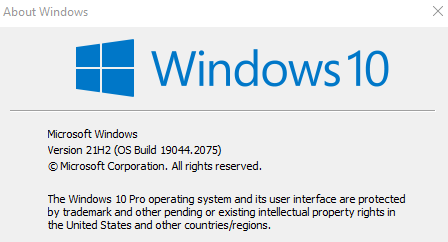
  1. Windows 10 or 11? And Windows full version numbers. Use Winver.exe
  2. Start11 version installed.

Thanks
Basj,
Stardock Community Assistant.

Reply #4 Top

For me it's Windows11 21h2

Start11 1.25


Don't worry AnimaTheory, the goal is to get a solution to our problem ^^

Reply #5 Top

If you check this thread: https://forums.stardock.com/514539 V1.26 and now V1.27 beta there were fixes on icons issue. If you okay with installing beta please try V1.27 Beta. If not, just need to wait a little until a release version appear.

Thank you,

Basj,
Stardock Community Assistant

Reply #6 Top

No dice, still have the issue after beta is installed.  😢

Lol look at this though,

If I now change the start menu icons to small, some change, some stay as big, some stay as small, some go tiny lol. 

So it looks like some icons just refuse to have their size changed in the start menu. Even if I unpin and repin. 

Reply #7 Top

Can you list down the steps you did to pin those small icon please.

Thank you,

Basj,
Stardock Community Assistant

Reply #8 Top

Do you mean this?


Or do you mean how did I pin the shortcuts to the start menu?

  • I just right clicked on the application from the start menu and select pin to start11
  •  

Thanks mate :) 

Reply #9 Top

Quoting AnimaTheory, reply 8

I just right clicked on the application from the start menu and select pin to start11
End of AnimaTheory's quote

I usually pin items by, right click on shortcut icons on the desktop or within Explorer itself. Pin from StartMenu sometimes don't carry along correct icon for me.

Thank you,

Basj,
Stardock Community Assistant


Reply #10 Top

I was able to fix it using that advice basj Thanks!

I explored to the start menu's file structure, right clicked on the shortcut and selected "Pin to Start11"and it's totally fixed by icon issue.

Bit of a painful work around though :(