
Fences disappeared when I moved a folder

2 displays

All fences disappeared.  Double click does not restore them.  I can create a new fence on the desktop but need to get original back.


Settings doesn't help, i.e. turned off roll up.

I was moving a folder from one display to another and fences disappeared. 
2,911 views 2 replies
Reply #1 Top

Hello,
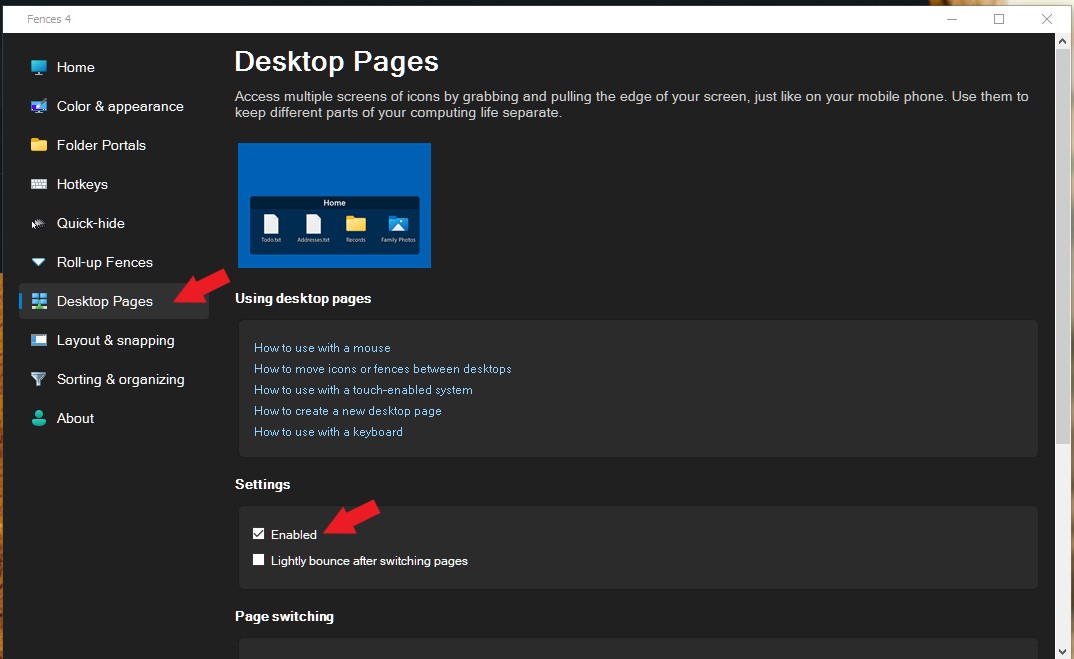
Sorry to hear you are having issues. Try the Fences desktop page. You can learn how to navigate it or turn it off altogether.

Try it and report back.

Thanks
Basj,
Stardock Community Assistant.4

Reply #2 Top

When I created a new fence and tried to copy folders from the "desktop" folder in My PC, I got an error message saying they were already there.

After no success going to the Stardock control page again, I tried several other things, changing the resolution of the display, changing the double-click speed of the mouse, using a different mouse (both had no result), restart computer, etc.

Then, suddenly the icons reappeared followed by the fences!  I don't know why.

Thanks for your reply.