3 monitors on 1 computer. Than 1 monitor for the other computer
Need Help
 Stardock Forums
This is on a Windows 10 machine.
First, mouse without borders had no issue with this setup. A lot of my friends told me Multiplicity is much better so I am on the free trial with Multiplicity. So far, Multiplicity actually does run a lot better and I would be a buyer except for this deal killing issue.
I am using "Seamless Mouse Movement" with Multiplicity.
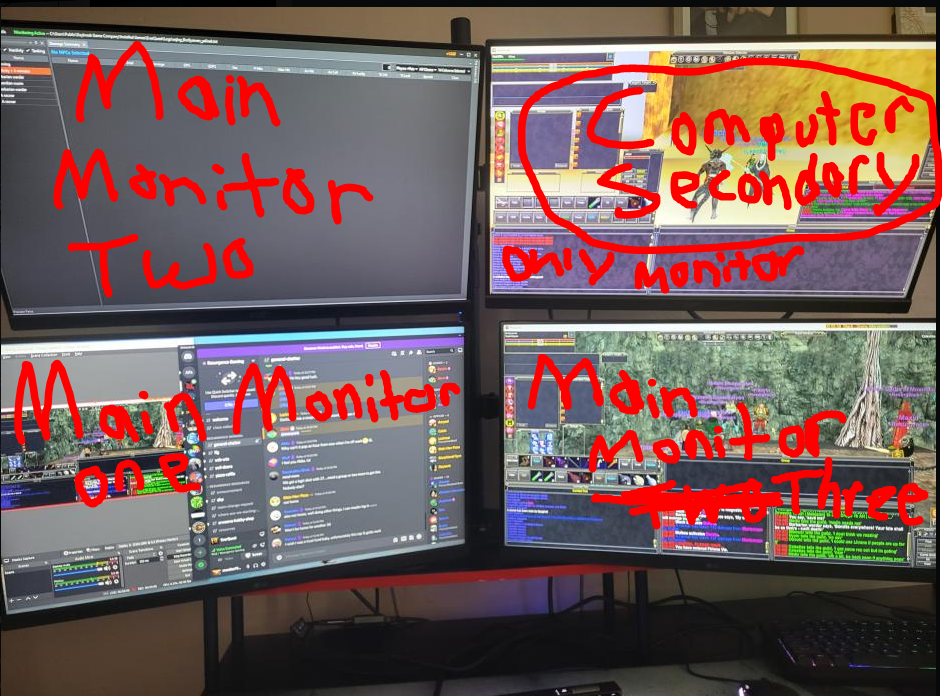
I have 4 computer monitors on a wall mount arranged in a square. 2 monitors on top and 2 monitors on the bottom.
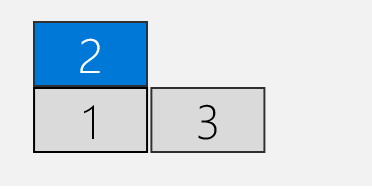
I have 3 computer monitors hooked to just the main computer. The main computer is hooked to the Top Left, Bottom Left, and Bottom right computer monitor.
I have 1 computer monitor hooked to the second and only other computer. It is hooked up to the top right computer monitor.
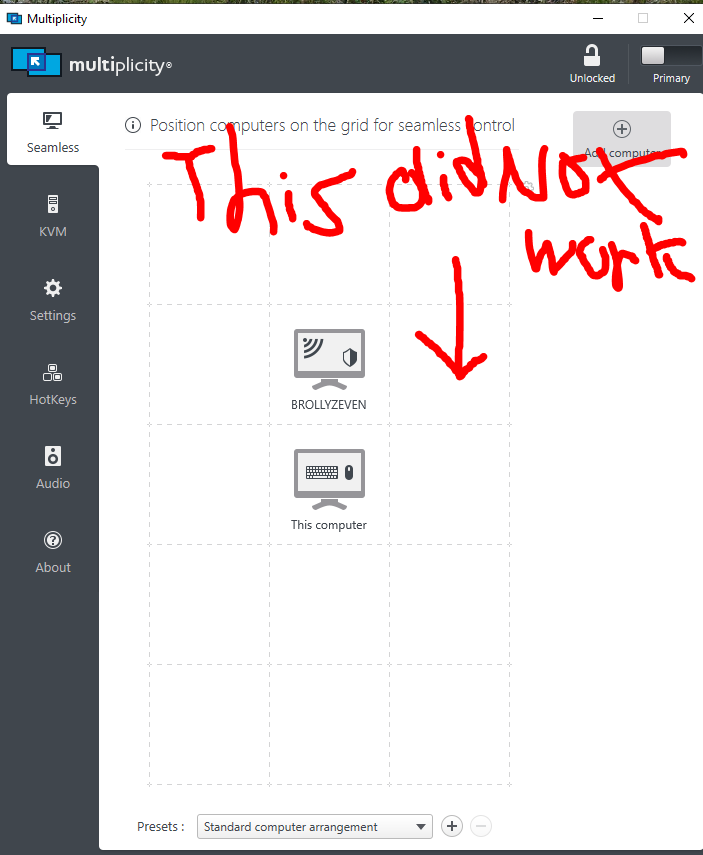
The first thing I tried to do is the logical thing and go into the multiplicity seamless grid arrangement and set my secondary computer monitor to the upper right corner of my main computer to match the arrangement of my monitor setup. When I lifted up the secondary computer to place it there. That grid section was not highlighted in green. I placed it there anyway and multiplicity no longer allowed my mouse to move between the primary and secondary computer.
Then I began troubleshooting and trying to figure out this issue.
When I moved the secondary computer above the primary on the seamless grid. That made my upper left computer monitor become the gate to the secondary computer monitor and I have to go straight up off the screen on the primary computer in order to go to the secondary computer monitor. That is a problem because both of those monitors are the top two monitors and are positioned next to one another.
I tried both switching HDMI inputs on these monitors on the back of my graphics card and that solved nothing.
I have tried rearranging my displays in windows settings and changing primary monitors and that just creates even more issues.
Are there any simple fixes to this issue that I am overlooking?