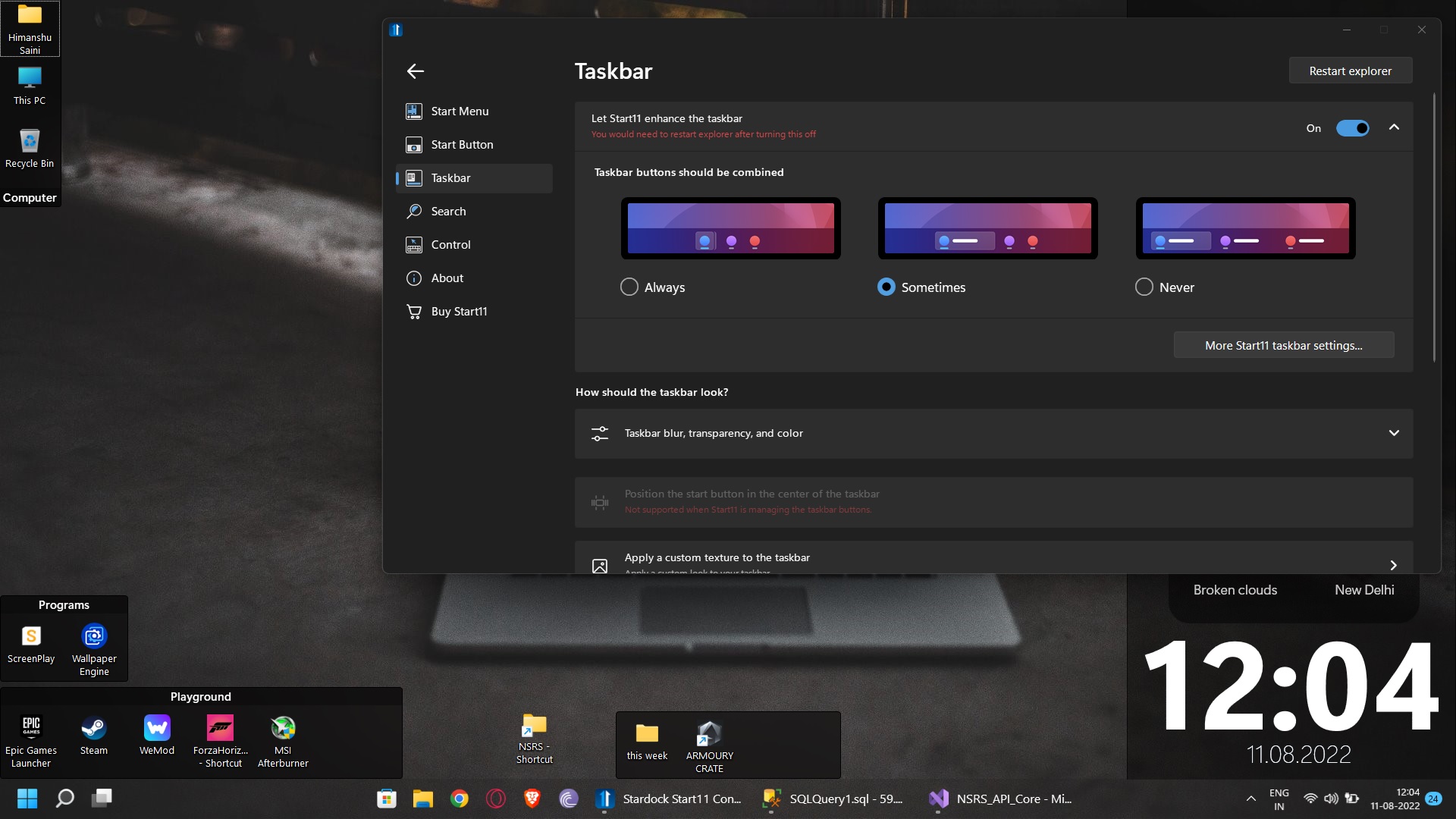
start menu not opening when taskbar is enhanced

start11

Hi, i recently started using start11 and its the most useful product for win11 so far for me. i noticed i cannot open the startmenu when  taskbar is enchanced from taskbar menu and taskbar is positioned at the bottom of screen.

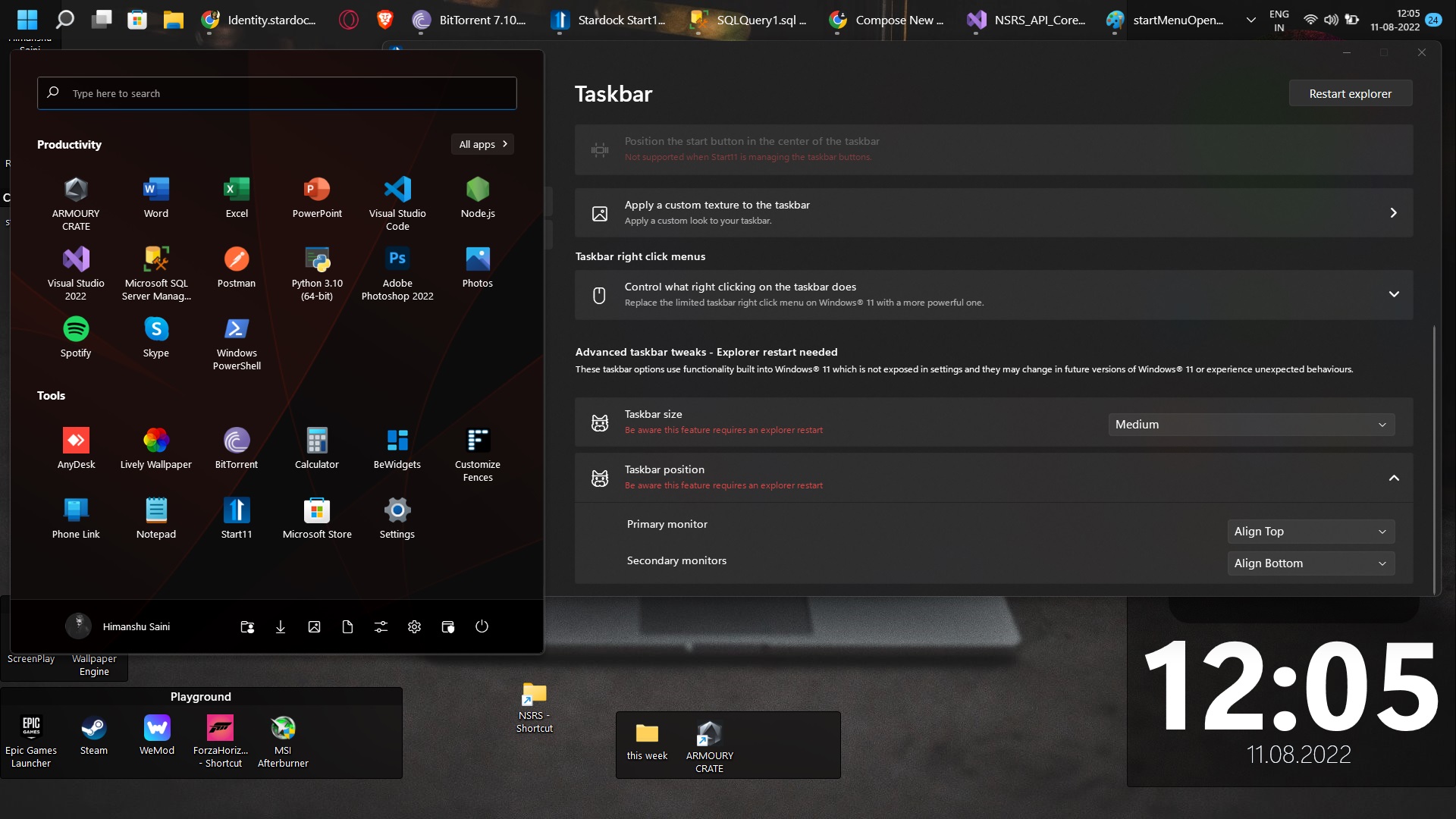
i can open the menu if the taskbar is positioned at the top of the screen.

what i suspect is start11 is opening the menu but at the downwards position i.e below the taskbar. since my taskbar is positioned at the bottom i cannot access it. 

Ps : i am also uploading photos for your reference.

please try to resolve this asap.

thanks and regards

Himanshu
2,313 views 5 replies
Reply #1 Top

Hello,
Sorry to hear you are having issues. Need to know more on your system please.

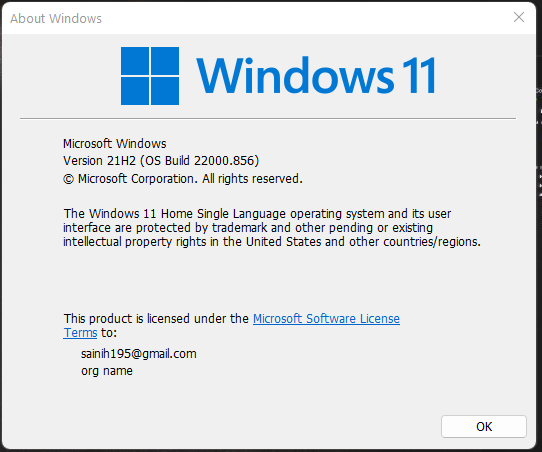
  1. Windows 11 version number. Please use Winver.exe to get Windows full version number.
  2. Start11 version number.
  3. Please try purge and reinstall steps as mention here : [Link]. Just make sure to redownload the latest version from your account page. Reboot after the purge. Reinstall and reboot again after the installation. Retest and report back here.

Thanks
Basj,
Stardock Community Assistant.

Reply #2 Top

Hi Basj,

Thanks for reply,

I tried purge but unfortunately it didn't work.

I am attaching my windows version number like you asked.

Thanks

Himanshu 


Reply #4 Top

hi Basj,

sorry for the late reply,

so i figured out the problem. The actual problem is windows scaling option for screens of larger resolution.

I am attaching the screenshot for your refrence.

My scaling was set to 110% and the start11 seems to only work with setting with multiplier of 25 only(100,125 etc). Thats why i was not able to view my start menu with taskbar enhanced.

for now i am using 100% as scaling but i would really like you guys to fix this problem with custom scaling.

Thanks and regards

HImanshu

Reply #5 Top

I, somehow, can not actually set my scaling to 110%, every time I set it to 110% and I do the log off and log in. Windows actually show my scaling is at 175%. Not sure why this happen. Anyway, I have forward your problem/question to Stardock Support Team for their assistance. Please keep an eye on this thread for any updates. We appreciate your feedback and patience.

Basj,
Stardock Community Assistant