START 11 ACTIVATION

Hi,


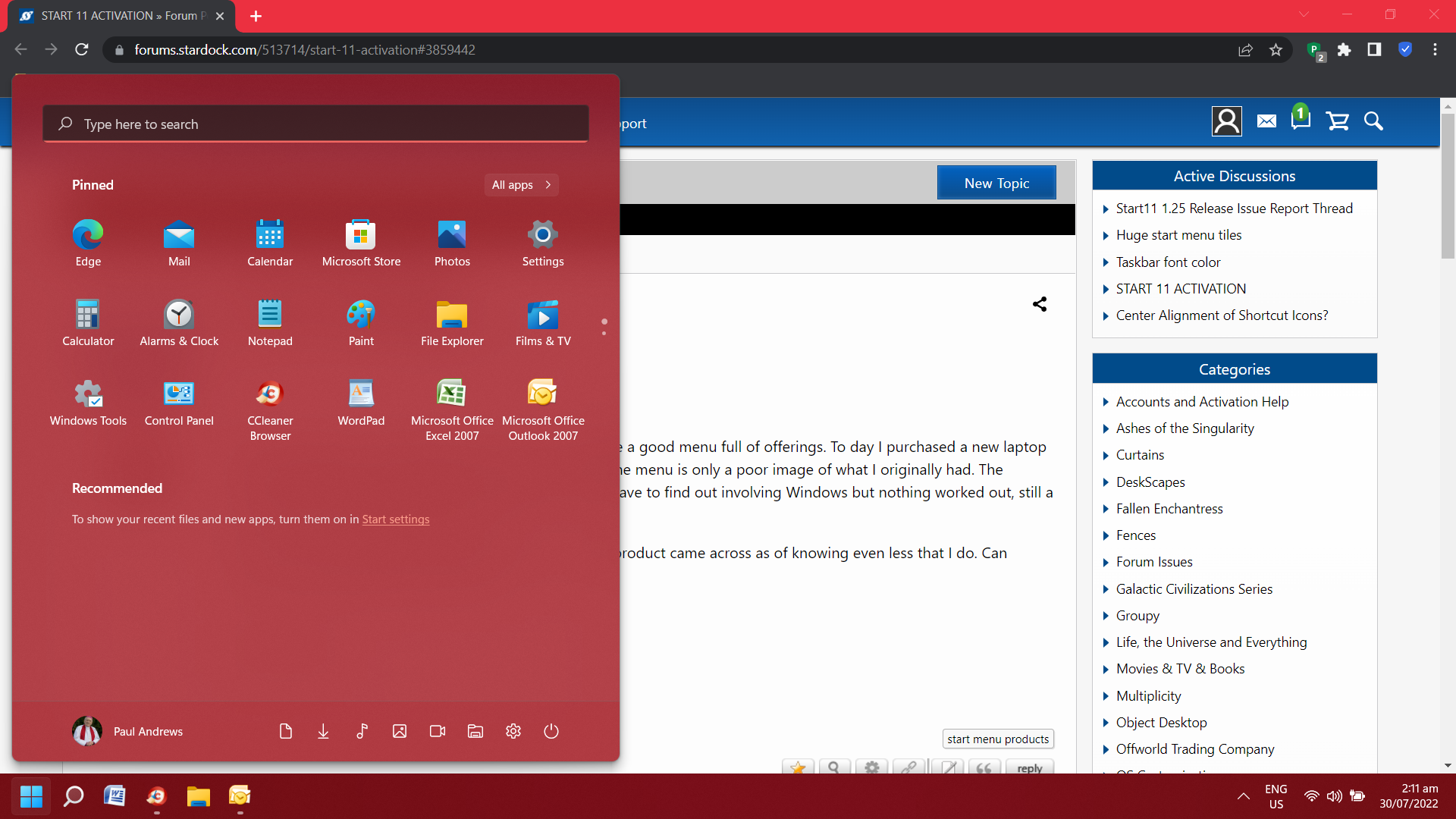
A few weeks back I purchased STAET 11 and found it quite a good menu full of offerings. To day I purchased a new laptop that came with WIN 11 installed including START 11 but the menu is only a poor image of what I originally had. The internet came up with things I hoped that I would never have to find out involving Windows but nothing worked out, still a very sad and even pathetic looking menu.

All I want is to activate it again but even the seller of the product came across as of knowing even less that I do. Can someone please advise me accordingly.


Please take care.


1,419 views 4 replies
Reply #1 Top

Hello,
Sorry to hear you are having issues. Can you post a screenshot of this Start11 you have on your system?

Thanks
Basj,
Stardock Community Assistant.

Reply #2 Top

I am very disappointed with Stardock emailing me back when I told them that there were problems and that I purchased a new laptop today. They suggested that I had not stopped the usage of the product which is really quite crazy to say the least. The laptop was stolen from me and was located  in a car at the bottom of a river. The POLICE located it, I no that the laptop is not salvageable.

Stardock also insisted that I should perhaps re-purchase which I regretfully did. The product will not show me this time any more that two miserable and pathetic looking icons pretending to be Start Menu buttons. Likewise there is no possibility to change the  design or layout of the taskbar, it is greyed out options wise.

I really feel that Stardock must consider me a fool to treat myself or anyone at all in such a belittling manner. I came so close to opting for Apple today but hung in with Windows, maybe to my downfall.

I have a useless, inept, and grossly insufficient piece of software that in no way now inspires. Buy a new and only get half back. I seriously wonder what is now being designed or at least sold for to deceive those of us who are not all that clued up on computers. Shame on Stardock for false accusations and then only suppplying half of what I paid for.

That screenshot was the best I could do given I have only had the laptop for a few hours with more head aches with previous laptops that I have ever experienced in past time.



Reply #3 Top

Hi Paulles,

Sorry to hear about your car.

I am not sure who you talked to but it likely wasn't us, but Stardock support could have taken care of that license for you and we would have not recommended that you needed to purchase another one.

Since you just made that purchase today/yesterday, you could request i refund at the following link: https://stardock.atlassian.net/servicedesk/customer/portal/4/group/13/create/10140


If you would like more assistance in how to use Start11, reply here with more detail of your issues and we can address them,

Thanks

Paul Scroggins
Associate Technical Support Analyst

Reply #4 Top

Quoting Paulles, reply 2


I am very disappointed with Stardock emailing me back when I told them that there were problems and that I purchased a new laptop today. They suggested that I had not stopped the usage of the product which is really quite crazy to say the least. The laptop was stolen from me and was located  in a car at the bottom of a river. The POLICE located it, I no that the laptop is not salvageable.

Stardock also insisted that I should perhaps re-purchase which I regretfully did. The product will not show me this time any more that two miserable and pathetic looking icons pretending to be Start Menu buttons. Likewise there is no possibility to change the  design or layout of the taskbar, it is greyed out options wise.

I really feel that Stardock must consider me a fool to treat myself or anyone at all in such a belittling manner. I came so close to opting for Apple today but hung in with Windows, maybe to my downfall.

I have a useless, inept, and grossly insufficient piece of software that in no way now inspires. Buy a new and only get half back. I seriously wonder what is now being designed or at least sold for to deceive those of us who are not all that clued up on computers. Shame on Stardock for false accusations and then only suppplying half of what I paid for.

That screenshot was the best I could do given I have only had the laptop for a few hours with more head aches with previous laptops that I have ever experienced in past time.


End of Paulles's quote

In your screenshot that is not Start11 running.  Thats the default Windows 11 menu which is probably why you find it limited.

A screenshot of what the Start11 settings menu is showing would help with regards to your taskbar issue.