Reply #1 Top

Hello,
Sorry to hear you are having issues. Please do uinstall Start11 V1.24, reboot (important), install Start11 V1.25, should be available in your product account page, reboot after the install, retest it and report back here.

Thanks
Basj,
Stardock Community Assistant.

Reply #3 Top

Are you on trial? If yes, than you don't have that yet. But, if no, and you have purchased a license. Than you should be able to download it from your account product page : https://store.stardock.com/myaccount/products

Thank you,

Basj,
Stardock Community Assistant

Reply #5 Top

If no V.1.25 try with V1.24. Same result?

Thank you,

Basj,
Stardock Community Assistant

Reply #6 Top

Quoting basj, reply 5

If no V.1.25 try with V1.24. Same result?
End of basj's quote


with 1.24 problem present ever with custom taskbar.

If I disable the customixe of taskbar, the problem does not occur.

Reply #7 Top

What do you mean by "custom taskbar"? Please elaborate.

Thank you,

Basj,
Stardock Community Assistant

Reply #9 Top

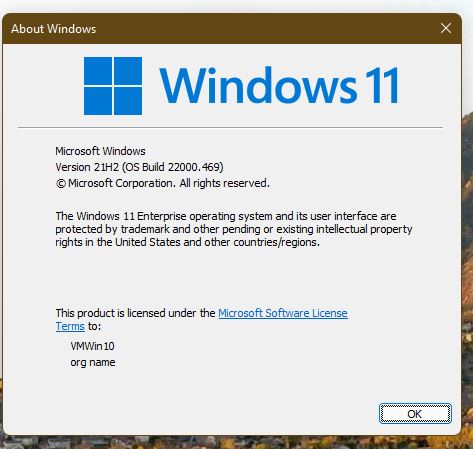
May I know what is your full Windows version numbers please. : Use "Winver.exe" to get it.

Something like screenshot below.

Thank you,

Basj,
Stardock Community Assistant

Reply #11 Top

That will be insider build. Do know that Stardock do not support Windows 11 insider build or beta build. However, we appreciate your feedback.

Thank you,

Basj,
Stardock Community Assistant