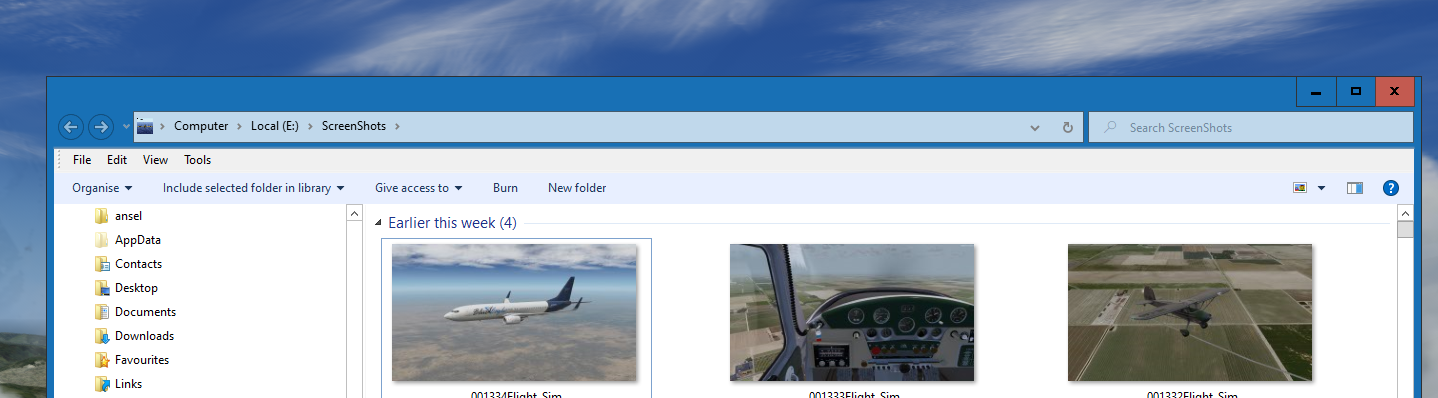
Windows 7 Aero Windows 10

Win 7 Aero not working

Hello.

After a windows 10 updates 21H2 OS build 19044.1766 the windows 7 Aero glass is not working. 

Windows explorer does not have the Aero glass transparency anymore. 

I'm using the latest version of WindowBlinds 10.89, it seems to have no effect. 


Please is there an update or fix for this?


Thank you for your help and time.


6,540 views 9 replies
Reply #1 Top

Hello,
Sorry to hear you are having issues. Which WB skin you're using that is not working? Can I have a link to test it out.

Thanks
Basj,
Stardock Community Assistant.

Reply #3 Top

When you said none of the themes work, Mean its not loading at all or the transparency effect not working? I load some themes on my system that have transparency on them but it still look okay to me. So I am not sure on your issue. Maybe you can post some screen capture here.

Thank you,

Basj,
Stardock Community Assistant

Reply #5 Top

This is the video on YouTube I used and there is a download for the windowblind and theme pack update 

Reply #6 Top

And what is not working? Screenshots on your system are more appropriate.

Thank you,

Basj,
Stardock Community Assistant

Reply #8 Top

I can't not recreate your issue on my system. So I would like to suggest to try purge and reinstall steps as mention here : [Link]. Just make sure to redownload the latest version from your account page. Reboot after the purge. Reinstall and reboot again after the installation. Retest and report back here.

Thank you,
Basj,
Stardock Community Assistant.

Reply #9 Top

Thank you for the reply.

I've tried everything, doing an uninstall and using the purge tool. I even went through the registry and deleted everything WindowBlinds  except for these, Windows would not let me delete them. 

Did a fresh install of windows blinds.

Sadly at this point WindowBlinds is having no effect on my system.