Reply #1 Top

More info please.

Full numbered version of Windows ?

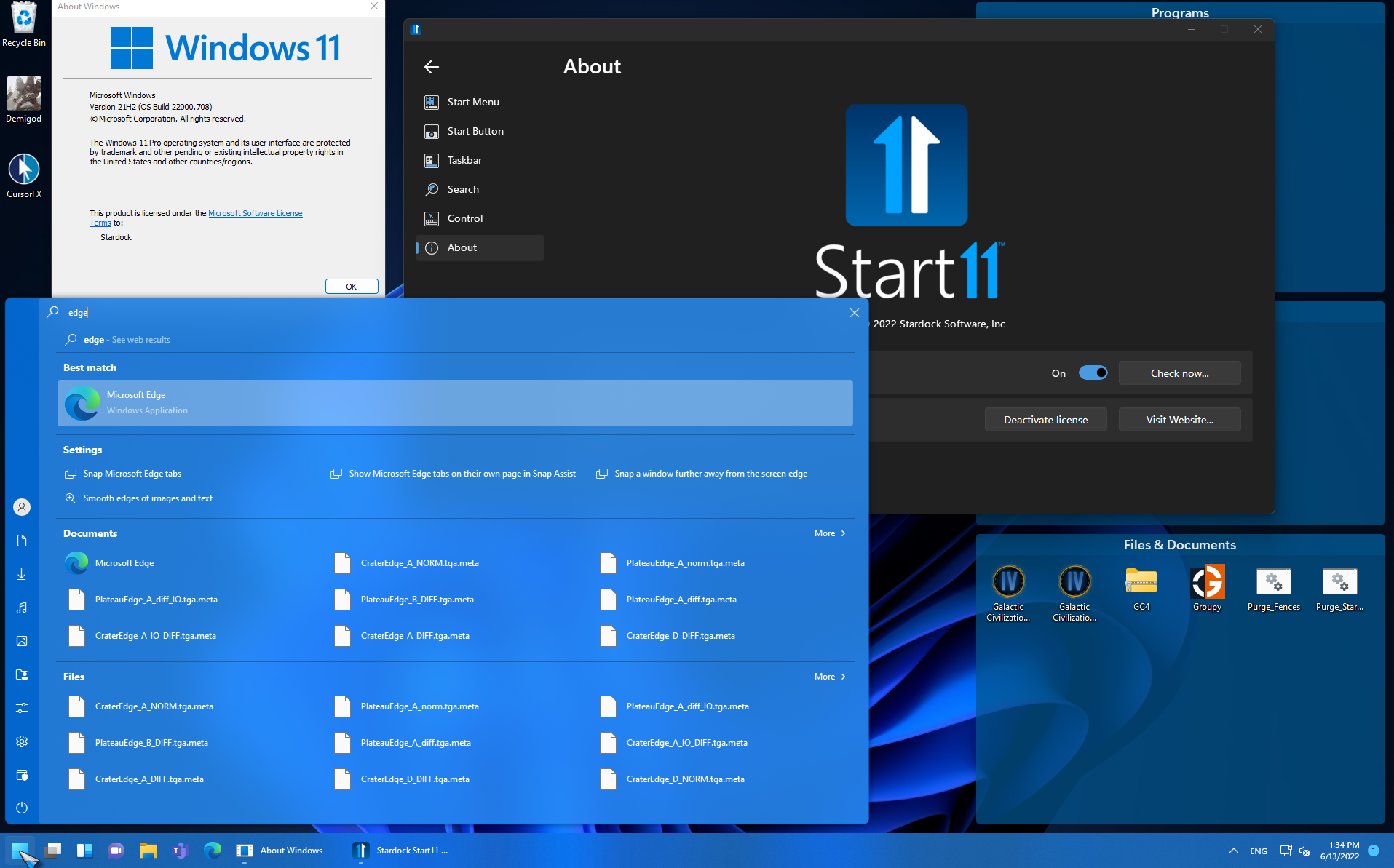
Version of Start11 ?

AzDude

Reply #2 Top

I installed the latest version of Start11 yesterday. version 1.24

phone number of my windows 11 installation is version 21H2  with os build 22000.708 

Reply #4 Top

I don’t have any of the other Stardock programs installed, and if I have Start11 installed, I want to use it, not disable it. This issue needs to be patched or I am done after thirty day trial of which I won’t even use because of this issue, ridiculous!

Reply #5 Top

Hello,

I have forwarded your report to the Stardock support team for their review and recommendations.

Please keep an eye on this thread for any updates.

We really do appreciate your feedback, thanks.

Reply #6 Top

they have not replied. I started asking for support for this issue by sending them an email, initially, but they told me that I needed to use the forums and closed the support request. Do you know if they’re going to respond here or if they are going to send an email? Thanks 

Reply #7 Top


It occurs when I search Edge in the Start11 search box.
End of quote

Hello,

What theme are you using? And is it just simply typing in the word "Edge" that is causing the crash?

Reply #9 Top

Hello,

They key is likely going to be what on your PC is causing it to happen.


But first, have you tried uninstalling, REBOOT, reinstall yet?

If you are still having issues, the clean boot process is a good way to try and track down what is causing conflict with Start11.

https://forums.stardock.com/505872/start11-support-faq#cleanboot


Paul Scroggins
Associate Technical Support Analyst

Reply #10 Top

I noticied it only happens sometimes. I also noticed that I forgot to uninstall OpenShell, of which I did that and it seemed to have fixed the issue from happening as often as it was, and I haven’t been able to replicate it, yet. That is odd to me as searching everything else worked, and Microsoft Edge has nothing to do with OpenShell.

Reply #11 Top

I think this was probably nothing to do with Edge at all, it was probably a random explorer crash due to OpenShell’s involvement with it, including the search bar in itself and explorer. I assume there is nothing wrong with Start11, but how often do the developers go through and clean it up for issues such as bugs causing crashing and compatibility issues?

Reply #12 Top

I have been once again experiencing the issue, as mentioned previously, but have narrowed it down to when it occurs. I have recorded a video of which you can watch by visiting this url: MP4 OR MOV AVAILABLE. https://www.dropbox.com/sh/5x6zkda9k0xcuh4/AABaIF55oPLi48vKZ44yT-4Na?dl=0


The video consists of me recording the issue and narrowing down when it happens. The video shows the issue only happens with Edge and no other application. It happens with Edge only when the Start11 Start Menu is initially opened for a search, but does not occur if I search for a program and then search for Edge and continue searching. I also showed in the video my installed programs via Control Panel, which shows that there is nothing that would affect the Start11 program or Start Menu functionality. I purchased my license today as i really enjoy the program, and hope this can be addressed soon. This program is much better than OpenShell, as your developers are right on top of bugs per your update change logs, unlike OpenShell, unfortunately. I will definitely recommend Stardock Start11 to my customers.