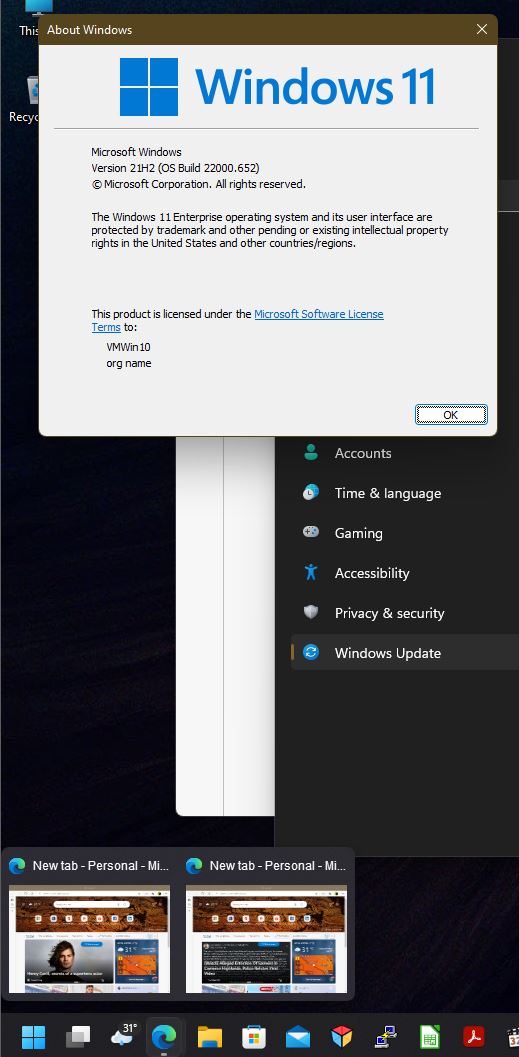
Start 11 Icons Missing From Taskbar When Multiple Windows Are Open
 Stardock Forums
Good Morning,
I have installed Start11 (v1.22). It works great and I am so happy to have a 'normal' windows menu back but I am having an issue with the Taskbar. When I have more than one window open (eg: Chrome) the icon disappears.
Here's the taskbar with just one Chrome window open:

And when I open another:

This happens when "Taskbar buttons should be combined" is set to Alway or Sometimes (but doesn't happen when set to Never). Here are the other Taskbar Settings:
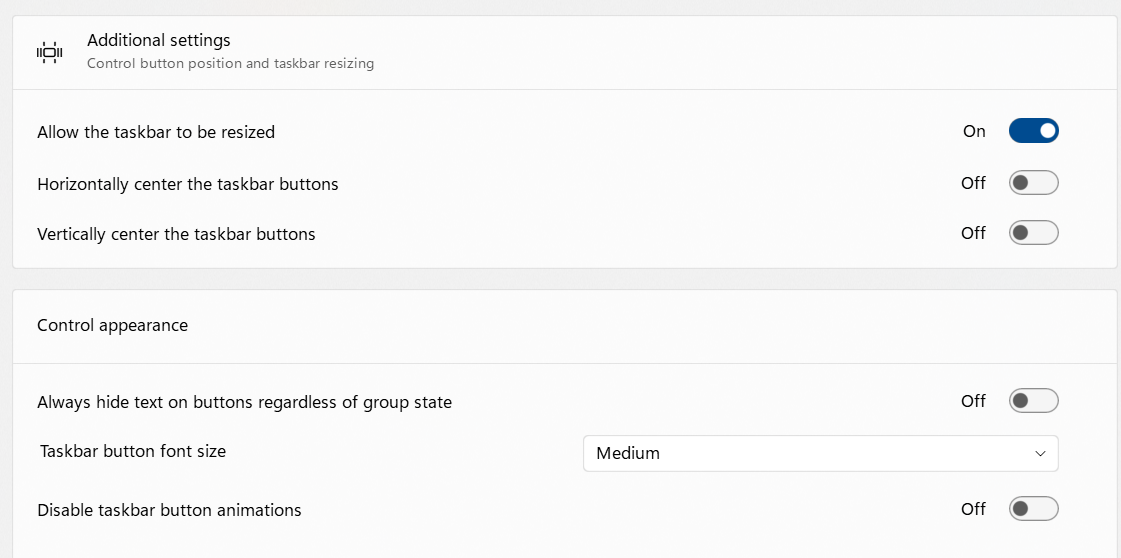
I am using Windows 11 Home v21H2 build 22000.613
I tried a few different programs but the problem only seems to happen for some:
Chrome v100.0.4896.127 (Official Build) (64-bit)
Microsoft Edge v101.0.1210.39 (Official build) (64-bit)
Thunderbird v91.9.0 (64-bit)
For others (eg: Windows Explorer and Notepad) the icons still show up regardless of how many windows are open.
Can you take a look at it please?