
No Longer Have Option to Choose Icon Size or List View on Windows 11
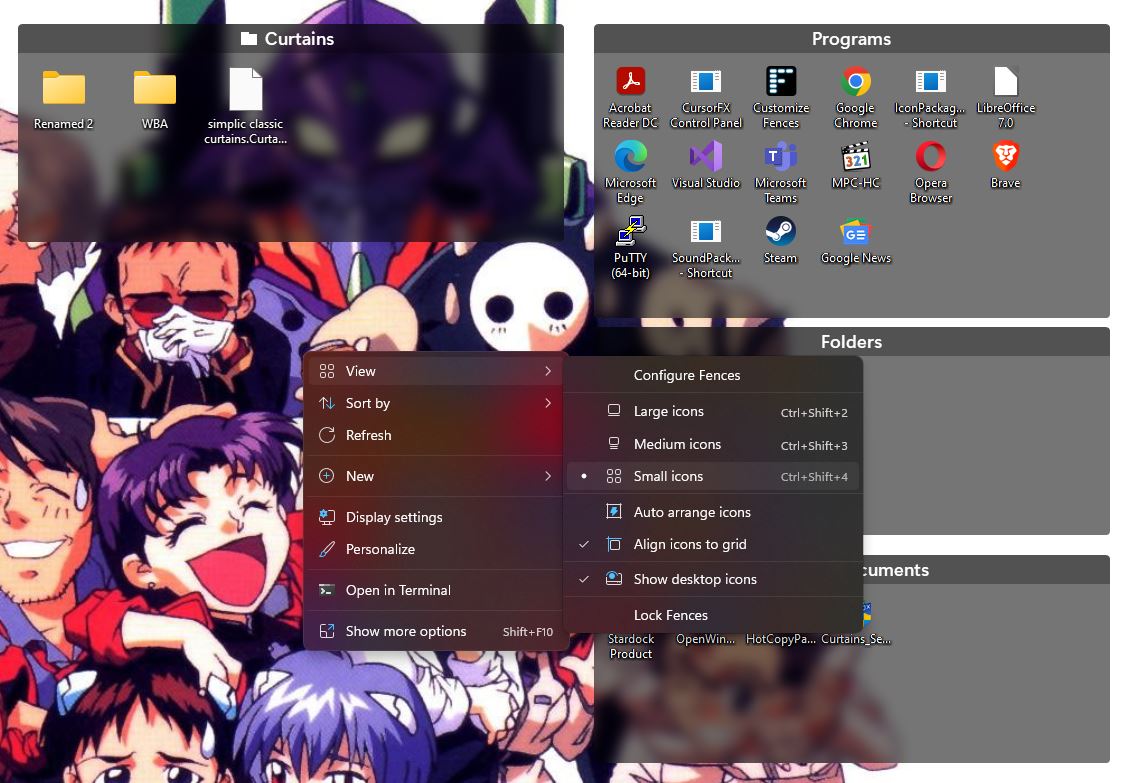
I just installed a new Windows 11 Pro machine and installed Fences 4 but I can no longer find an option to change the icon size or use a list view.
Stardock will be closed for the week starting on Monday, June 29th and we will be returning on Monday, July 6th. We will be monitoring support tickets and forums during this time but expect delays in responses during this time.
I just installed a new Windows 11 Pro machine and installed Fences 4 but I can no longer find an option to change the icon size or use a list view.
Hello,
Sorry to hear you are having issues. It should be available if you right click on the desktop. Changing that size will change all icons inside all Fences, excluding portal Fences. For portal Fences you will need to right click inside the portal Fences itself. Also, list view only available for portal Fences, not normal Fences.

Thanks
Basj,
Stardock Community Assistant.
Welcome Guest! Please take the time to register with us.