Hi, I know this is an old issue, but I found this when looking for a solution of the same problem I have. unning windows 10 22H2 with start11 version 2.51.
One of the icons that shows very small with a wide border is SlickEdit (but there are others) and this is definitely an older program that probably has no high res icon included. Still, if I have this icon shown in medium size it has a recognizable size, but I like to have all my icons in size small, and then this icon becomes microscopic.
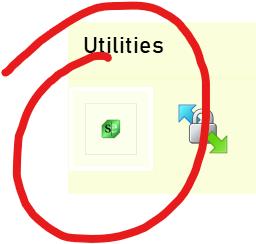
So there should be enough icon information to show a decently sized icon.
But I went ahead and tried to select a custom icon, and that worked better than expected:
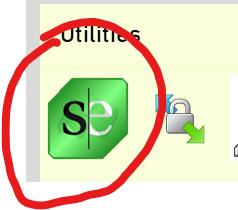
The icon is nice and big, using up the whole tile, better than the one next to it from winscp which is just takes out of the exe file.
If tiles are shown in size Small, then the space for them should be all used up as with the custom image. It also appears as if only 256x256 images are accepted here. I tied one with half the dimensions and that did not even allow me to select it - even though 128x128 would be plenty of information to show in a small tile (even on a 4k display, which shows icons at less than 100x100).
It would be great if you could implement a better icon display 
Cheers,
Gunter


 Stardock Forums


