Version 1.2 Broken (on my system, at least)

So this morning (Australia time) I got notification that V1.2 was available. Previously running 1.1. My system is running Windows 11 Pro 21H2 with three monitors.

Downloaded, installed, restarted.

First thing I noticed - all my shortcuts on the primary monitor disappeared.

Second thing - the taskbar on the second and third monitors stays on for 15 seconds, then disappears for approx 3 seconds.

Need both of these fixed. Have restarted the system a couple of times, makes no difference, and it's way beyond annoying...


2,360 views 12 replies
Reply #1 Top

Hello,
Sorry to hear you are having issues. You like to suggest, uninstall, reboot and reinstall. reboot again and test. report back.

Thanks
Basj,
Stardock Community Assistant.

Reply #2 Top

I've already done that with a complete new download from your system. No change to what I am experiencing.

Reply #3 Top

First thing I noticed - all my shortcuts on the primary monitor disappeared.

Second thing - the taskbar on the second and third monitors stays on for 15 seconds, then disappears for approx 3 seconds.
End of quote

Can we have more details on this please.

  • Shortcuts on your desktop? or pinned items on your Start menu or on taskbar?
  • Taskbar disappears for 3 seconds and reappear? And this happen every time you boot up?

Thank you,

Basj,
Stardock Community Assistant

Reply #4 Top

Fixed most of it. Found your Purge bat file and ran that, then re-installed. Got my shortcuts back, but can't change the size of them.

This is misleading:

Configure menu
Adjust colour, transparency, icon size, and many other settings.

So why does the option to adjust the icon size of the left hand shortcuts not work? Change it to anything you like and the icon sizes don't change...

Also I have a customised Start button (Bio Hazard). This only appears on the toolbar of the primary monitor, and not on the other two monitors (been like that for a while).

Running DisplayFusion Pro 10.0 Beta 14 in addition to Start 11, if that makes any difference.

Reply #5 Top

Please try uninstall DisplayFusion, reboot, and retest. See if that help.

Thank you,

Basj,
Stardock Community Assistant

Reply #6 Top

Quoting gordong1, reply 4

This is misleading:

Configure menu
Adjust colour, transparency, icon size, and many other settings.

So why does the option to adjust the icon size of the left hand shortcuts not work? Change it to anything you like and the icon sizes don't change...
End of gordong1's quote

You are using which Start11 style? Windows 7, Modern, Windows 10 or Windows 11? Can we have a screenshot and point us to which icon size you're trying to change?

Thank you,

Basj,
Stardock Community Assistant

Reply #7 Top

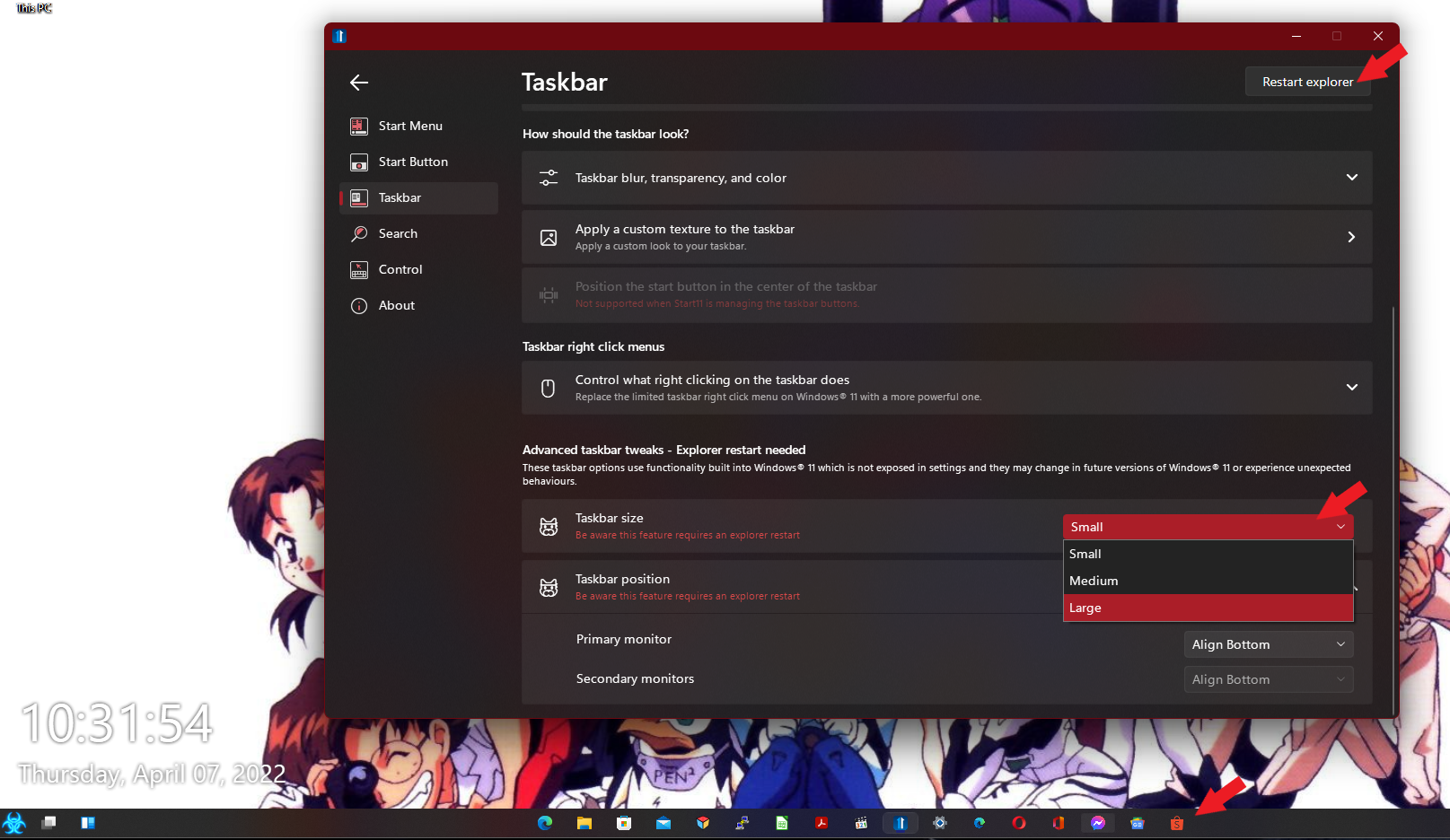
Here you go - and I have uninstalled DisplayFusion, rebooted with no change, re-installed DisplayFusion and I still can't change the size of the left icons.

Windows 7 Start11 style.

Reply #8 Top

Okay, you're referring to taskbar icons yes? From what I know, on taskbar the pinned/running icons only change when you change the taskbar size. (Small, Medium or Large): Restart Explorer needed. Those other icons size control do not effect taskbarr icons. Those are for the StartPanels icons.

Thank you,

Basj,
Stardock Community Assistant


Reply #9 Top

DisplayFusion might effect your secondaries monitors taskbar. That is why I asked to uninstall and test those issue where you mentioned your secondary taskbar gone missing and the start button don't change on your secondary taskbar.

Thank you,

Basj,
Stardock Community Assistant

Reply #10 Top

I think DisplayFusion, Start11 and Windows 11 are all arguing with each other. Got most of it back under control, thanks.

Reply #12 Top

Have you tried the beta 1.21 version of Start11?