Icons
from  Stardock Forums
Stardock Forums
Why is 'hide captions' greyed out in Start 11?


Hello,
Sorry to hear you are having issues. You're on which Start11 style? and can we have a screenshot of what you referring at?
Thanks
Basj,
Stardock Community Assistant.
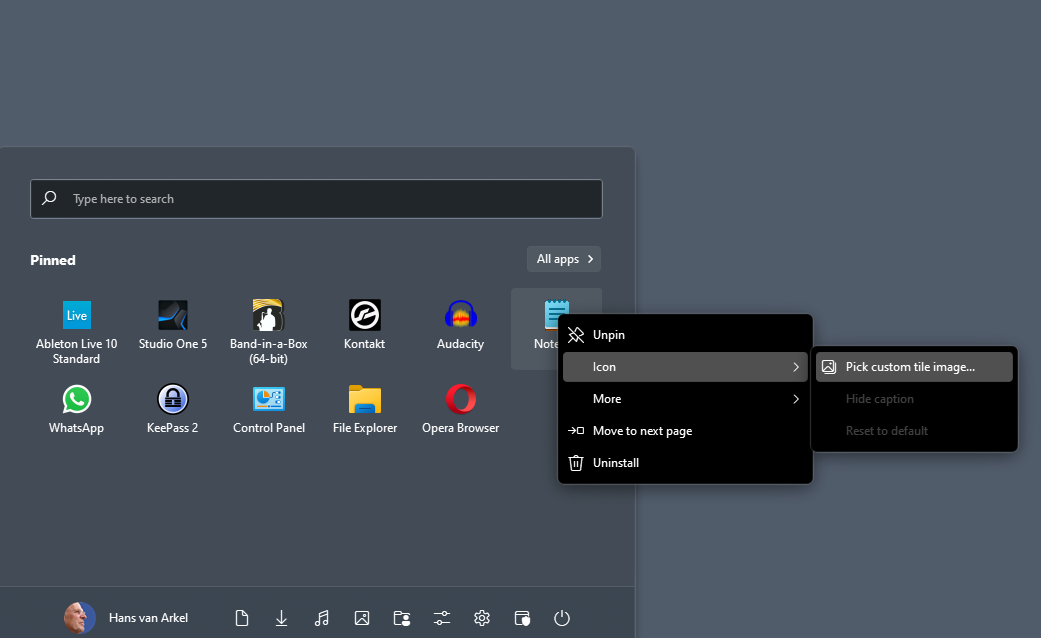
I'm back on Modern Style because here a right click on an icon brings up properties where you can personalize the caption which looks much nicer  Right click on an icon (Windows 11 Style menu) only gives you one active option (pick a custom image), the two other options are greyed out.

Strange, when I right click on a pinned icon I don't see that two other options greyed out. What I see is like the screenshot below. Can you post what you see on your system.
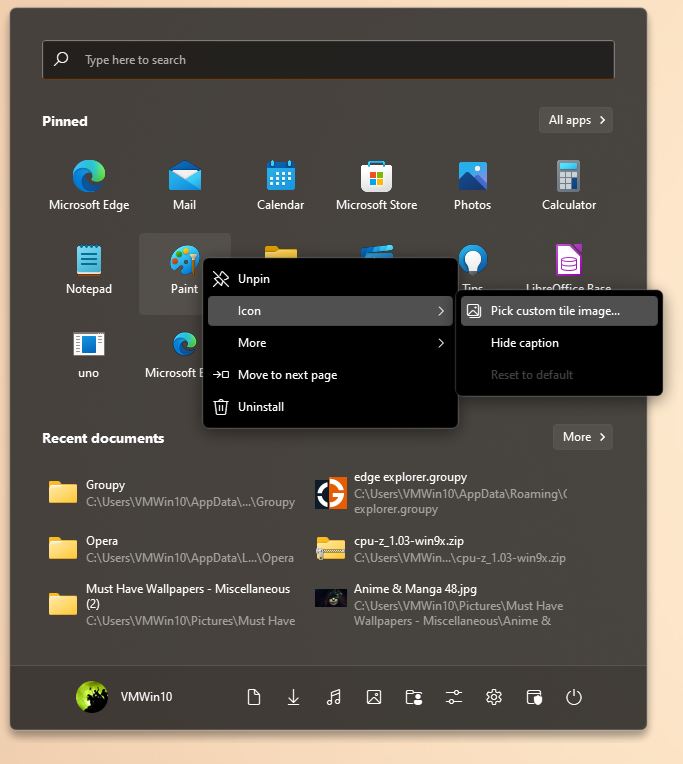
Thank you,
Basj,
Stardock Community Assistant
You on which Start11 version?
Thank you,
Basj,
Stardock Community Assistant
I am on Version 1.18. My guess is that that function is removed on newer version.
Thank you,
Basj,
Stardock Community Assistant
The option to hide captions for items without custom tile images was added into Start11 1.17 beta. You would need to update to that version to get that feature enabled. It will leave beta and be released as a 1.2 within the next few weeks,
Dear Basj, I appreciate your efforts - for me it is merely a matter of esthetics and not very important - but I am a bit puzzled though : as you say "I am on Version 1.18. My guess is that that function is removed on newer version".... I found the change log of version 1.11, nothing about this function is mentioned. Also I did not find anything about a version 1.18 (Shouldn't the version with the highest number be the most recent?), only versions 1, 1.01 and 1.11. I will continue to use the Modern Style menu until maybe one day this little problem will be resolved. Let me know if you find out why this is not working, but don't lose sleep over it  Greetings , Hans
Welcome Guest! Please take the time to register with us.
Select a reason for giving karma:
You're about to visit an external site:
Sign up here to get the latest news, updates, and special offers delivered directly to your inbox.