
Start Windows 11

Windows 10 Style (search) Small Menu

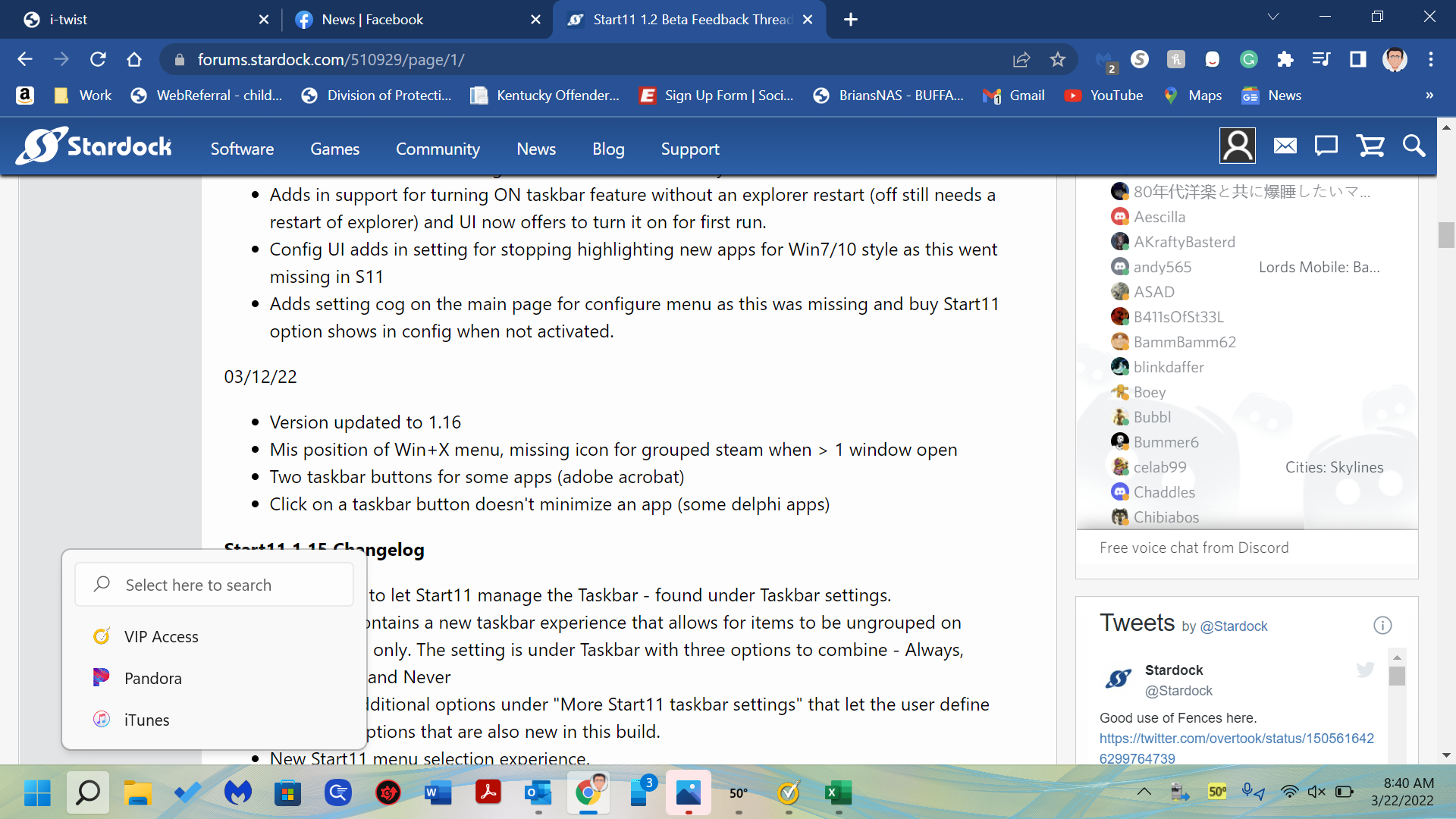
How do I get the small box to go away? It's annoying doesn't work and I just want the "Big" menu/search box. 


Thank you
 

837 views 1 replies
Reply #1 Top

Thats a feature of Windows 11 itself.

If you hover over the search button you get that search option.

You can disable that by going to Windows taskbar settings and under taskbar behaviours unticking "Show recent searches when I hover over the search icon"