
Recently Added Apps not displaying

I have had start11 installed for a while and assumed I had not enabled the recently installed apps option. Having checked, that option is enabled both in Start11 and windows settings, however it is not displayed at all! I'm hoping someone might have an idea of what is causing this. I'm currently using windows 11 pro.

1,608 views 7 replies
Reply #1 Top

Hello,

Sorry to hear you are having issues.

Today there is a New Release version of Start11 

go to your account page to download v1.15 

get it out and report back if that works for you , please .


AzDude
Stardock Community Assistant

Reply #2 Top

Hi, thanks for your quick response, I have just installed the 1.15 beta unfortunately to no avail.

many thanks
Dan

Reply #3 Top

Hello,
Sorry to hear you are having issues. Need to know few things.

  1. Full Windows 11 version numbers. Please use Windows "Winver.exe" to get full version numbers.
  2. What Start11 style you're using?
  3. Post a screenshot of your Startpanel.

Thanks
Basj,
Stardock Community Assistant.

Reply #5 Top

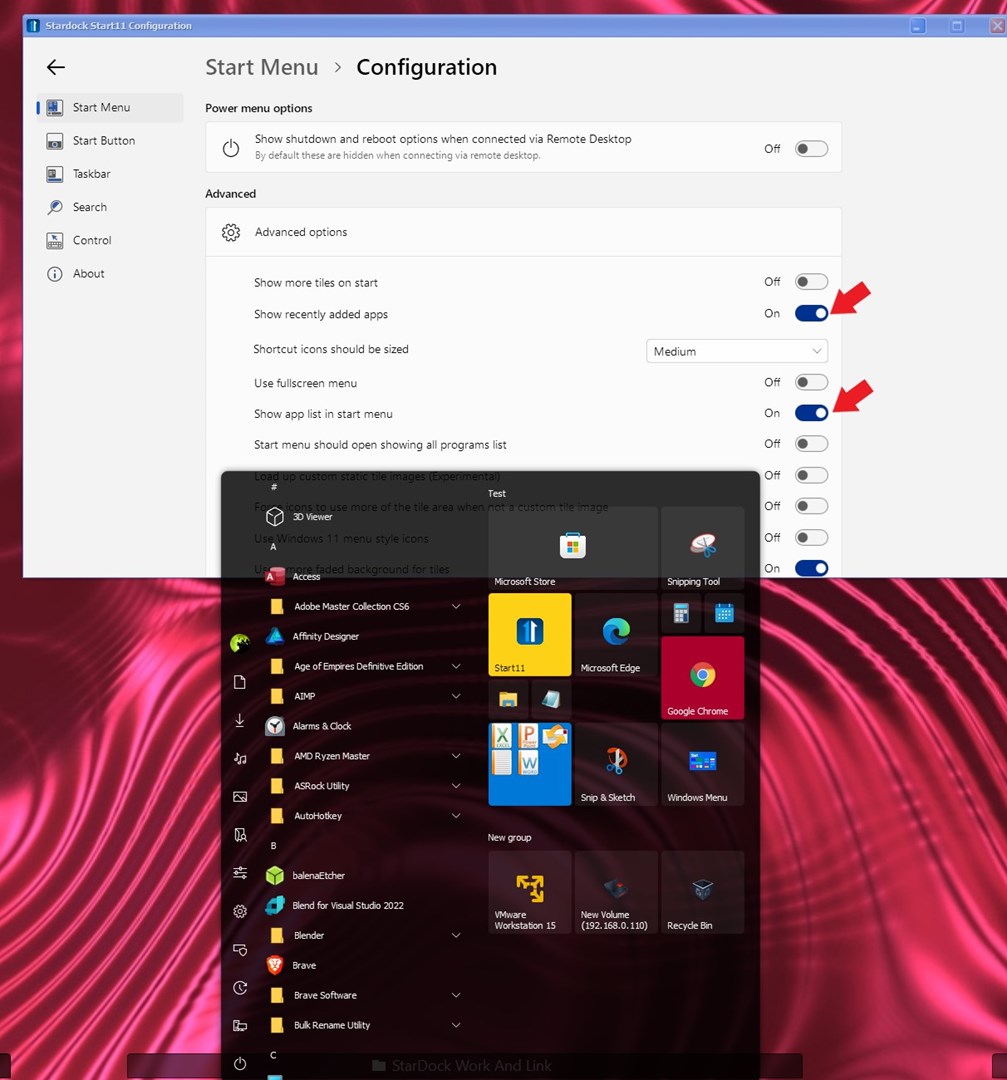
The Recent added items should appear on your "All App" part. If you use Windows 10 style you can turn on All apps list. But in Windows 11 style you need to click on that "All Apps" to open up All apps list and Recent added Apps should appear there.

Thank you,

Basj,
Stardock Community Assistant

Reply #6 Top

Aha thank you! I had been absolutely blind. I expected it to show on the main page of the menu but I'm happy to have found it now. Maybe that could be an option in a later version to specify if the recently installed apps shows on the home page of the menu. Similar to the recent documents tab.

Reply #7 Top

In Windows 10 Style there is an option to show the all apps with those tiles side by side. Something like screenshot below.

Thank you,

Basj,
Stardock Community Assistant