
Problems after uninstalling Stardock 11

Persistent left shift

Installed then uninstalled latest version of Stardock in Win 11 (21H2/2200.527). Taskbar icons are now permanently shifted to the left although the taskbar preference is set to center. Reboots have not fixed the problem. I cannot find a way to get the Win 11 taskbar to go back to normal after uninstalling Stardock. I had never set Stardock to shift the icons and start icon to the left, for what that is worth, all I did was click through the alternate start menu options to see what they looked like. How do I fix the Win 11 taskbar after it seems to have been borked by Stardock?

2,057 views 5 replies
Reply #1 Top

Hello,

I have forwarded your report to the Stardock support team for their review and recommendations.

Please keep an eye on this thread for any updates.

We really do appreciate your feedback, thanks.

Reply #2 Top

Hello,

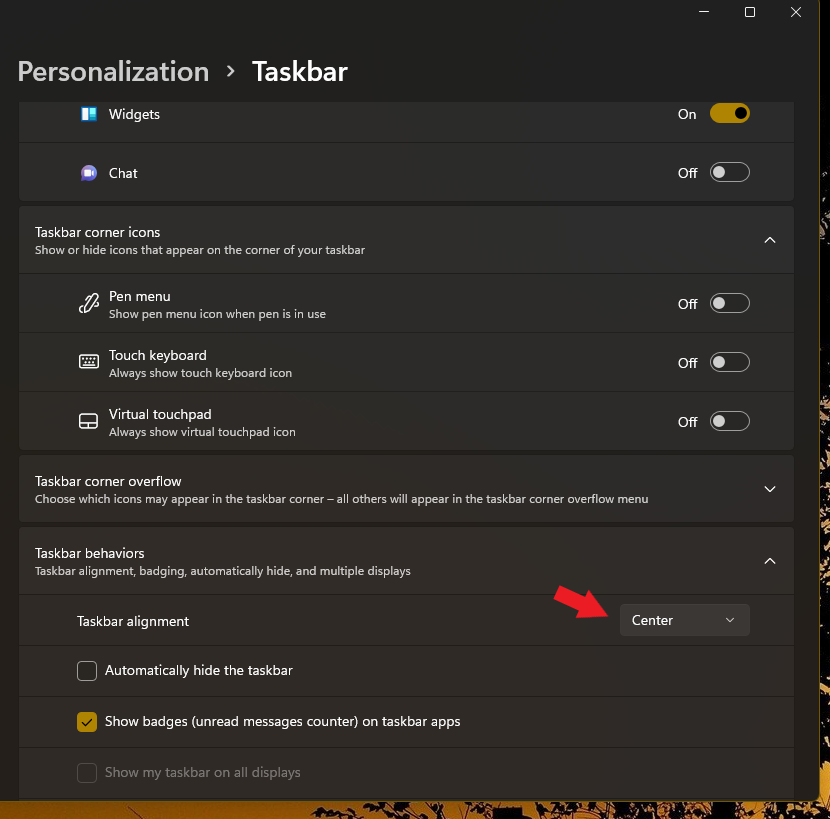
Sorry to hear you are having issues. Have you try the Windows setting. Refer to screenshot below.

Thanks

Basj,

Stardock Community Assistant.

Reply #3 Top

Is this response intended to be an insult?

Did you not read the post?

This setting does not change the centering of icons after uninstalling Stardock.

The issue is how to undo what Startdock did to the taskbar short of reinstalling Windows or restoring a disk image.

I assume those who programmed Stardock actually understand how it works and can find a solution. But maybe not.

Reply #4 Top

Any reason for the hostile attitude against the people who try to assist you? It's Start 11, btw. Stardock is the name of the company.

Reply #5 Top

Sorry, no insult intended. If you feel insulted, I am sorry. I merely suggesting something that might help, which I have seen often user over look.

Please try purge part of this steps as mentioned here: [link]. Reboot after the purged.

Thank you,

Basj,
Stardock Community Assistant