Icon Spacing
from  Stardock Forums
Stardock Forums
Fences Icons lose spacing. How do I correct this?


Hello,
Sorry to hear you are having issues. Can you elaborate more on what you mean by "lose spacing"?
Also include information such as
Thanks
Basj,
Stardock Community Assistant.

Hello,
Please set the icons size to classic and take another screenshot and post it here.
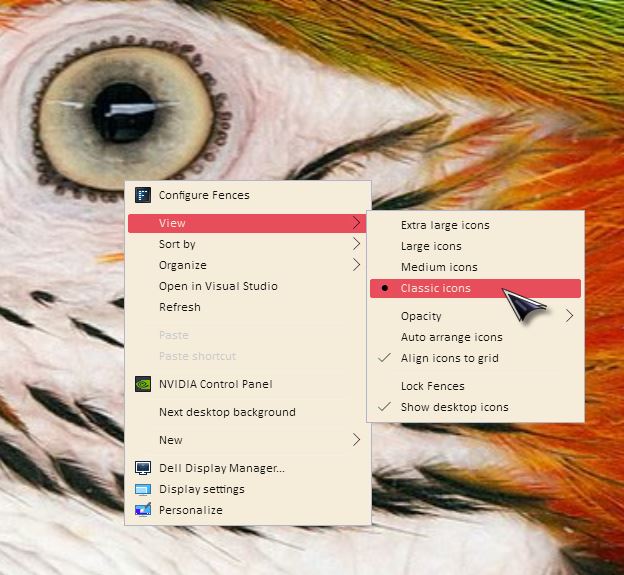
Thank you.
Basj,
Stardock Community Assistant.
What resolutions and scaling (100%,200% etc) set for this monitor?
Thank you.
Basj,
Stardock Community Assistant.
Resolution 5120 x 1440 Scaling 125%
Changing the scaling does not change anything
First, Please try purge and reinstall steps as mentioned here: https://forums.stardock.com/486084/fences-support-faq#reinstalling Just make sure to redownload the latest version from your account. Reboot after the purged. Reinstall, and Reboot again after the installation. Retest it. Report back here.
Thank you.
Basj,
Stardock Community Assistant.
After purging Fences, the problem still remained. I found the solution by editing the registry following this article: How to change icon spacing on the Windows 11 desktop
Welcome Guest! Please take the time to register with us.
Select a reason for giving karma:
You're about to visit an external site:
Sign up here to get the latest news, updates, and special offers delivered directly to your inbox.