
Closed fence does not remove the icon from the desktop

I installed Fences 4 on my new laptop, but it doesn't work like Fences 3 on the old laptop. I created a fence and moved some icons from the desktop into it. When I open the fence the icons are displayed, but when the fence is closed the icons remain visible on the desktop.

8,589 views 10 replies
Reply #1 Top

Hello,
Sorry to hear you are having issues. Could you post a video of this issue.

Thanks
Basj,
Stardock Community Assistant.

Reply #3 Top

Hello,

Thanks for the video. Would like to know.

  1. Windows 10 or 11? And its version numbers. Use Windows "Winver.exe" to get that numbers.
  2. Fences 4 version numbers.
  3. Monitors/Displays resolutions, multi monitors? Scaling apply to monitors (100%,250% etc)

Thank you,

Basj,
Stardock Community Assistant

Reply #4 Top

Hallo Basj, gerne beantworte ich die Fragen:

  1.  Windows 10 Version 21H2 (Build 19044,1526)
  2. Fences 4 Version 4.0.0.3
  3. NVIDIA RTX A3000 Laptop GPU, Treiber Version 30.0.14.7276 vom 23.11.2021
  4. FlexView Display 3840x2160
  5. Skalierung 250% empfohlen, 
  6. das Gerät ist ein Lenovo P15 Gen2,

Die Frage nach der Skalierung war eine gute Idee und ich habe damit experimentiert. Bei 100% bis 200% funktioniert Fences 4 korrekt, ab einer Skalierung von 225% tritt der im Video gezeigte Effekt auf.

Ich habe die Skalierung nun auf 200% eingestellt, aber für die tägliche Arbeit braucht man sehr gute Augen und es ist sehr anstrengend damit zu arbeiten. Ich hoffe nun auf eine schnelle Lösung durch einen Fences 4 Update.

Gruß Reinhard 

Reply #5 Top

Hello,

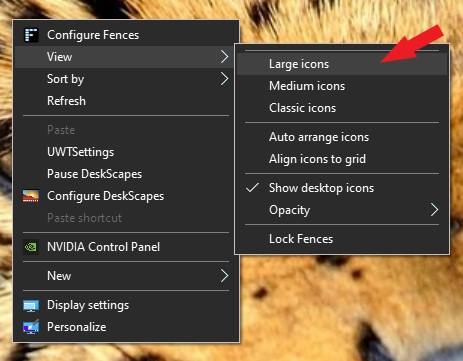
Yes, there were few reports from others before that have similar issue when using very high scaling. Is it possible just to use up to 200% but use Large icons?

Thank you,

Basj,
Stardock Community Assistant

Reply #6 Top

Hallo Basj,

vielen Dank für die Antwort. 

Bei einer Skalierung von nur 200% spielt die Größe der Icons keine Rolle, die reicht aus. Aber viel entscheidender ist die Schriftgröße für die Bedienung der Programme. Da ist eine Skalierung von 250% die ideale Größe, nur 200% strengt auf Dauer die Augen zu sehr an.

Gibt es Pläne für ein Update von Fences 4, damit es auch bei einer Skalierung von 250% korrekt funktioniert. Ohne solch ein Update ist es für mich nicht nutzbar. Dann möchte ich vom Kauf zurücktreten und mein Geld zurück, denn in der Beschreibung steht nichts von einer maximalen Skalierung von 200%.

Gruß Reinhard  

Reply #7 Top

Hello,
I have forward your problem/question to Stardock Support Team for their assistance. Please keep an eye on this thread for any updates. We appreciate your feedback and patience.

Basj,
Stardock Community Assistant

Reply #9 Top

Hello AzDude,

I uninstalled fences 4 with Purge_Fences.bat and then i rebooted my laptop. Via my account login I downloaded the Fences4_setup.exe, reinstalled Fences 4, created a fence and moved 3 desktop app icons into it. But there has been no improvement. When closing a fence, the app icons remain visible. Only when I reduce the scaling to 200% are the app icons hidden by the fence. The old version number was 4.0.0.3 and the new installation is also version number 4.0.0.3

Reply #10 Top

Hello again,

Maybe you can try Cleanboot and see if there is conflict with other applications : https://forums.stardock.com/486084/fences-support-faq#cleanboot. Try it and report back. Appreciate your patience.

Thank you,

Basj,
Stardock Community Assistant