Help

fences go above my icons

Hi, why my fences go above my icons?

So, sometrimes I don't remember an icon because is hidden ..


thanks

Gio

4,519 views 3 replies
Reply #1 Top

Hello,
Sorry to hear you are having issues. Is your new icons sometimes were placed underneth your Fences? If yes, please try :

  1. Disable "Auto Arrange Icons" (Right click on desktop->View->Make sure "Auto Arrange Icons" not selected)
  2. Set sort by "None" (Right click on desktop-> Sort By-> Select "None"

Try those first and report back if you still have issue.

Thanks
Basj,
Stardock Community Assistant.

Reply #2 Top

Hi and thanks.. no, it's the opposite: If I do what you did write the fence cover my icons.. On the contrary if I select "Autoarrange: yes" It does not cover the icons and move icons in the sides. But I don't want the autoarrange setting...

Reply #3 Top

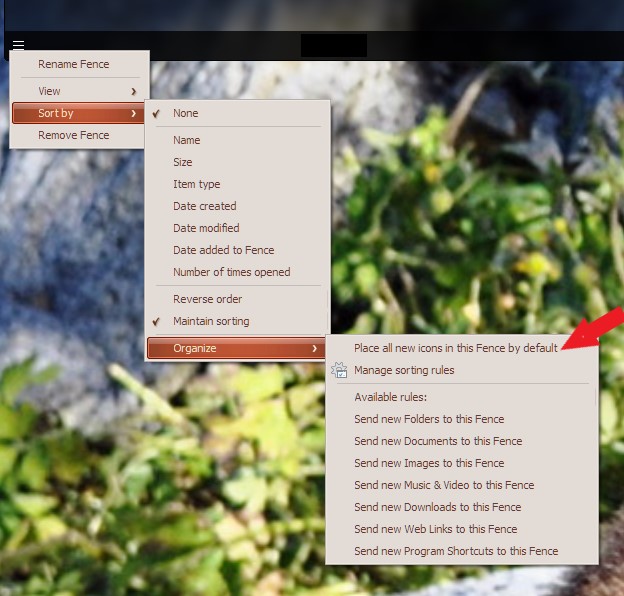
You can also set up a new fences where all the new icons/program go there. It won't go under any other fences. To do it, you need to create a new fence, give a name. Setup rules for that fences so that all new icons go there. Refer to screenshot below. After that applied, all new icons after applied will go in that fence.

Thank you,

Basj,
Stardock Community Assistant