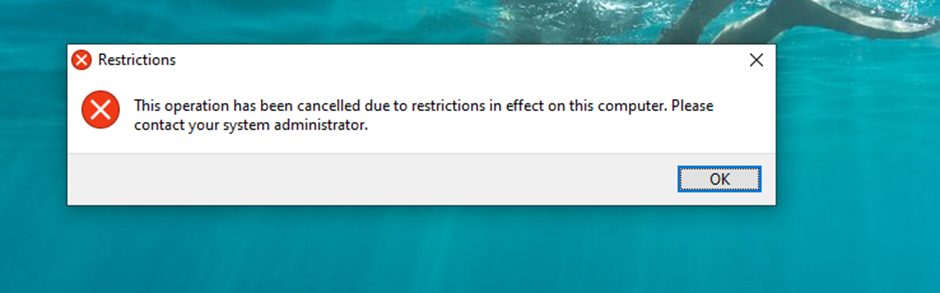
Unable to install Fences 4 - "cancelled due to restrictions in effect on this computer

Hi - I had installed Fences 3 as a trial quite some time ago and it was working OK but would keep prompting that the trial had expired.  I decided to buy the full version and since a Fences 4 was out, I uninstalled Fences 3 using Revo-Uninstaller and downloaded Fences 4.  Subsequent to that I am UNABLE to install Fences 4 it repeatedly gives the error "Restrictions - This operation has been cancelled due to restrictions in effect on this computer.  Please contact your system administrator"


Note that 

1.  This is a Dell Core i7 Windows 10 machine I have full admin privileges 

2.  I tried to uninstall the old Fences 3 software again and rebooted it several times 

3.  I used the "purge" utility you folks have put out several times and tried to install - same error

4.  I right clicked and tried to install Fences 4 as "administrator" - same error

5.  I downloaded and redownloaded Fences 4 many times and it would still stall and NOT install

6.  I downloaded Fences 3 from the website and tried to install that and get the SAME error (note previously it WAS fine)

7.  I've rebooted the computer many times


This is very frustrating.  Can you help?

Thanks
 

9,811 views 14 replies
Reply #3 Top

Is this a corporate system? And does Forcepoint or Websence installed in this system?

Thank you,

Basj,
Stardock Community Assistant

Reply #4 Top

No.  It's a home desktop machine and has Windows Defender installed on it that's all.

Reply #5 Top

Hello,
I have forward your problem/question to Stardock Support Team for their assistance. Please keep an eye on this thread for any updates. We appreciate your feedback and patience.

Basj,
Stardock Community Assistant

Reply #7 Top

Please see:

https://forums.stardock.com/509469/get;3833307

Let us know what there worked for you - the new installer or VPN disconnect.

Sean Drohan
Stardock Support Manager

Reply #8 Top

Thanks - I'm not sure what you're saying here.  I am NOT connected to a VPN although I do have the application (Private Internet Access) installed on my system and it sort of sits in the tray on the right hand side.  I did EXIT the application but get the same error message when I try to run the installation file.  I also disabled the VPN by temporarily deleting the .exe file of the VPN software from its directory and rebooted and then tried to install - same error.   Even if I try to install Fences 3 same error.  Besides, every software under the sun I can install WITH this VPN in place (whether running or not) with no issue.  


Can you please elaborate on what you mean by "the new installer" - is there a different file I can download?


Thank you 

Reply #9 Top

Quoting jafary, reply 8

Can you please elaborate on what you mean by "the new installer" - is there a different file I can download?
End of jafary's quote

I believe he mean, try downloading again from your account : https://store.stardock.com/myaccount/products. Sometimes downloaded installer get corrupted.

Thank you,

Basj,
Stardock Community Assistant

Reply #10 Top


I downloaded the trial version of the file 3-4 times but always get the same error


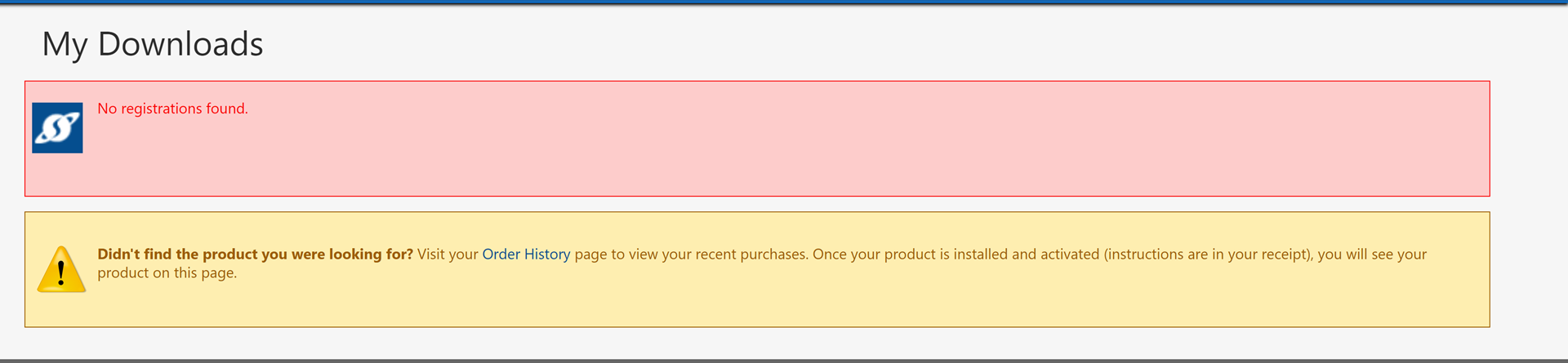
When I try to download from my "account" (I'm signed in) I get this 


I'm guessing it's because it will only appear in my account if I PAY for it.  I'm happy to pay for it but only when I know it's going to work obviously ???   So now what??

Reply #11 Top

Yes you have to Pay for it to show up in your account .

If you don't like it you can apply for a refund .

Reply #12 Top

Quoting jafary, reply 10

I downloaded the trial version of the file 3-4 times but always get the same error
End of jafary's quote

You can get the trial from here:

https://www.stardock.com/products/fences/download-trial

Sean Drohan
Stardock Support Manager

Reply #13 Top

Downloaded this several times each time same error message.  Not sure why I have to download a PAID version and expect it to work?  Is it not the same software (and if not, why isn't it)?  Happy to pay for it (that's what I wanted to do at the outset) but not willing to pay without knowing if it will install or not

Reply #14 Top

Follow this and try to install again:

https://support.microsoft.com/en-us/windows/create-a-local-user-or-administrator-account-in-windows-20de74e0-ac7f-3502-a866-32915af2a34d

Sean Drohan
Stardock Support Manager