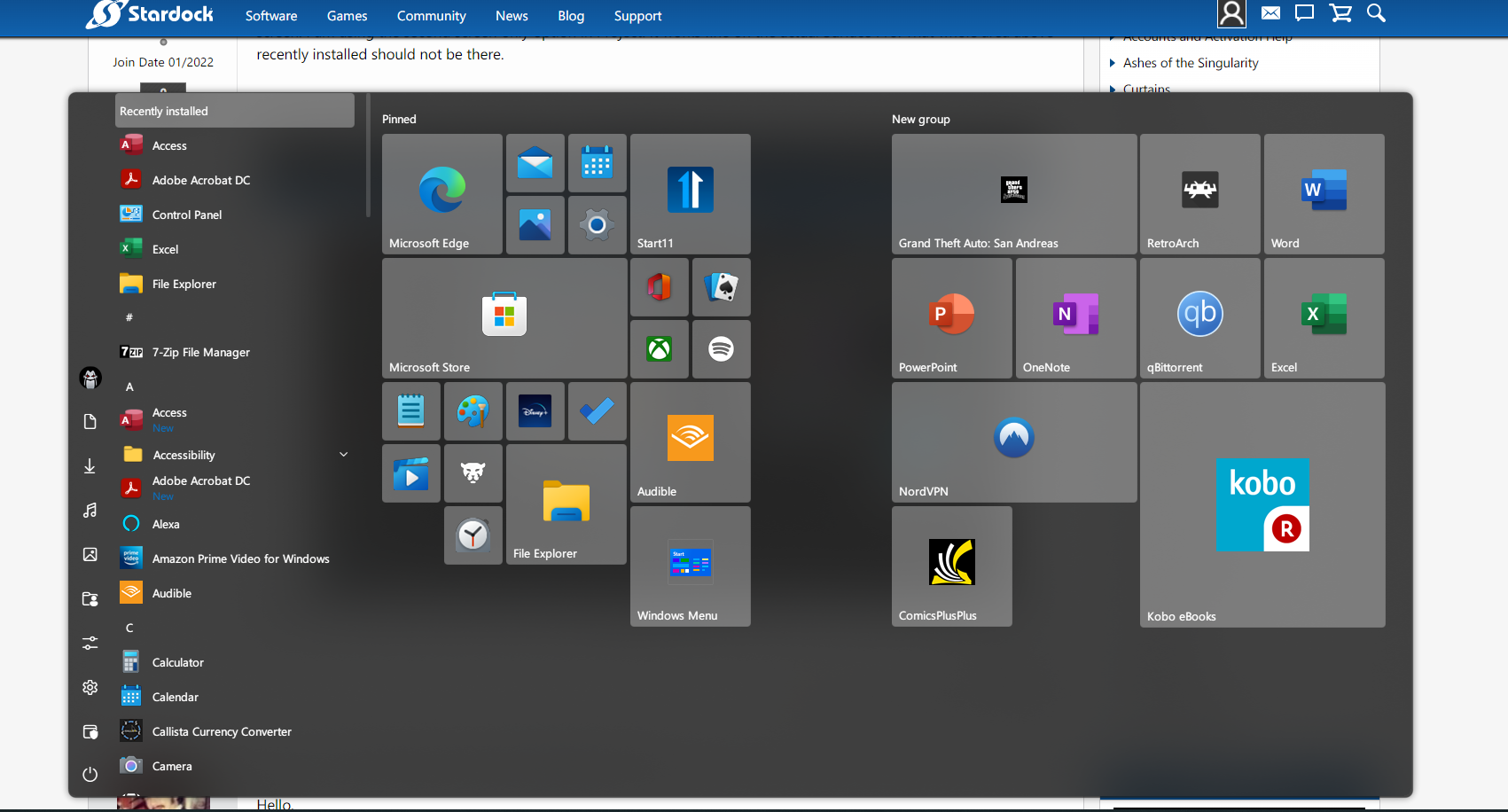
Extra Bar at top of Start Menu with projected monitor

Start menu not resizing correctly

I have an extra bar of blur at the top of my start menu (see photo) when I use my Surface Pro 6 with a dock to a second screen. I am using the second screen only option in Project. It works fine on the actual Surface Pro. That whole area above recently installed should not be there. 
 

1,614 views 4 replies
Reply #1 Top

Hello,

I have forwarded your report to the Stardock support team for their review and recommendations.

Please keep an eye on this thread for any updates.

We really do appreciate your feedback, thanks.

Reply #3 Top


I am using the second screen only option in Project.
End of quote

Could you provide a screenshot of exactly what you mean here?

Sean Drohan
Stardock Support Manager

Reply #4 Top

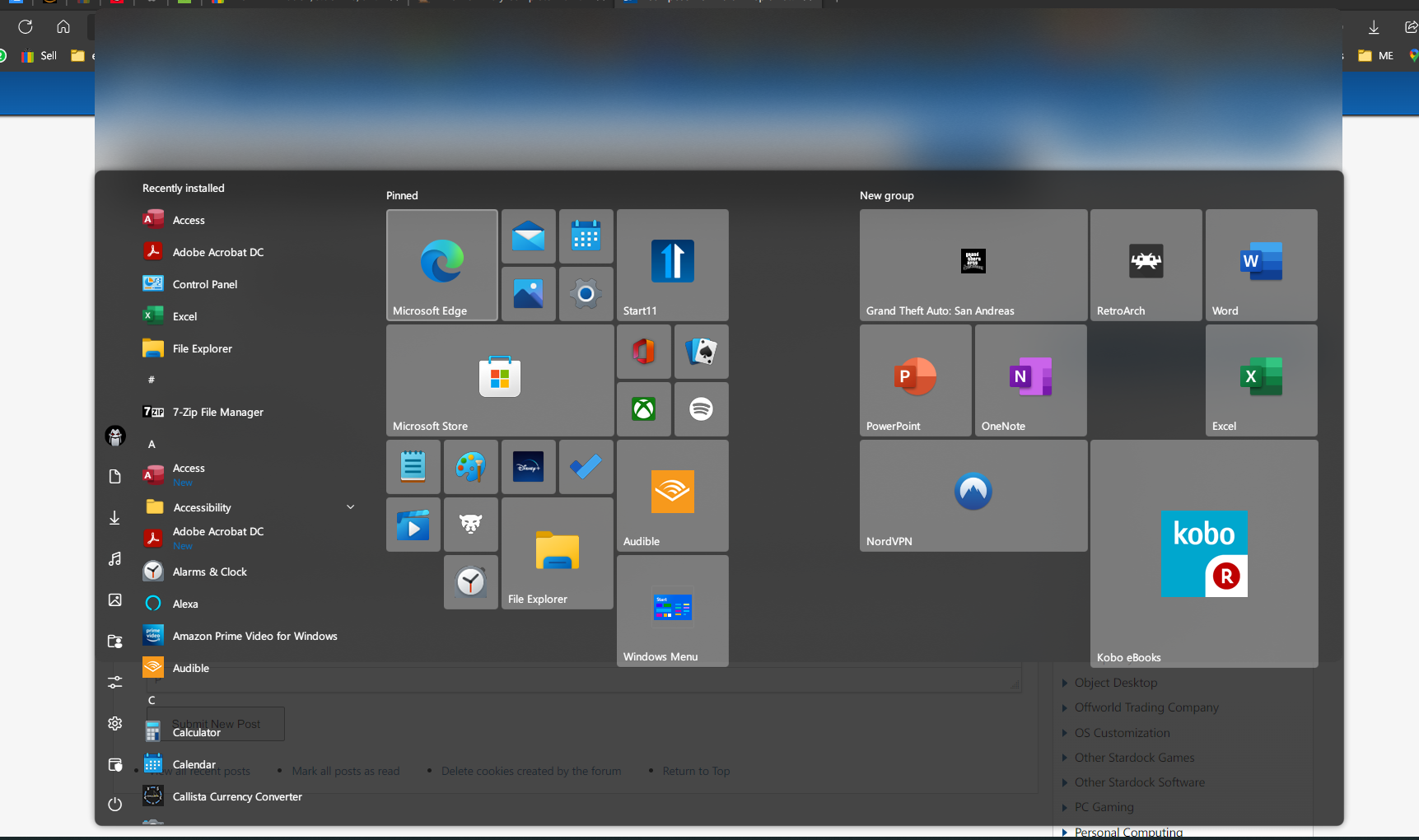
Hello Sean. Here is how it looks when I am using the Surface Pro screen, undocked. It looks fine. 


Here is the same machine with a Surface Dock outputting to a 27" monitor. See the blurred bar that extends at the top that obscures the Edge tabs? Like an extra 5th of the screen is blurred.