Right Click not working

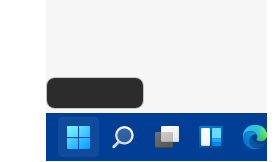
The right click on the startbutton is not working for me anymore. It only shows a little black rectangle no matter wich theme I choose, even if I switch back or deinstalls Stardock-Start11. I use Win 11 21H2 Build 22000.438 and have no other problems.
2,407 views 7 replies
Reply #1 Top

Hello,
Sorry to hear you are having issues.  Please try purge and reinstall steps as mentioned here: [link]. Just make sure to redownload the latest version from your account. Reboot after the purged. Reinstall, and Reboot again after the installation. Retest it. Report back here.

Thanks
Basj,
Stardock Community Assistant.

Reply #2 Top

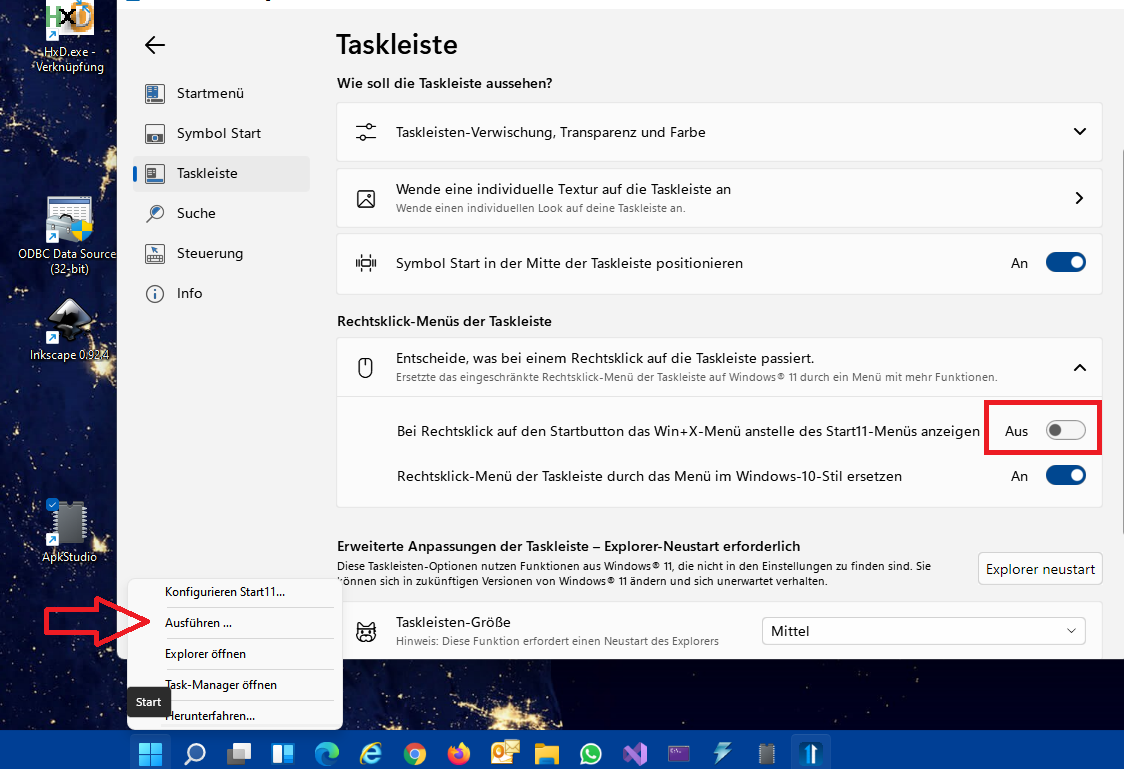
That didnt help, but see my screenshot I can activate a different menu on right click, but I don't get the original black one, neither with click nor WinKey-X.

Reply #3 Top

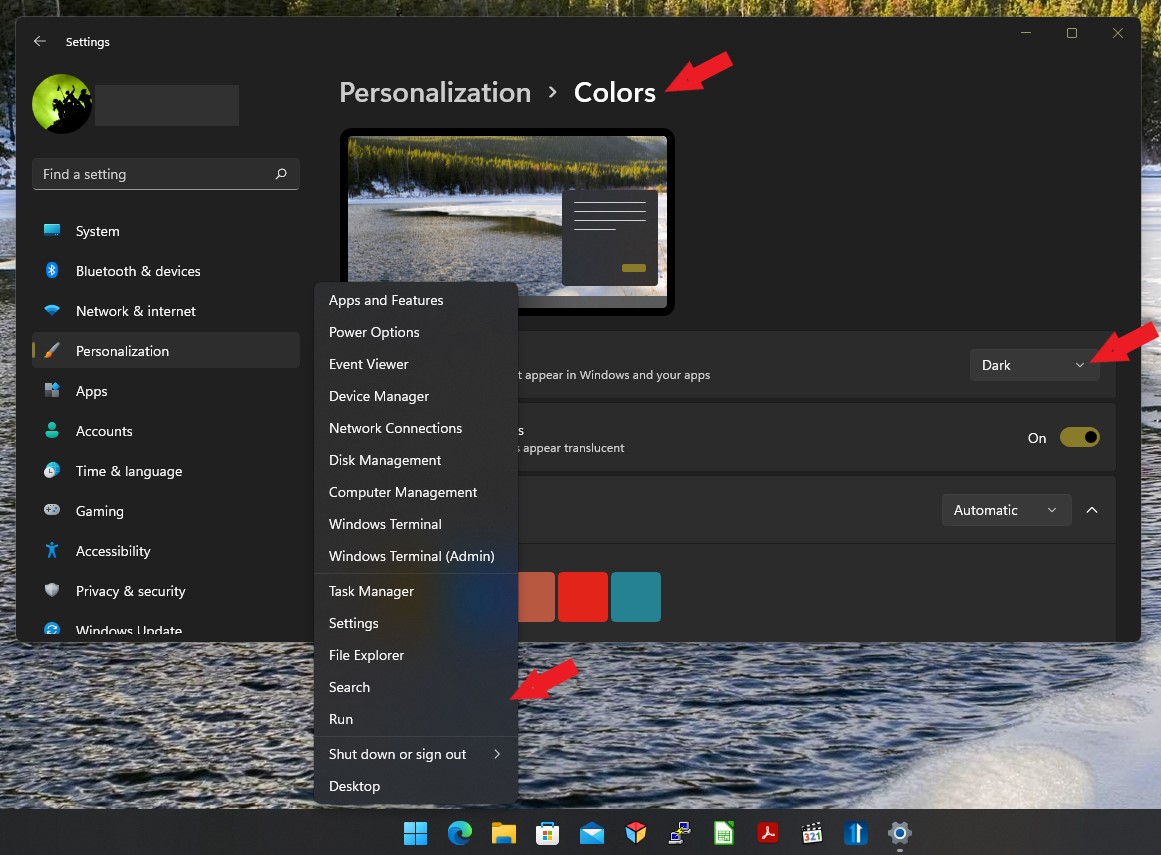
Look to me you have light theme on in Windows 11. To get dark menu, you will need to change to dark theme in Windows 11->Setting - Personalization ->Colors -> Dark mode.

Thank you,

Basj,
Stardock Community Assistant

Reply #4 Top

That also did'nt help . The white context menu only appears if you check "Bei Rechtsklick auf den Startbuttondas Win-X Menü anstelle des Start11 Menüs anzeigen". See my last screenshot, I put a red rectangle on that option. Strange thing is ... when I press Win-X nothing happens anymore with or without Start11 installed. Before I installed Start11 the menu appears like in your last screenshot.

Reply #5 Top

Please try purge and reinstall steps as mentioned here: [link]. Just make sure to redownload the latest version from your account. Reboot after the purged. Reinstall, and Reboot again after the installation. Retest it. Report back here.

Thank you,

Basj,
Stardock Community Assistant

Reply #6 Top

If the problem occurs WITHOUT Start11 installed then it will be a problem with your Windows installation.  Start11 will not be the cause of the issue either, it will be something else in the OS.

I am afraid that is out of scope for us and reinstalling Stat11 will do nothing fix the issue as it isn't the cause of the issue.